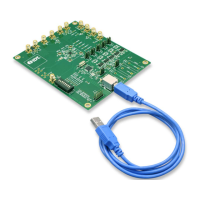
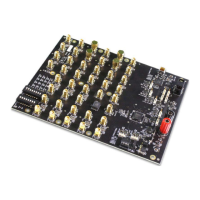
8A3xxxx 144BGA EVK User Manual
© 2019 Integrated Device Technology, Inc.
Important Notes
Disclaimer
Integrated Device Technology, Inc. and its affiliated companies (herein referred to as “IDT”) shall not be liable for any damages arising out of defects resulting from
(i) delivered hardware or software
(ii) non-observance of instructions contained in this manual and in any other documentation provided to user, or
(iii) misuse, abuse, use under abnormal conditions, or alteration by anyone other than IDT.
TO THE EXTENT PERMITTED BY LAW, IDT HEREBY EXPRESSLY DISCLAIMS AND USER EXPRESSLY WAIVES ANY AND ALL WARRANTIES, WHETHER
EXPRESS, IMPLIED, OR STATUTORY, INCLUDING, WITHOUT LIMITATION, IMPLIED WARRANTIES OF MERCHANTABILITY AND OF FITNESS FOR A
PARTICULAR PURPOSE, STATUTORY WARRANTY OF NON-INFRINGEMENT, AND ANY OTHER WARRANTY THAT MAY ARISE BY REASON OF USAGE
OF TRADE, CUSTOM, OR COURSE OF DEALING.
Important Equipment Warning: Ensure the correct connection of all cables. Supplying the board using the wrong
polarity could result in damage to the board and/or the equipment. Check that all jumpers have been removed from
the board before applying power.
Contents
1. Usage Guide .................................................................................................................................................................................................4
1.1 Board Overview ...................................................................................................................................................................................4
1.2 Board Power Supply ............................................................................................................................................................................5
1.3 Voltage Selection Jumpers ..................................................................................................................................................................5
1.4 GPIO Switches, LEDs, and Test Points ..............................................................................................................................................6
1.5 USB Jack .............................................................................................................................................................................................7
1.6 Onboard EEPROM ..............................................................................................................................................................................7
2. Working with Timing Commander™ for Programing/Configuration ..............................................................................................................8
2.1 Default Operation ................................................................................................................................................................................8
2.2 Using Timing Commander to Control the Board ..................................................................................................................................9
2.3 Output Terminations and Rework to Take 1PPS Input ......................................................................................................................15
3. How to Upgrade the Firmware ....................................................................................................................................................................16
3.1 Upload Firmware to the RAM ............................................................................................................................................................16
3.2 Upload Firmware into the EEPROM ..................................................................................................................................................18
3.3 Verify the EEPROM Programming ....................................................................................................................................................19
4. Schematics .................................................................................................................................................................................................20
5. Ordering Information ...................................................................................................................................................................................29
6. Revision History ..........................................................................................................................................................................................29


 To Next Page