- 6 -
Manually-Keyed Configuration Options
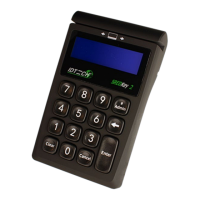
When the “Admin” key is pressed, the screen will display "Select manual config 1-6" to
prompt the user to select one of five manual entry modes.
Configuration #1: Card Number, Expiration Date
Configuration #2: Card Number, Expiration Date, Zip Code
Configuration #3: Card Number, Expiration Date, Street Number of the Address, Zip Code
Configuration #4: Card Number, Expiration Date, Security Code, Zip Code
Configuration #5: Card Number, Expiration Date, Security Code, Address, Zip Code
Configuration #6: Card Number, Expiration Date, Security Code
When the user selects the key corresponding to a manual mode, and then selects enter,
the mode will be configured and the unit will return to the data capture mode. If the user
selects more than one key, then the last key selected will be used to select the mode.If a
invalid key is selected the unit will display "error" then "Select manual config 1-6"













 To Next Page