VP 3600 User Manual
Page | 8
Command data field
Data field Length (bytes) Description
Name Var to 26 Ascii, must end with 0x00
Old password 6 Hex
New password 6 Hex
3.5.2. Pairing a VP3600 and an Android Device Using BLE (Bluetooth Low
Energy)
1. Download the NEO II Android SDK .ZIP file from the VP3600 product page and load the NEO 2
Demo app (NEO2_Demo.APK) onto your Android device.
2. Go to the Android device’s Bluetooth settings and forget the VP3600.
3. Power on the VP3600.
4. Enter a new password for the device using the Set Bluetooth Parameters (77-81) command
(the VP3600’s default password is 123456).
a. You can send this command using either ID TECH’s USDK Demo app (described below in the
Universal SDK Demo App section
) or your preferred firmware command method.
5. Open your Android device’s settings.
6. Turn Bluetooth on.
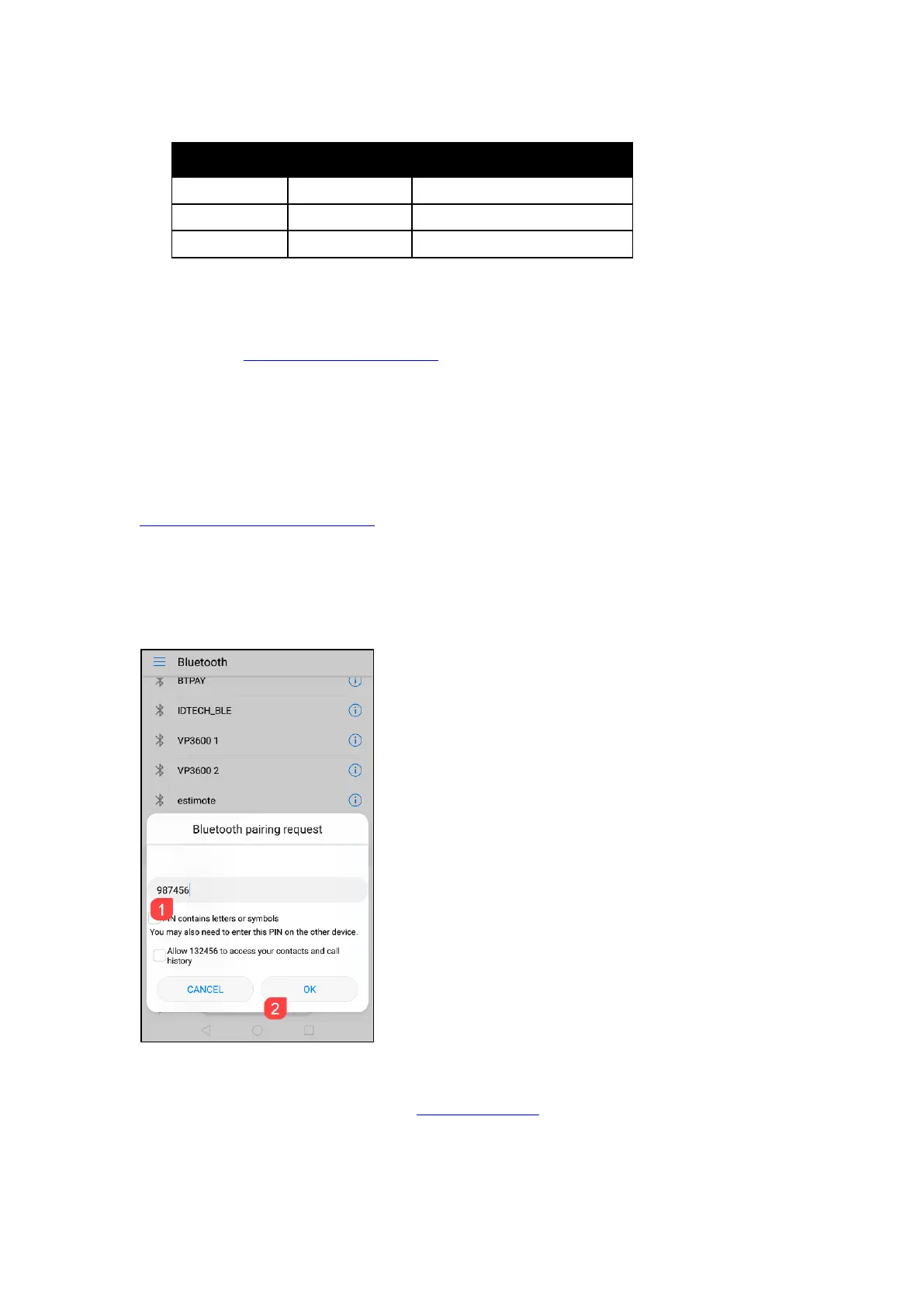
7. Select the VP3600's Bluetooth name from the list of available devices (the default name is
IDTECH_BLE).
8. Enter the password you set in step 4, then tap OK to pair the device.
3.5.3. Testing the Connection on Android
If you have not already done so, install the NEO 2 Demo app before you continue.
1. Open the NEO 2 Demo app and select NEO 2 (Bluetooth):














 To Next Page