15
※ iTDC Quick Installation Guide
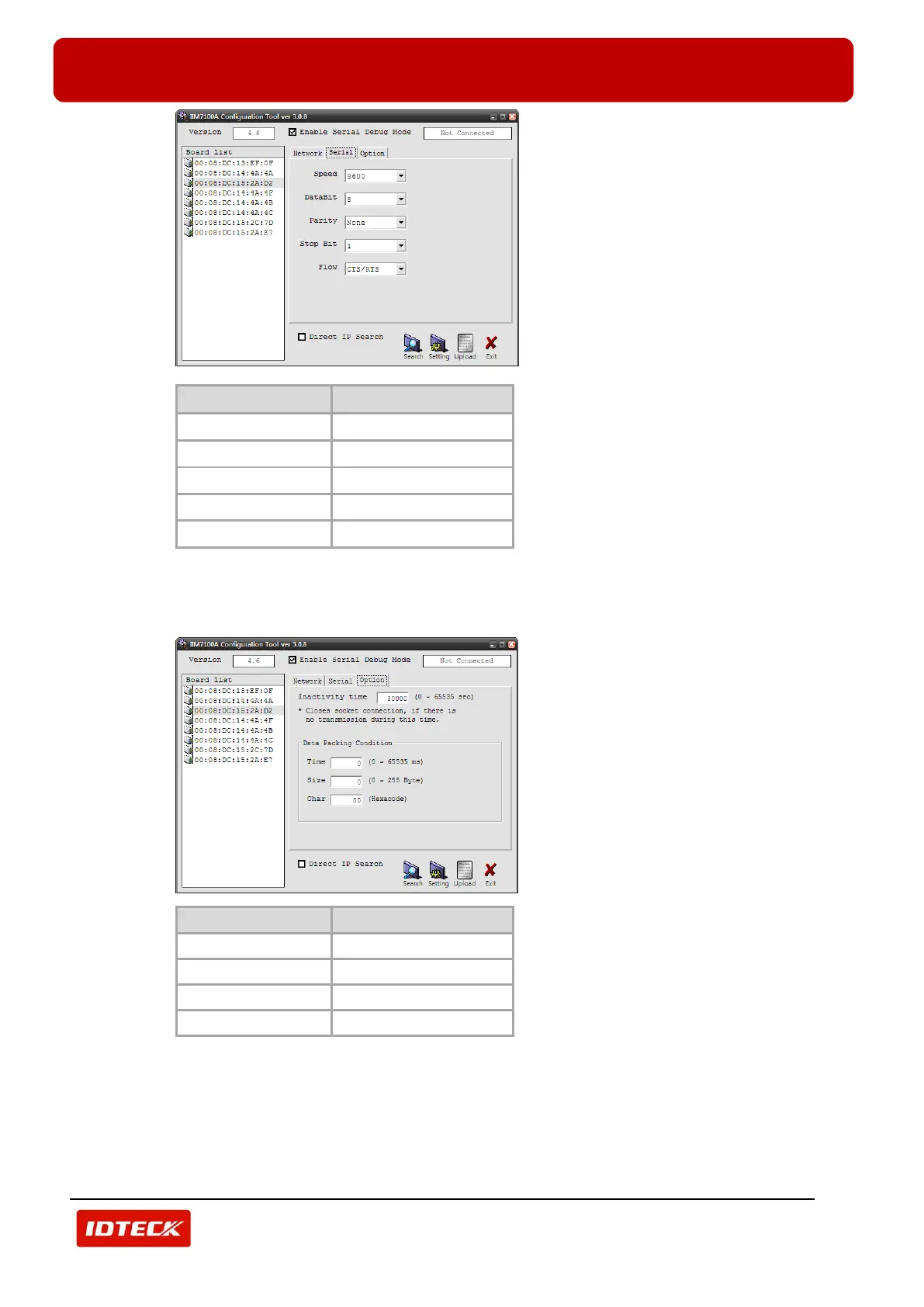
7) Select ‘Option’ tab.
Select option values (‘Inactivity Time’, ‘Time’, ‘Size’ and ‘Char’ ) of selected TCP/IP module.
Select ‘30000’ for ‘Inactivity Time’, ‘0’ for ‘Time’, ‘0’ for ‘Size’, ‘00’ for ‘Char’. Refer to table below.
8) If all setting process is completed, click ‘Setting’ to apply network information to TCP/IP module.
After setting is completed, ‘Complete Setting’ message is displayed. Click ‘OK’ and finish setting
process.


 To Next Page