1
2
T
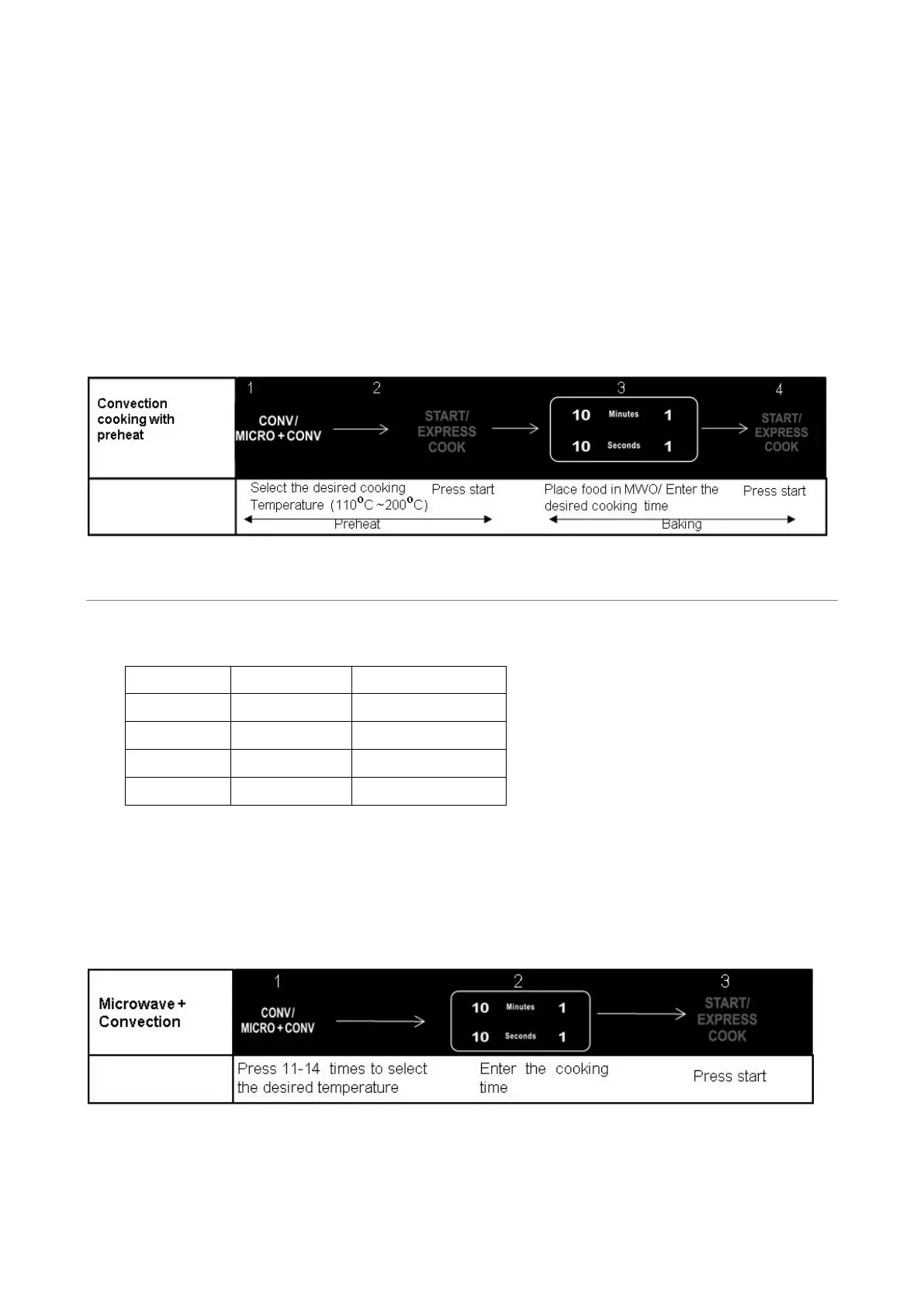
o Preheat and Cook with Convection
Your oven can be programmed to combine preheating and convection cooking operations.
Suppose you want to preheat to 170 and then cook 35 minutes.℃
1
.
O
pen the oven door and place the food, close it.
2
.
P
ress CONV/MICRO+CONV button repeatedly to select cooking temperature as shown on screen.
3
.
P
ress START START/EXPRESS COOK button to start. Beeps will sound when the designated temperature is
reached.
4
.
O
pen the door and place container of food at the center of the turntable.
5
.
Us
e the number pads to enter cooking time.
6
.
P
ress START/EXPRESS COOK button to start.
NOTE: You can check the convection temperature while cooking is in progress by pressing the
CONV/MICRO+CONV button. The longest preheat time is 30 minutes and this time can not be set.
M
ICROWAVE
+
CONVECTION
T
his oven has four pre-programmed settings that make it easy to cook with both convection heat and microwave
automatically.
Press CONV/MICRO+CONV button repeatedly to program convection temperature:
Touch Temperature(℃)
Com
b1 11 times 110
Com
b2 12 times 140
Com
b3 13 times 170
Com
b4 14 times 200
S
uppose you want to cook for 24 minutes on COMB3.
1
.
O
pen the oven door and place the food, close it.
2
.
P
ress CONVE/MICRO+CONV button 13 times.
3
.
Us
e the number pads to enter cooking time. Maximum cooking time you can set is 99 minutes and 99 seconds.
4
.
P
ress START/EXPRESS COOK button to start.
NOTE: You can check the convection temperature while cooking is in progress by pressing the
CONV/MICRO+CONV button.


 To Next Page