UK
17
10 Parameter setting
The device parameters are set exclusively via the VES004 PC software� All
parameters of the configured application are bundled in a parameter set and
transferred to the device�
For a detailed description of all parameters and possible configurations we refer
you to the VES004 software manual�
11 Operating and display elements
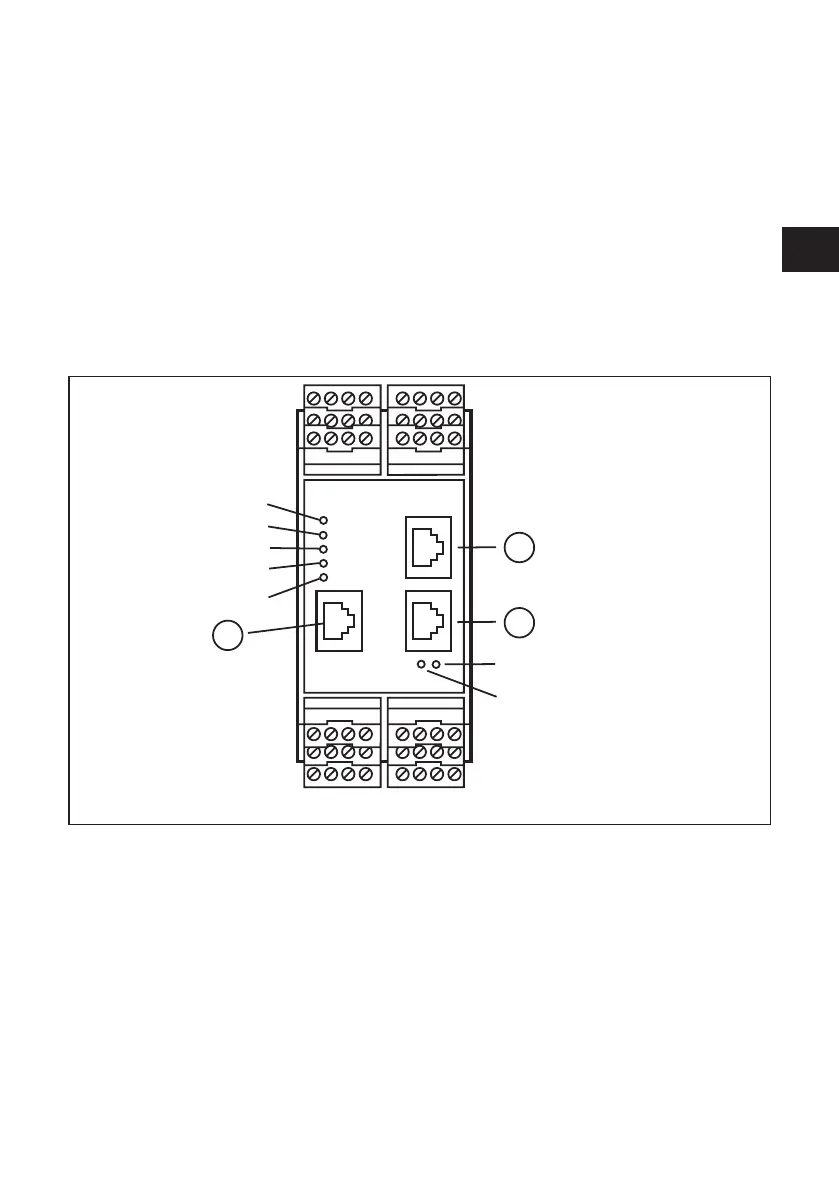
For quick identification of error states, the device has two diagnostic LEDs on the
device front�
1
3
LED 1
LED 2
LED 3
LED 4
LED 5
LED 7
LED 6
2
1: Config: TCP/IP, IP address 192�168�0�1 (factory setting), parameter setting and data interface (e�g�
VES004)
2: IE 1: Modbus TCP
3: IE 2: Modbus TCP


 To Next Page