15
1b. Link Igenix app account to Alexa app
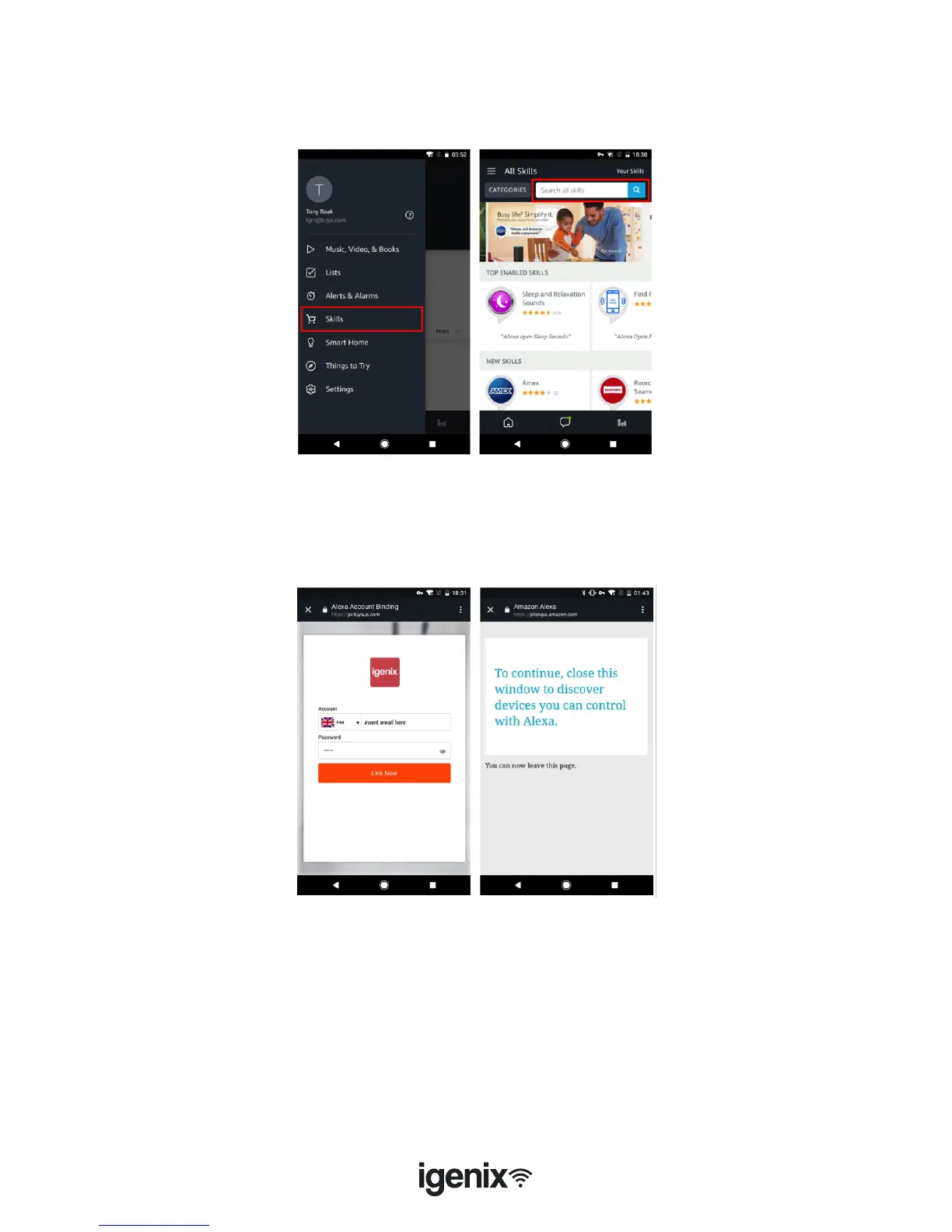
• Select the “Menu” option in the top left corner and select “Skills” (g.17), and then search “Igenix” in
the search bar (g.18).
• Select “Igenix” and tap “ENABLE” to enable the skill.
• You will be redirected to the account link page.
• Type in your Igenix account and password and then tap “Link Now” to link your Igenix account (g.19)
Note: The country, the account and the password must match the exact content in
step 2.
g.17 g.18
g.19


 To Next Page