11
CLEANING AND MAINTENANCE
Important: Alwaysunplugtheunitfromthesocketbeforecleaning.Tomaximiseefciencyoftheunit
clean regularly.
Cleaning the Housing
Use a soft, damp cloth to wipe the body clean.
Important: Do not use chemicals, detergents, chemicals or abrasive solutions to clean the unit.
Cleaning the Air Filter
• Useavacuumcleanerortapthelterlightlytoremoveloosedustand
dirtfromtheltersandthenrinsethoroughlyunderrunningwater
(nohotterthan40°C).Ensureltersarecompletelydrybeforereplacing.
Important: Itisnotrecommendedtooperatetheunitwithoutthelters.
Important: The Active Carbon Filter is not washable.
Storage
• Switch off and unplug from the socket.
• Drain away any excess water from the unit, then set the
unit to Fan mode for a few hours, this will allow the inside of the
unit to thoroughly dry.
• CleanAirFiltersorchangethelters(Note:CleaningfortheAir
Filter can be found on previous page).
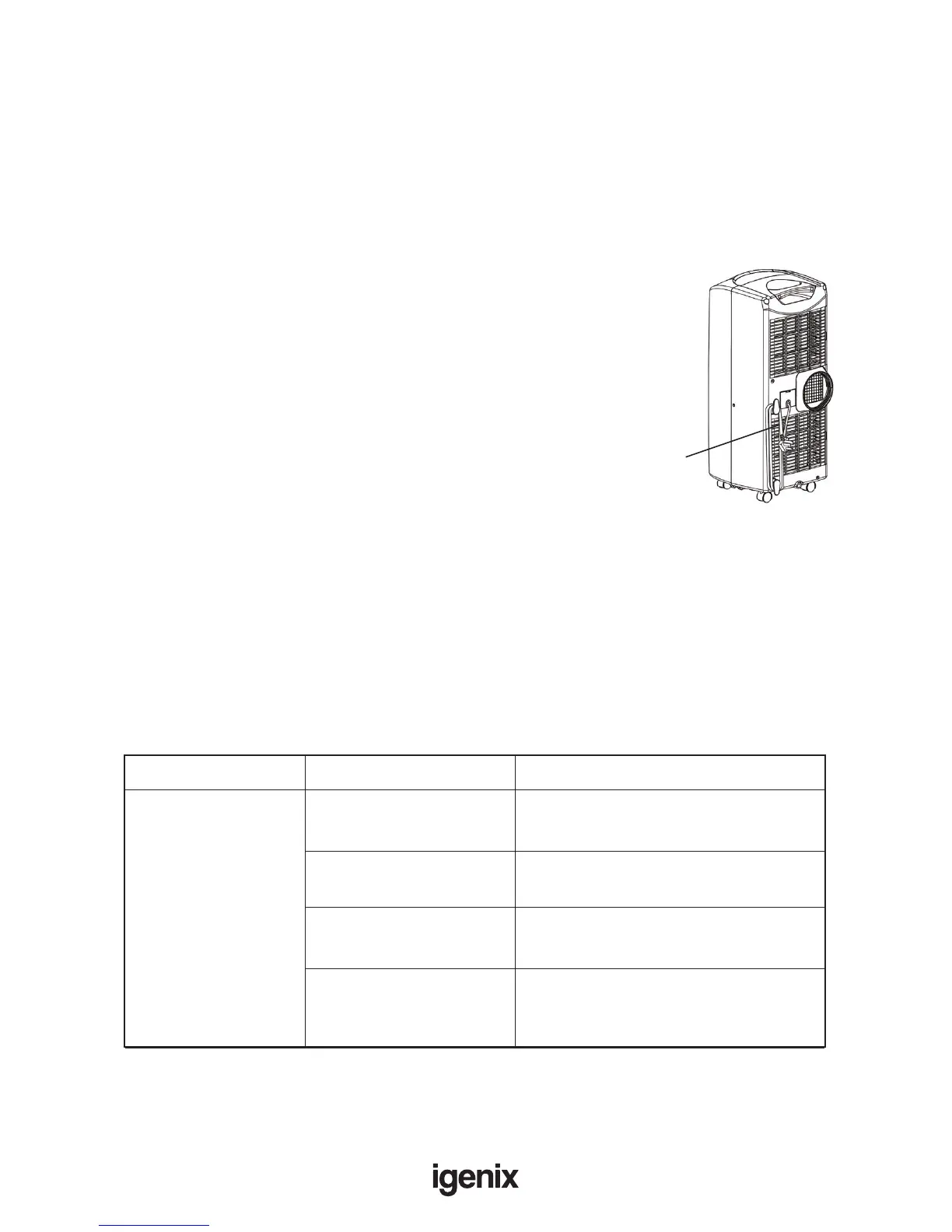
• Wrap the cord around the cord storage pegs (Fig 18).
• To protect the unit against dust, store in a dry place,
not accessible by children
Fig18.
Power cord
TROUBLE SHOOTING
It is not recommended to try and repair or dismantle the unit yourself. If you have any concerns
regarding the unit please contact Igenix Tel: 01473 271 272 or www.igenix.com
The unit does
not function?
Problem Cause Solution
No power supply! Is the unit plugged in?
Has there been a power cut.
Timer function set! ConrmthattheTimerfunctionis
not set, deactivate if needed.
Full Water Indicator
ashing!
Empty Water Tank.
Is the room temperature
below the set
temperature?
Change the temperature
on the unit.
Contnined...



 To Next Page