8
Setting Temperature
• Press the Temperature Up (Fig 13 [9]) or Temperature Down (Fig 13 [19]) button to regulate
the temperature desired.
• The Display Window (Fig 13 [10]) will show the temperature you set as you press the Temperature
Up Button (Fig 13 [9]) or Temperature Down (Fig 13 [19]) button. Otherwise, it will always show the
ambient temperature.
• The cooling system will switch off it the ambient temperature is lower than the one set.
The ventilation fan will keep on running at the set level. If the ambient temperature rises above
the selected level, the cooling system will resume working.
Automatic Mode
Press ON/OFF button, the unit will start in Auto mode.
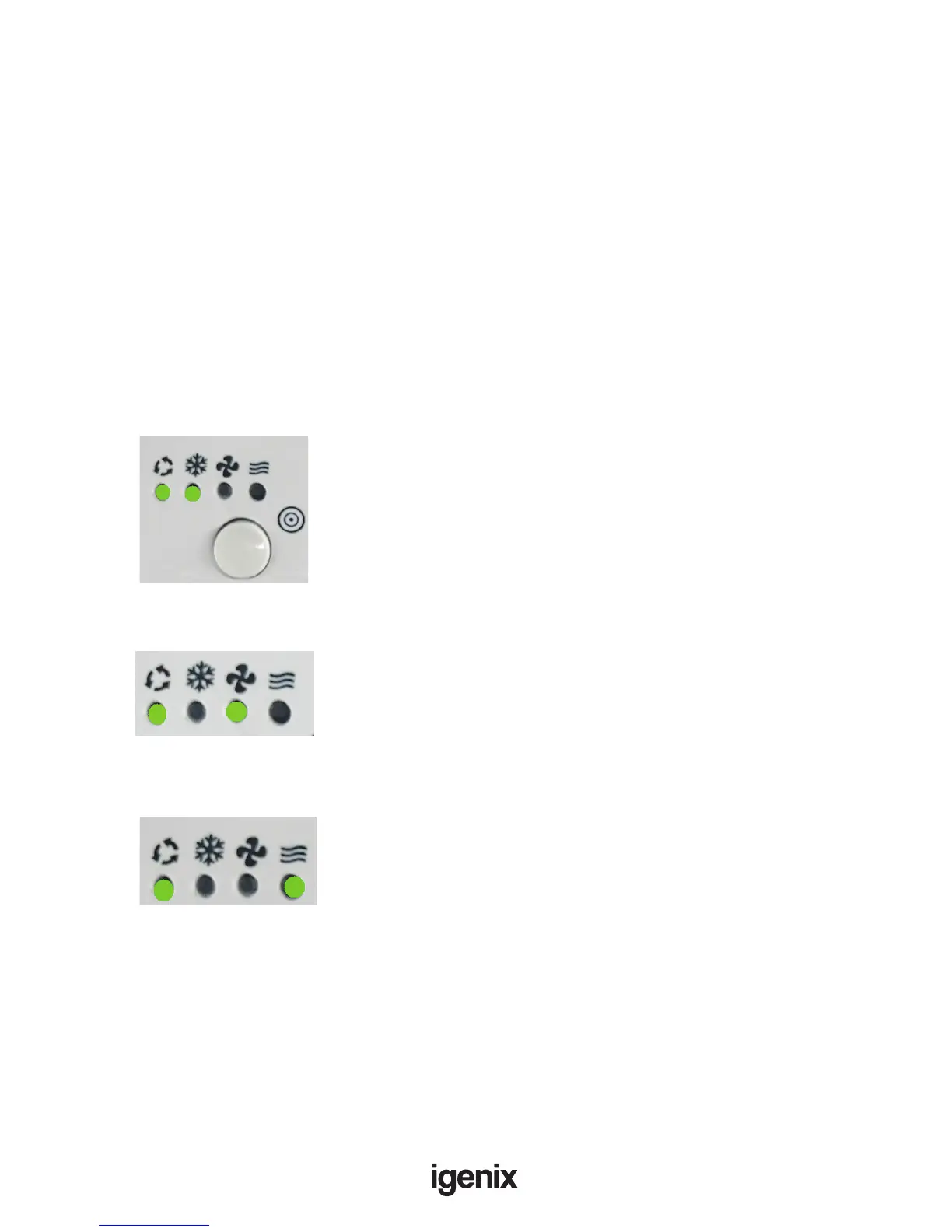
In Auto mode, the unit can Cool, Fan or Heat depending on ambient temperature. The unit is preset as
follows:
• If ambient temperature is above 23°C, the unit will be in automatic Cooling mode. During this
operation, the following LED‘s light up in green:
• If the ambient temperature is less than 24°C, but above 20°C, the unit will work in Fan mode.
Following LED’s light up in green:
• If the ambient temperature is below 20°C, the unit will work in Heating mode.
Following LED’s light up in green:
• If the unit is in Auto mode, the fan speed will automatically set according to the ambient temperature,
the indicators will show which has been set.
Important: The Fan Speed button (Fig 13 [G]) will not work when using the Auto mode.
Setting Fan Speed
• Press Fan Speed button (Fig 13 [15]) to choose the ventilation speed you require, high or low.
The indicator of high (Fig 13 [13]) or low ventilation (Fig 13 [14]) will show at the same time.
• If the unit is in Auto mode, the fan speed will automatically set according to the ambient temperature,
the indicators will show which has been set.
Important: The Fan Speed button (Fig 13 [15]) will not work when using the Auto mode.



 To Next Page