10
OPERATING INSTRUCTIONS
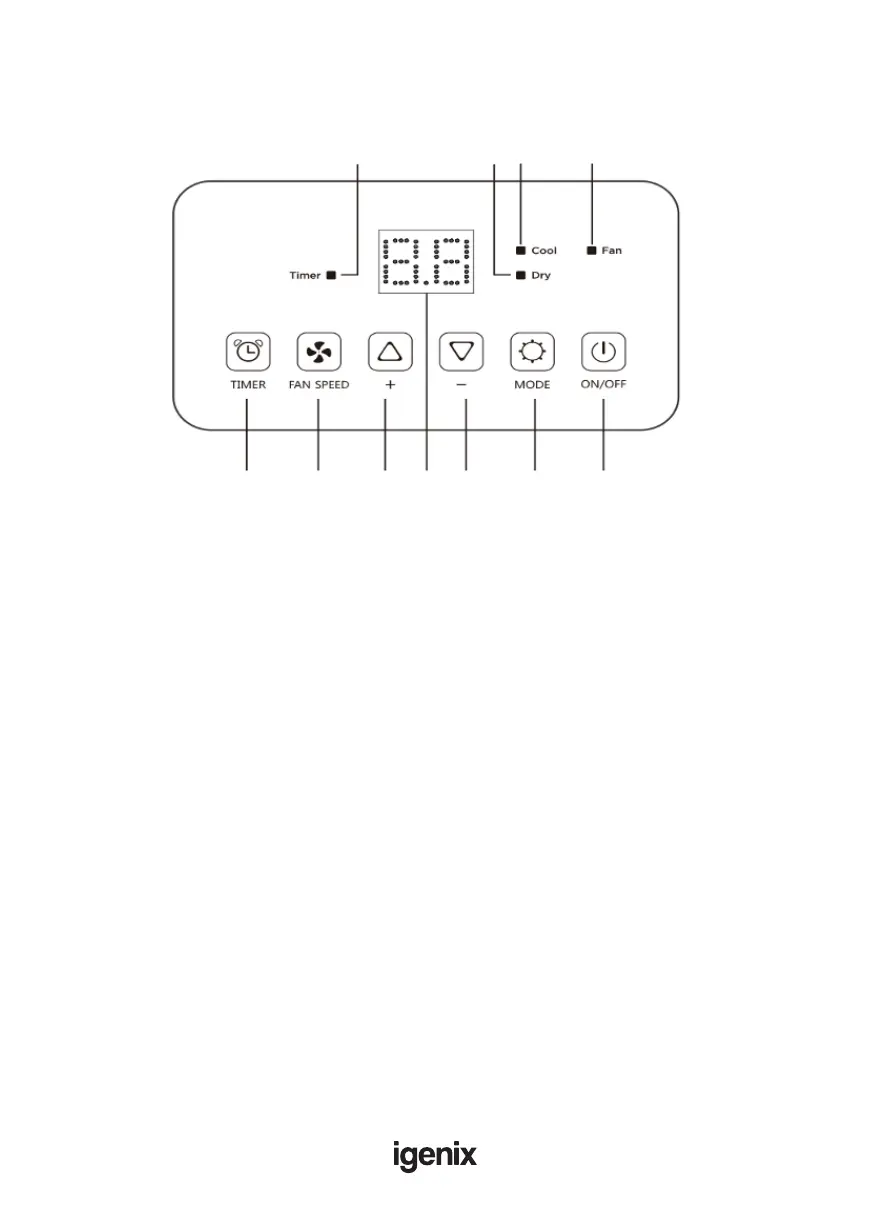
When box is lit up, this shows:
A. Timer enabled
B. Low speed fan selected
C . High speed fan selected
D. Dehumidify mode selected
E. Cooling mode selected
F. Fan mode selected
1. Timer button
2. Fan button
3. Increase temperature button
4. Display screen
5. Decrease temperature button
6. Mode button
7. ON/OFF button
EE BB AA CC
11 3322 44 55 66 77
Control Panel



 To Next Page