16
Middle Drainage
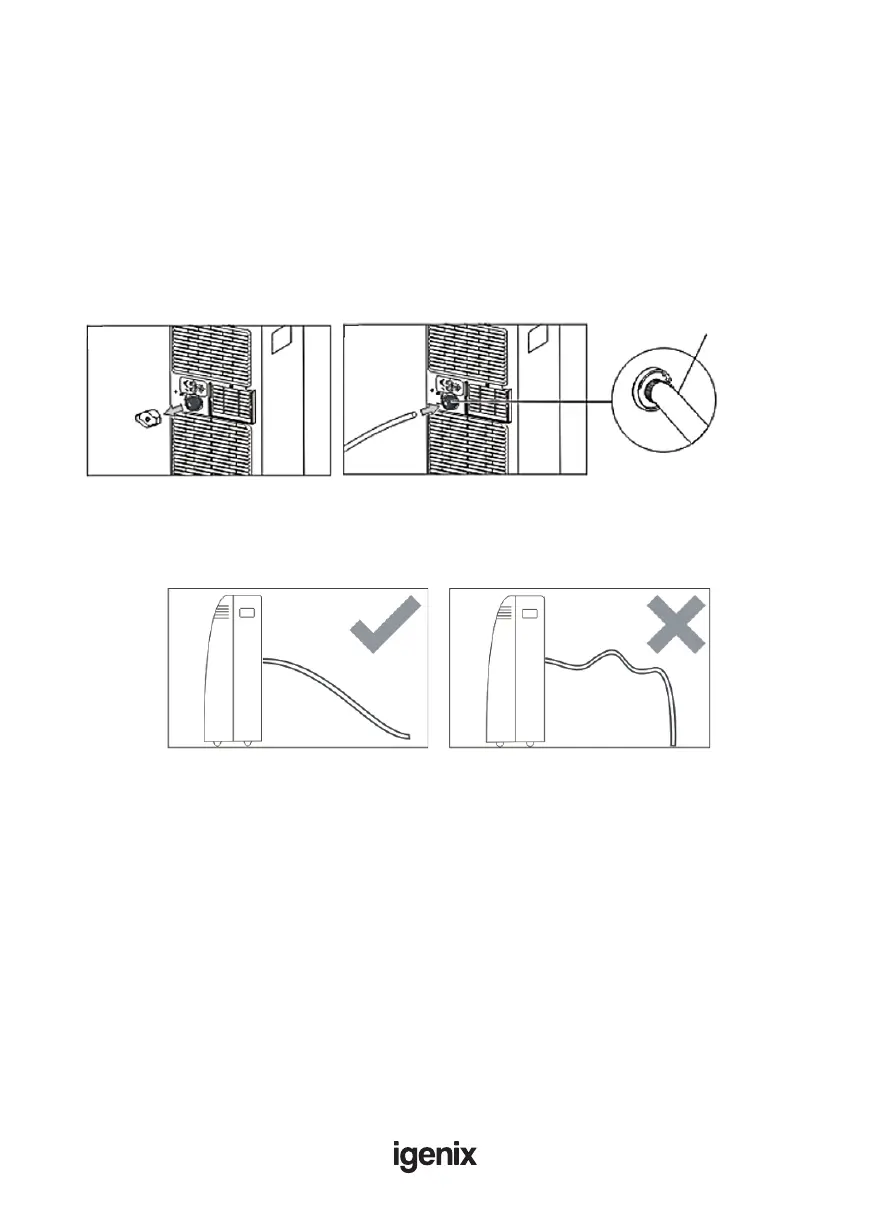
When unit running in Dry mode, you can choose to drain the system from the middle drainage
outlet as below:
1. Unplug the unit from the power source.
2. Remove the drain plug (Fig.16). While doing this, some residual water may spill so ensure you
have a pan ready to collect the water (not supplied with unit).
3. Connect the drain hose (Fig.17)
4. The water can be continuously drained through the hose into a oor drain or bucket.
5. Turn on the unit.
NOTE: Ensure that the drain hose is not higher than the middle drain outlet, or the water tank
may not drain fully. (Fig.18 and Fig.19)
Fig.16 Fig.17
Drain capDrain cap
Drainage hoseDrainage hose
Fig.18 Fig.19



 To Next Page