16
/
38
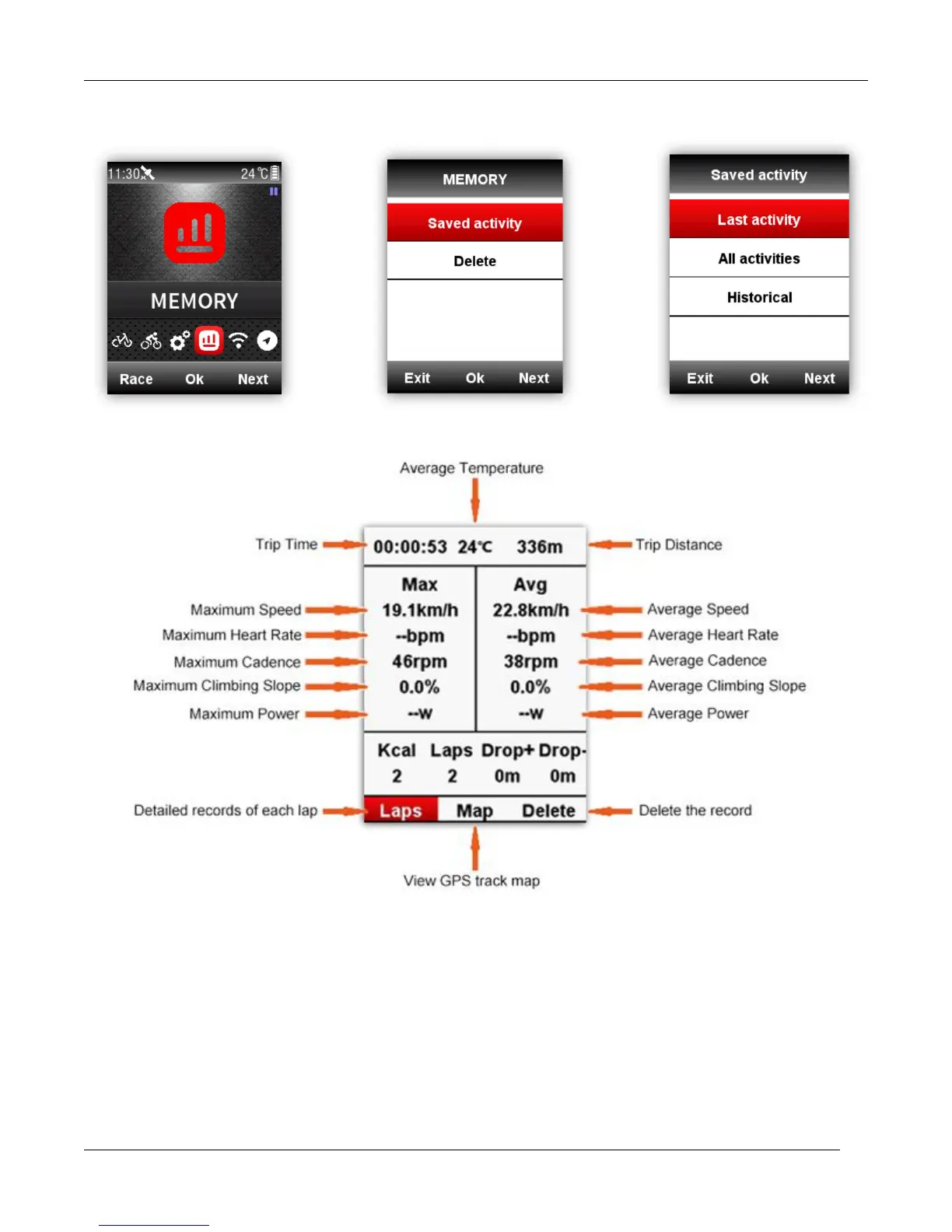
There are 3 menus for selection under the abstract information page as above, select middle button
to enter Last activity or (a selected data under All activities) for details: choose Laps to check each
data in current Lap (select middle button again, then select right button to shift into next Lap); choose
Map to check the GPS track of current activity, and open the navigation function( check the detail
introduction on navigation function chapter); choose Delete to delete current activity.



 To Next Page