23
/
38
Altitude/Grade/VAM/ VAM 30s/Elevation(+)/Elevation(-)/Max Altitude/Min
Altitude/ VAM+ Avg / VAM - Avg / VAM+ Max / VAM - Max/Avg Grade+/
Avg Grade - /Max Grade +/ Max Grade-/ Lap Elev +/ Pre Lap Elev + / Lap
VAM+ / Pre Lap VAM+/Lap Grade +/ Pre Lap Grade +
Tot. Time/ Moving Time/ Record Time/ Avg Lap/ Laps/ Lap Time/ Pre Lap
Time
Front Gear/ Rear Gear/ Gears/ Gear Batt./ Front Batt./ Rear Batt.
Time of Day/Sunrise/Sunset/ Temperature/GPS(signals strength)/
Accuracy(GPS Accuracy)/Direction
Auto function
Set Auto functions under MODE menu
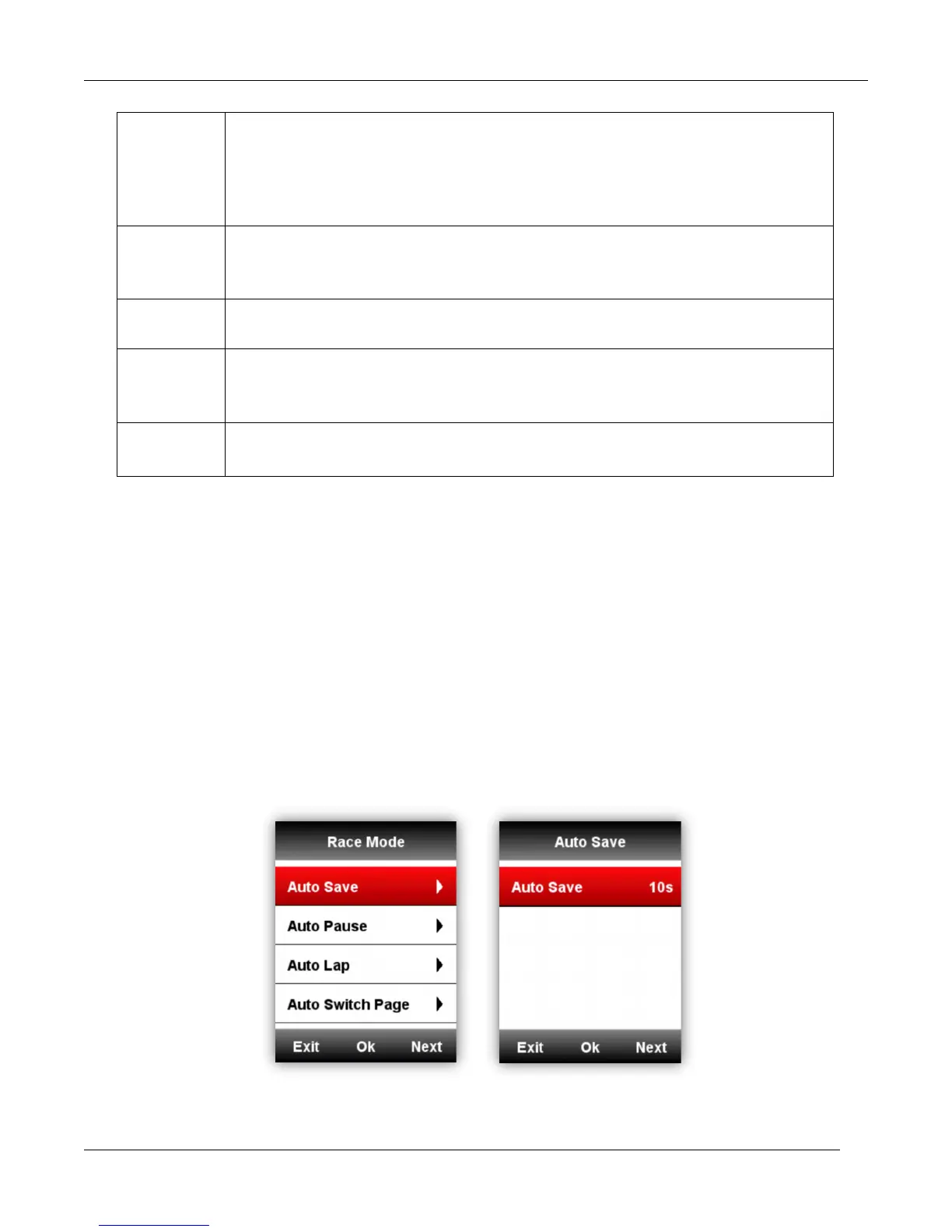
Auto Save
Please set auto save function as below:
Enter MODE-select a riding mode(
★
means the selected mode)-select Auto Save-select middle
button to choose from off, 10s and 5s.
1. Auto Save Off means close the auto save function( you can select middle button under data
display page to start record)
2. Auto Save 10s/5s means Auto Save function is on, and the count down time before auto
recording is 10s/5s.



 To Next Page