OPERATION
IC75 ENG 3-12
STOPPING THE ENGINE
WARNING
• Be sure to move down the body, stop the
engine and pull out the key before leaving the
operator seat.
• Do not park the machine on a slope. If it is
necessary to park on a slope, use buffers on the
lower side of the crawler.
Stopping the machine
1. Stop the machine on a flat and rigid ground.
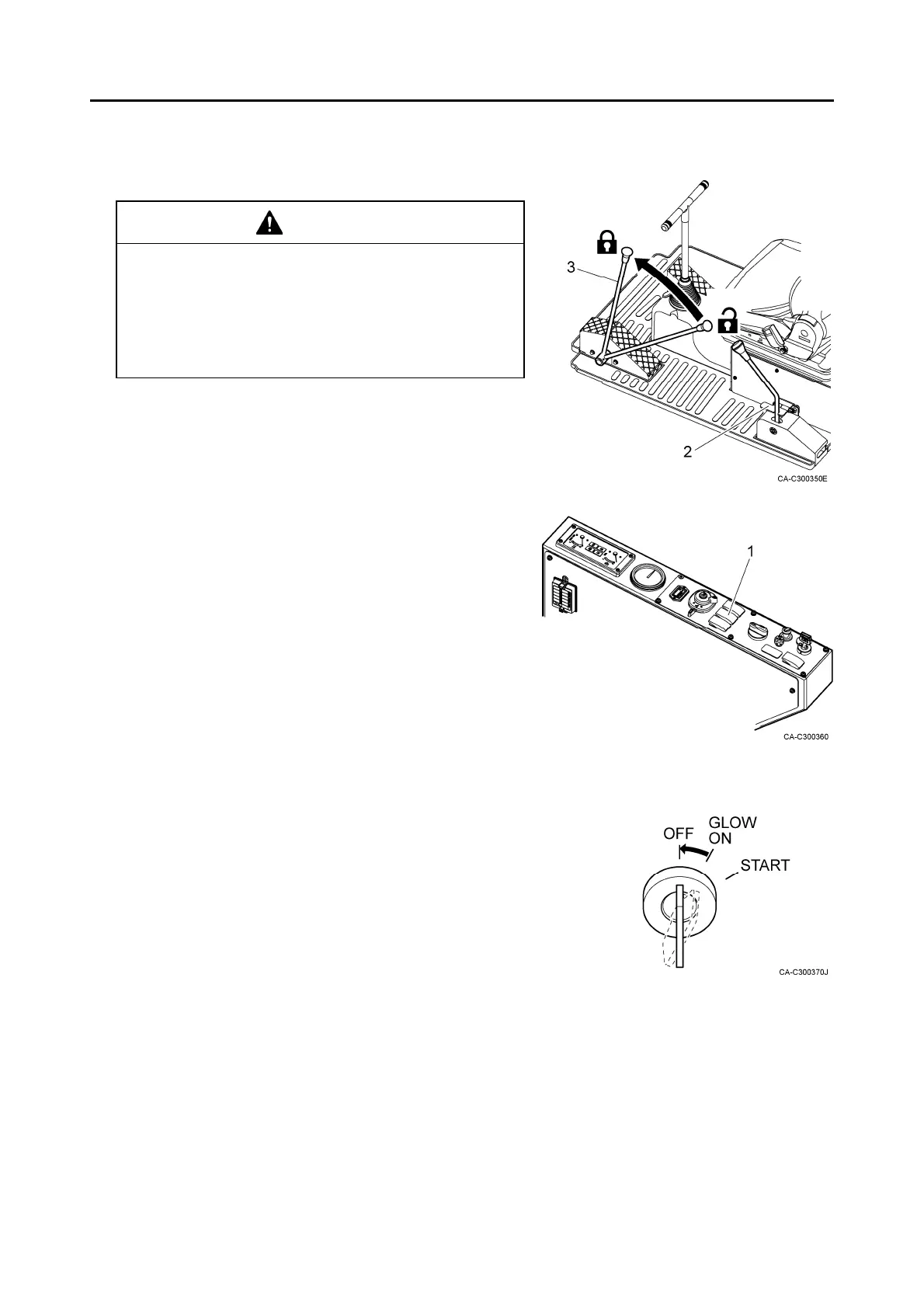
2. Set the parking switch (1) to the brake ON position.
3. Make sure that the body is lowered completely.
4. Check if the dump lever lock (2) is set to the locked
position.
5. Set the gate lock lever (3) to the locked position.
Stopping the engine
1. Keep the engine idling for approximately 5 minutes to
lower the temperature of the engine.
2. Set the engine key switch to the OFF position to stop
the engine.
3. Pull out the key from the engine key switch.
Inspection and locking after stopping the engine
1. Check necessary parts for oil leak and damages.
Repair defective parts if oil leak or damages are found.
2. Fill the fuel tank with fuel.
3. Remove soil and sand from the body and traveling
mechanisms, in particular.
4. Lock the fuel filling port, engine hood and all other
lockable parts.
Locked
Free



 To Next Page