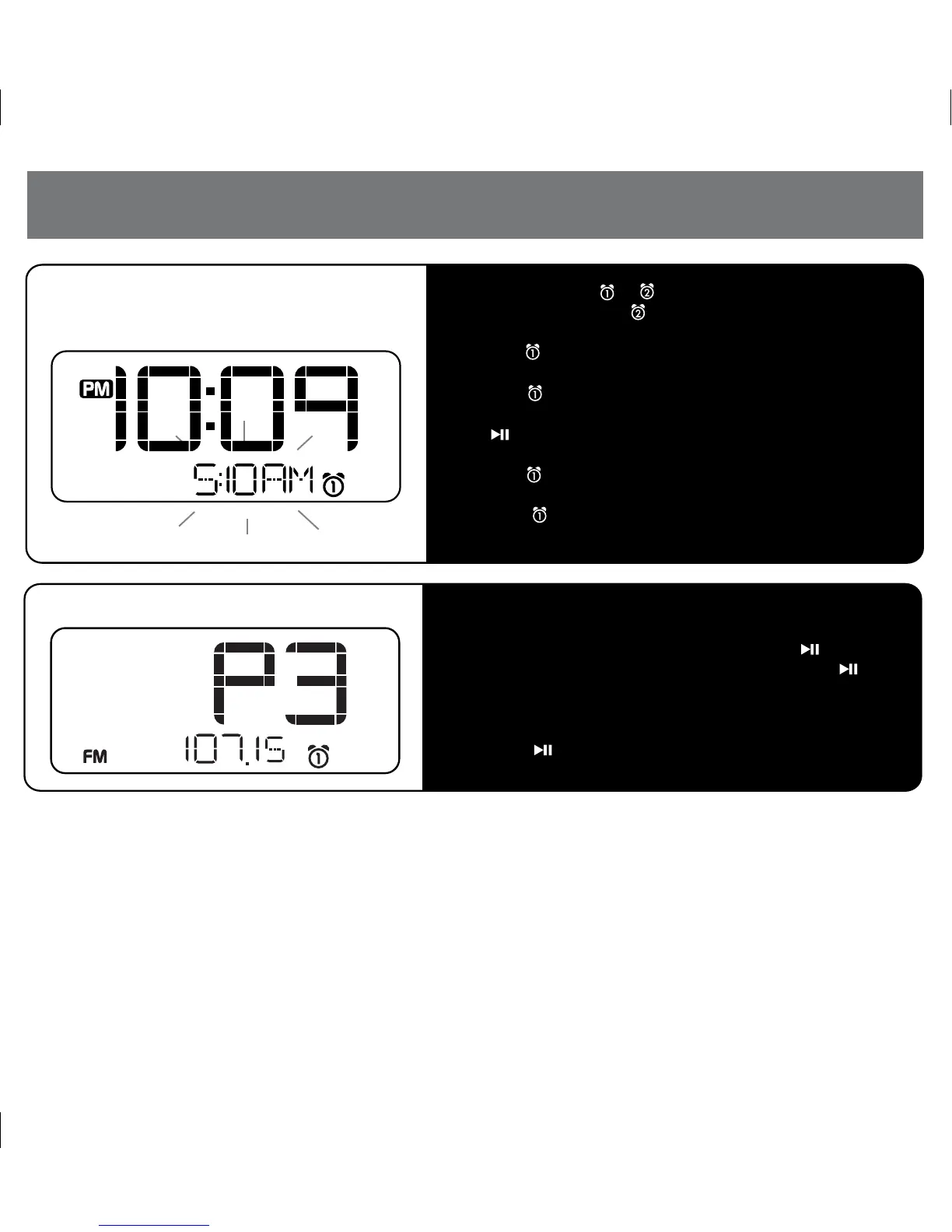
a) Press and hold the or Button until the time flashes to set
Alarm 1 or 2. (Substitute Button in steps below to set Alarm 2)
b) Press the + or – Button to set alarm time.
c) Press the Button then press the + or – Button to set alarm
schedule (weekdays, etc).
d) Press the Button again then press the + or – Button to
select alarm source to wake to. If radio is selected source, press
the Button to select a preset station, or the + or – Button
to tune radio to a desired station
e) Press the Button again then press the + or – Button to set
the alarm volume.
f) Press the Button again to confirm alarm setting and exit
alarm setting mode.
a) Press the Mode Button as needed to select iPod, FM radio,
or Aux-in mode.
b) To set FM presets in radio mode, press the Button to
select a preset number (P1 -P6), and then hold the
Button until the selected preset number begins flashing in
the display.
c) Press the + or – Button to tune radio to a desired station.
d) Press the Button to confirm the preset number for the
current station.
P6
4
iD38 Quick Start
5: Setting Alarm 1 or Alarm 2
6: Mode Select/Radio Operation


 To Next Page