Trouble Shooting
6
P10
Symptom Possible Problem Solution
Unit doesn’t respond
(no power)
AC adaptor isn’t plugged into a wall outlet
or the connector is not plugged into the
power supply jack on the back of the dock
Plug the AC adaptor into a wall outlet and plug the
connector into the supply jack on the unit
Wall outlet is not functioning or switched off
Plug another device into the same outlet to confirm the outlet
is working. Make sure any associated power switch is ON
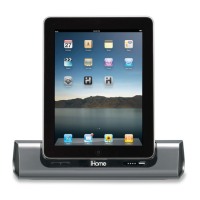
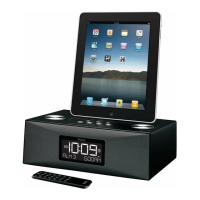
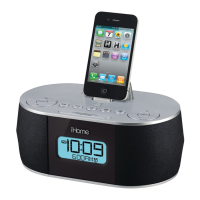
iPad/iPod/iPhone does
not dock properly
iPod/iPhone not docked properly
Remove your iPad/iPod/iPhone from the dock and check
for obstruction on the connectors in the dock and on your
iPad/iPod/iPhone. If needed, remove any “skin” or case on
the iPad/iPod/iPhone. Then reseat it in the dock.
iPad/iPod/iPhone
does not respond to
the unit
iPad/iPod/iPhone is not docked properly
Remove your iPad/iPod/iPhone from the dock and check
for obstruction on the connectors in the dock and on your
iPod. Then reseat it in the dock.
Your iPad/iPod/iPhone software is too old
Upgrade software on your iPad/iPod/iPhone via iTunes
iPad/iPod/iPhone is locked up
Please make sure your Pad/iPod/iPhone is working
properly before docking into the unit. Please refer to your
iPad/iPod/iPhone manual for details.
Using 1
st
or 2
nd
generation iPod, iPod
shuffle or other devices.
Unit cannot control those iPod models or other devices.
Use the Line-in jack to play these devices.
Batteries are weak/ dead
Replace current batteries with 4 fresh AA batteries.
If your iPad/iPod/iPhone is not used for
some time, it may enter deep sleep mode
iPad/iPod/iPhone battery is run down or
is too weak
Press the Menu button on your iPod/iPhone
Charge your iPad/iPod/iPhone for about 5 minutes
iPad/iPod/iPhone does
not come on
immediately



 To Next Page