EasyManua.ls Logo

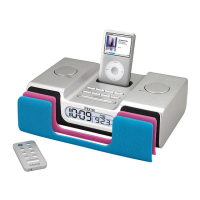
iHome iH8 - Remote Control Operation; Remote Control Functions; Remote Control Battery Replacement

iHome iH8
13 pages
Print Icon
To Next Page IconTo Next Page
To Previous Page IconTo Previous Page
Loading...
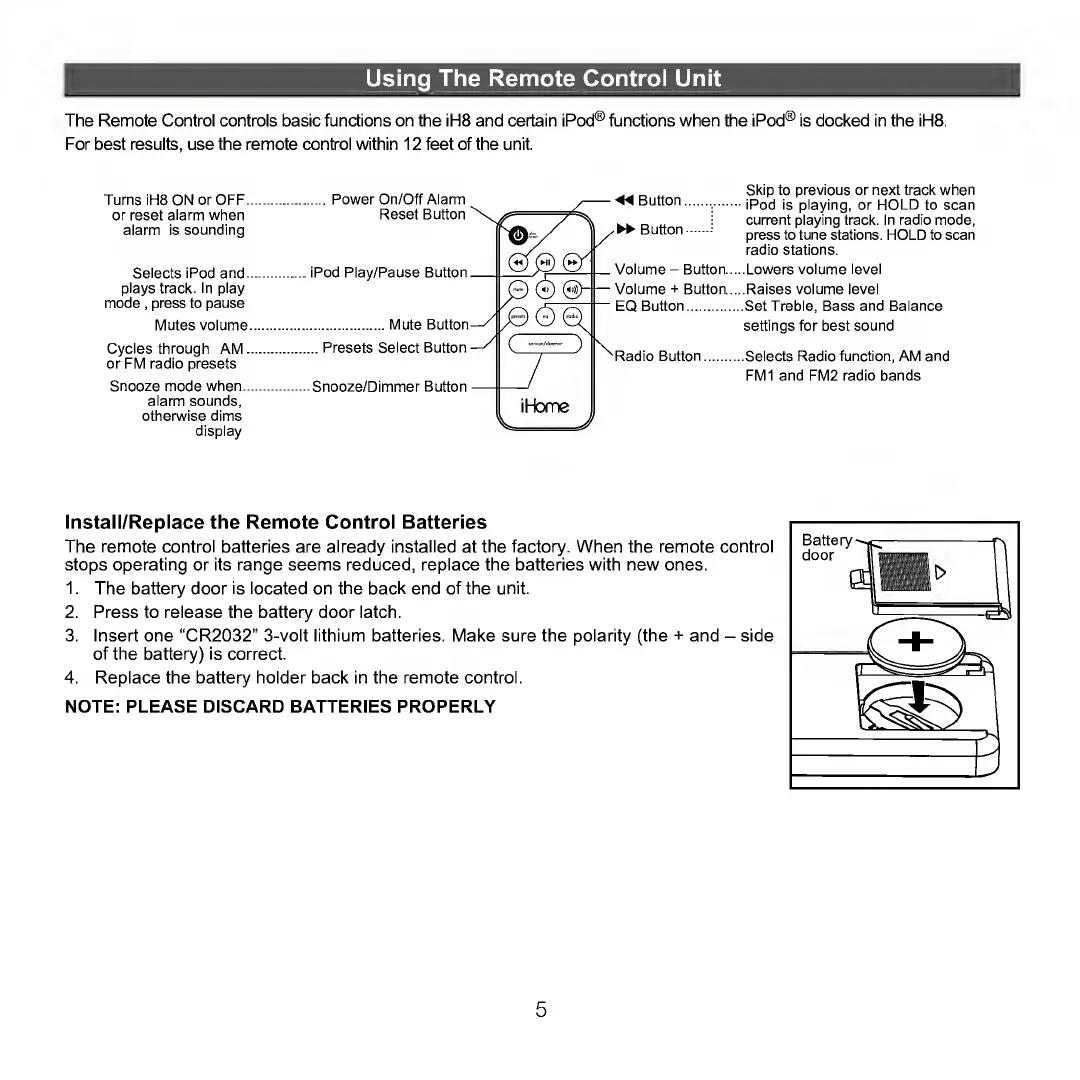
Using
The
Remote
Control
Unit
The
Remote
Control
controls
basic
functions
on
the
iH8
and
certain
iPod®
functions
when
the
iPod®
is
docked
in
the
iH8.
For
best
results,
use
the
remote
control
within
12
feet
of
the
unit.
Turns
iH8
ON
or
OFF
or
reset
alarm
when
alarm
is
sounding
Selects
iPod
and.
plays
track.
In
play
mode
,
press
to
pause
Mutes
volume
Cycles
through
AM.
or
FM
radio
presets
Snooze
mode
when.,
alarm
sounds,
otherwise
dims
display
Power
On/Off
Alarm
Reset
Button
iPod
Play/Pause
Button
.Mute
Button
..
Presets
Select
Button
Snooze/Dimmer
Button
Skip
to
previous
or
next
track
when
iPod
is
playing,
or
HOLD
to
scan
current
playing
track.
In
radio
mode,
press
to
tune
stations.
HOLD
to
scan
radio
stations.
.Lowers
volume
level
.Raises
volume
level
.Set
Treble,
Bass
and
Balance
settings
for
best
sound
.Selects
Radio
function,
AM
and
FM1
and
FM2
radio
bands
Install/Replace
the
Remote
Control
Batteries
The
remote
control
batteries
are
already
installed
at
the
factory.
When
the
remote
control
stops
operating
or
its
range
seems
reduced,
replace
the
batteries
with
new
ones.
1.
The
battery
door
is
located
on
the
back
end
of
the
unit.
2.
Press
to
release
the
battery
door
latch.
3.
Insert
one
“CR2032”
3-volt
lithium
batteries.
Make
sure
the
polarity
(the
+
and
-
side
of
the
battery)
is
correct.
4.
Replace
the
battery
holder
back
in
the
remote
control.
NOTE:
PLEASE
DISCARD
BATTERIES
PROPERLY
5

Other manuals for iHome iH8

Related product manuals