ENGLISH
BEFORE YOU OPERATE THE MONITOR 17
Procedure for turning ON the Power Switch
TurnONthemonitorrst,andthenthecomputer.
MULTI-TOUCH
This monitor complies with DDC2B of VESA standard. (Plug&play compliant)
The MULTI-TOUCH function runs on Windows7/8/8,1/10 by connecting the monitor to DDC2B
compliant computer with the USB cable supplied.
MULTI-TOUCH support operation system
Microsoft Windows 7 (64 bit and 32 bit)
Microsoft Windows 8/8,1/10 (64 bit and 32 bit)
Linux (3.8) & above
Not support Windows 2000 and earlier versions.
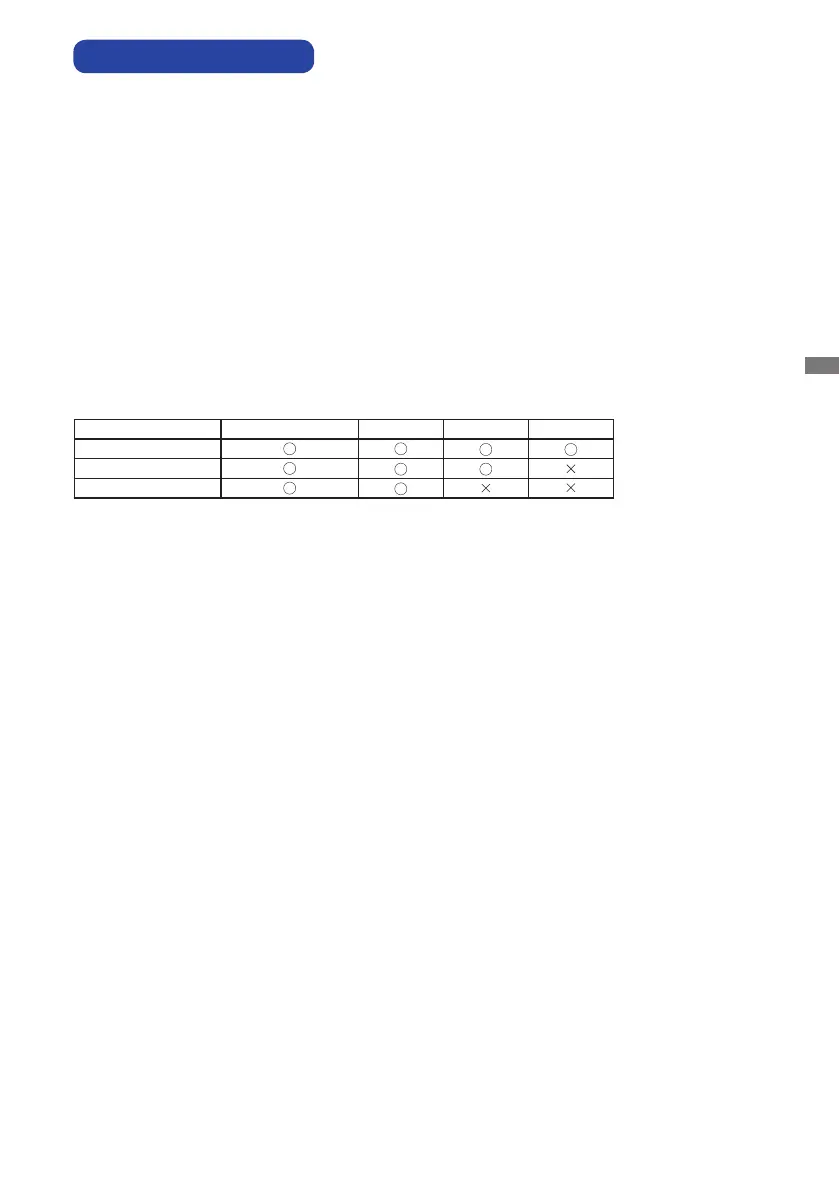
Windows8/8,1/10 Windows7*
5
Windows7*
4
Linux
Default mouse*
1
Touch digitizer*
2
Windows7 gestures*
3
*
1
Default mouse (click, drag, double-click and right-click)
*
2
Touchdigitizer(click,drag/selection,double-click,right-click,ickandvisualfeedback)
*
3
Digitizer with Windows7 multi-touch gestures
*
4
Windows 7 - Starter and Home Basic version
*
5
Windows 7 - Home Premium, Professional, Enterprise and Ultimate versions
Signal Timing
Change to the desired signal timing listed on page 38: COMPLIANT TIMING.
COMPUTER SETTING



 To Next Page