ENGLISH
20 OPERATING THE MONITOR
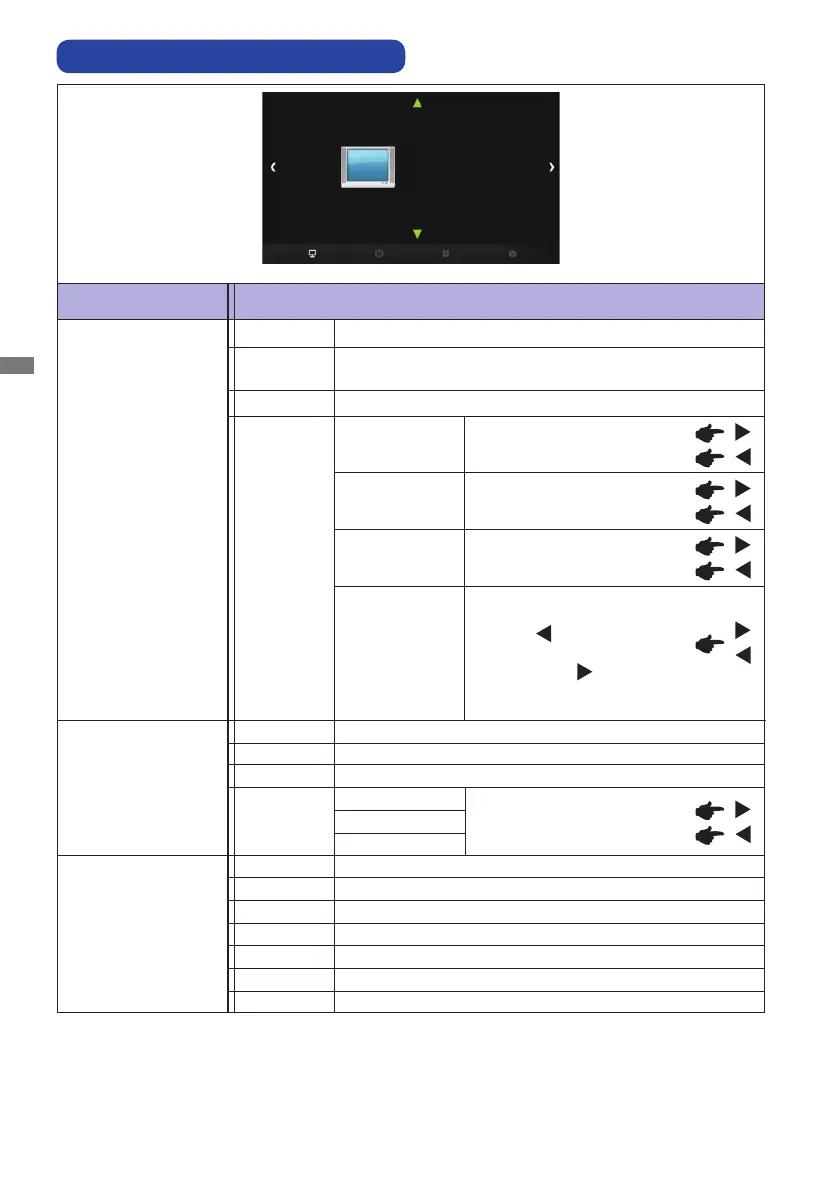
ADJUSTMENT MENU CONTENTS
Adjustment Item Problem / Option Button to Press
Picture Mode
PICTURE
PICTURE
Picture Mode
Color Temperature
Aspect Ratio
PC
Gamma
Backlight
Vivid
Standard
For displaying outdoor scenery images.
For general windows environment and monitor default
setting.
User
Soft
Too dull
Too intense
*
1
Adjust the Brightness when you are using the monitor in a dark room and feel the screen is too
bright.
*
2
It can display in the center of the screen with a 4:3, 5:4, 16:9 or 16:10 aspect ratio when input
video resolution is 4:3, 5:4, 16:9 or 16:10.
*
3
Supported for HDMI and DisplayPort only.
Brightness *
1
Contrast
Sharpness
Too dark
Too bright
You can change the picture
quality from 0 to 4 (soft to sharp).
Press the
Button to change
the picture quality in numerical
order. Press the
Button to
change the picture quality in
reverse numerical order.
Purplish
Greenish
Color
Green
Red
Too weak
Too strong
User
Reddish white
Greenish whiteMedium
Warm
Bluish whiteCool
Color Temperature
Blue
16:10 *
2
Displays all picture in 16:10 aspect ratio.
4:3 *
2
Displays all picture in 4:3 aspect ratio.
Aspect Ratio
For displaying softly outline images.
5:4 *
2
Displays all picture in 5:4 aspect ratio.
Full
Full screen display
Zoom1 *
3
Enlarge display
Zoom2 *
3
Enlarge display even more
16:9 *
2
Displays all picture in 16:9 aspect ratio.



 To Next Page