ENGLISH
OPERATING THE MONITOR 23
Adjustment Item Problem / Option Button to Press
Restore Factory Defalut
Transparency
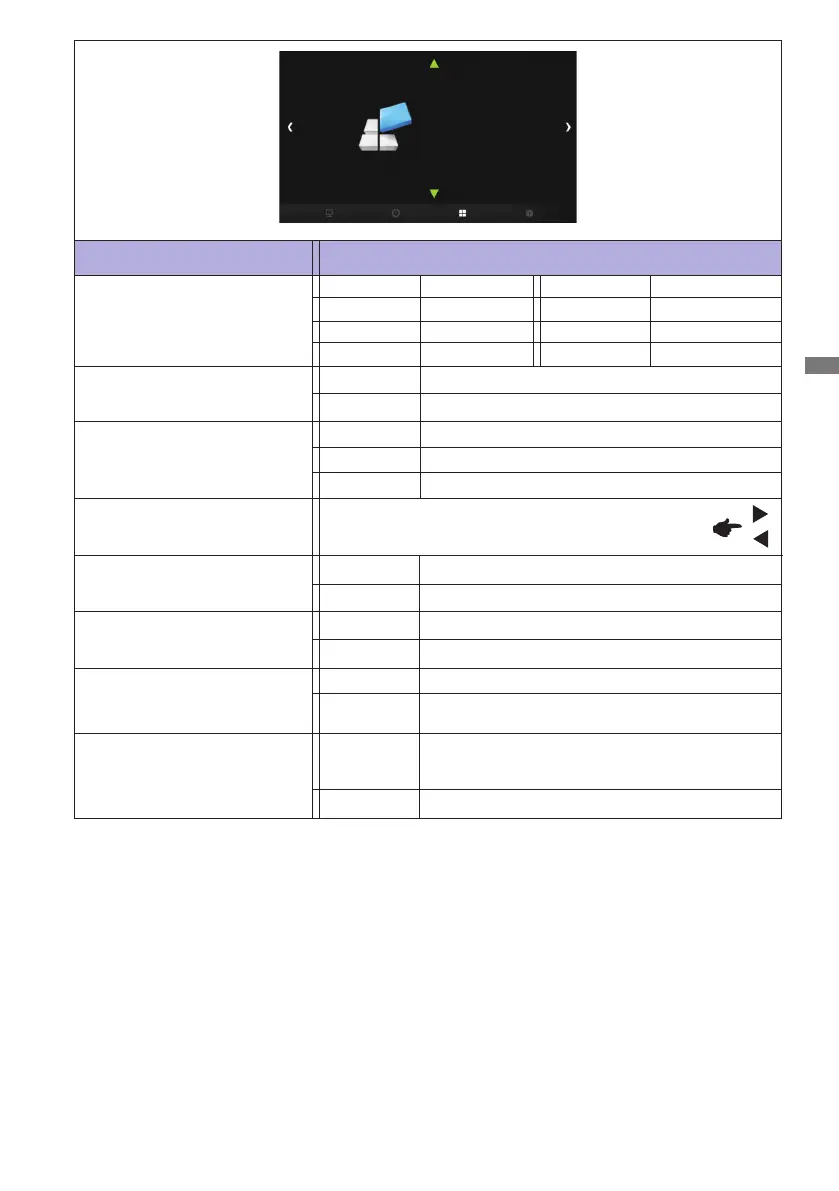
OPTION
No
Yes
Set the transmittance of the OSD background.
0% / 25% / 50% / 75% / 100%
Factory-preset data is restored.
Return to Menu.
OSD Language
English
Deutsch
English
German
Français French
Nederlands Dutch
Español Spanish
Polski Polish
Pусский Russian
Italiano Italian
Mute *
2
O
On
Turnothesoundtemporarily.
Return the sound volume to the previous level.
*
1
If the screen is used in face-up position, please be sure to turn on the FAN function.
*
2
This item is switched by pressing the OK button successively.
*
3
Digital input only.
OPTION
OSD Language
Restore Factory Default
Color Range
Transparency
Fan
Mute
Opening Logo
Anti Image retention
For full-range color scale signal
For limited color scale signal
Color Range *
2,3
Full
Limit
Auto
Opening Logo *
2
On
O
iiyama Logo displayed when the monitor is turned on.
iiyama Logo does not display when the monitor is
turned on.
Anti Image retention *
2
AntiImageRetentionisturnedo.
Automatically displays swift moving patterns
every 1 second to prevent image retention on the
screen.
On
O
For detect color signal
Fan *
1,2
O
On
Fan is turned on.
Fanisturnedo.



 To Next Page