8
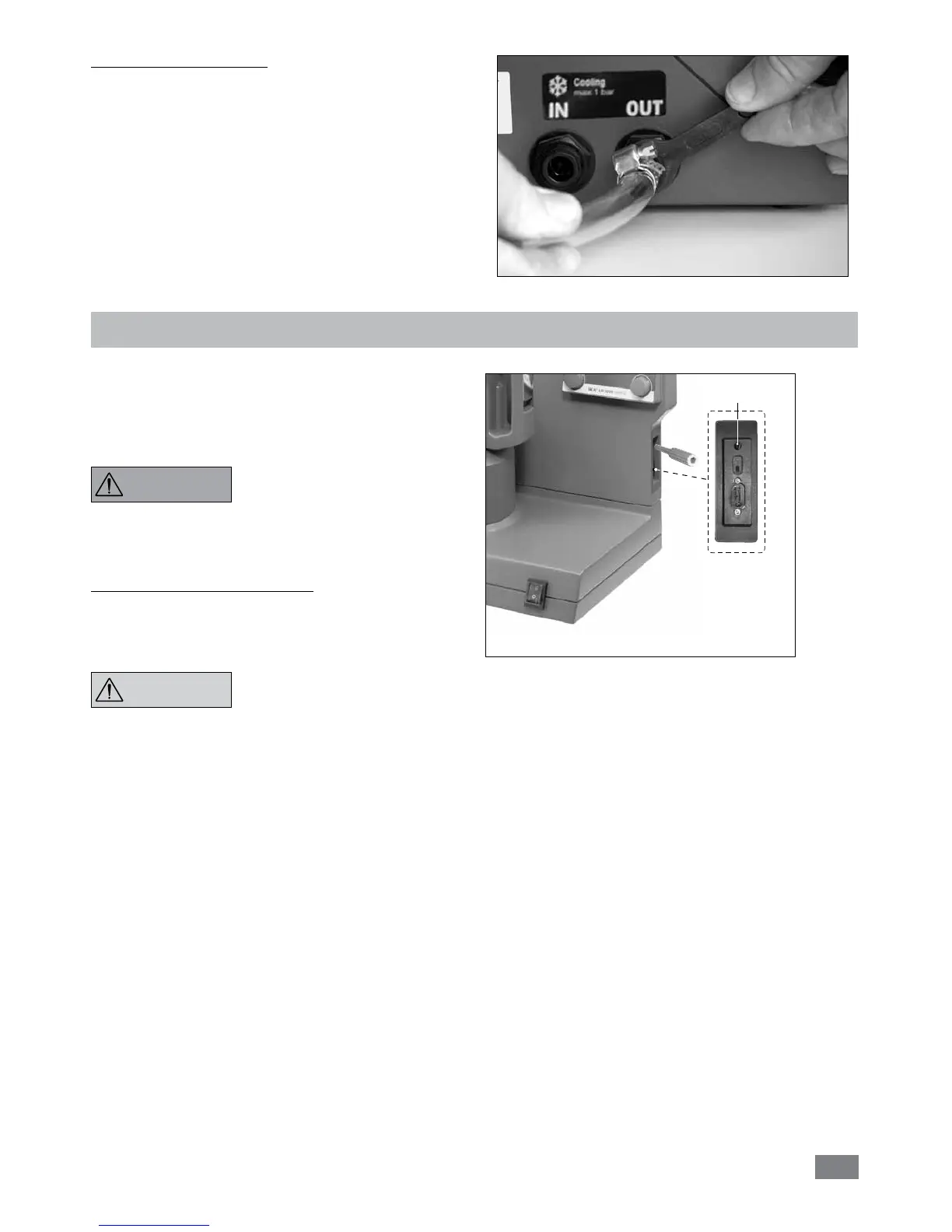
Connect external cooler:
The reactor can connect an external cooler (e.g. IKA
®
RC 2 basic or RC 2 control)
via the connections (13,
14, see Fig. 3) at the back of the device. The cooling con-
nections IN and OUT is labelled accordingly at the back of
the device. There are two connectors included for connect-
ing cooling hoses. They can be connected to a hose with a
10 mm inner diameter. By positioning and light pressure in
the direction of the connector, the connector is locked/con-
nected to the cooling connections IN/OUT on the housing.
The connectors are unlocked by coaxially positioning the
unlocking lever and pressing slightly.
Fig. 9
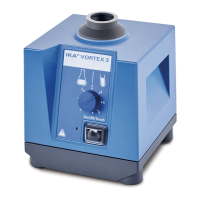
Safety temperature limit
Fig. 10
Potentiometer
The maximum attainable heating temperature is restricted
by an adjustable safety circuit. Once the safety temperature
has been attained, the instrument switches off the heating
function.
The safety temperature must always
be set to at least 25 ºC lower than
the flash point of the fluid used.
Factory setting: max. value
Setting the safety temperature limit
After switching on the instrument, the safety temperature
can be adjusted with screwdriver delivered with the device.
The safety temperature setting will appear on the display.
Do not turn the potentiometer be-
yond the clockwise or anti-clockwise
stop, since this will damage the po-
tentiometer irreparably.
WARNING
NOTICE


 To Next Page