16
EN
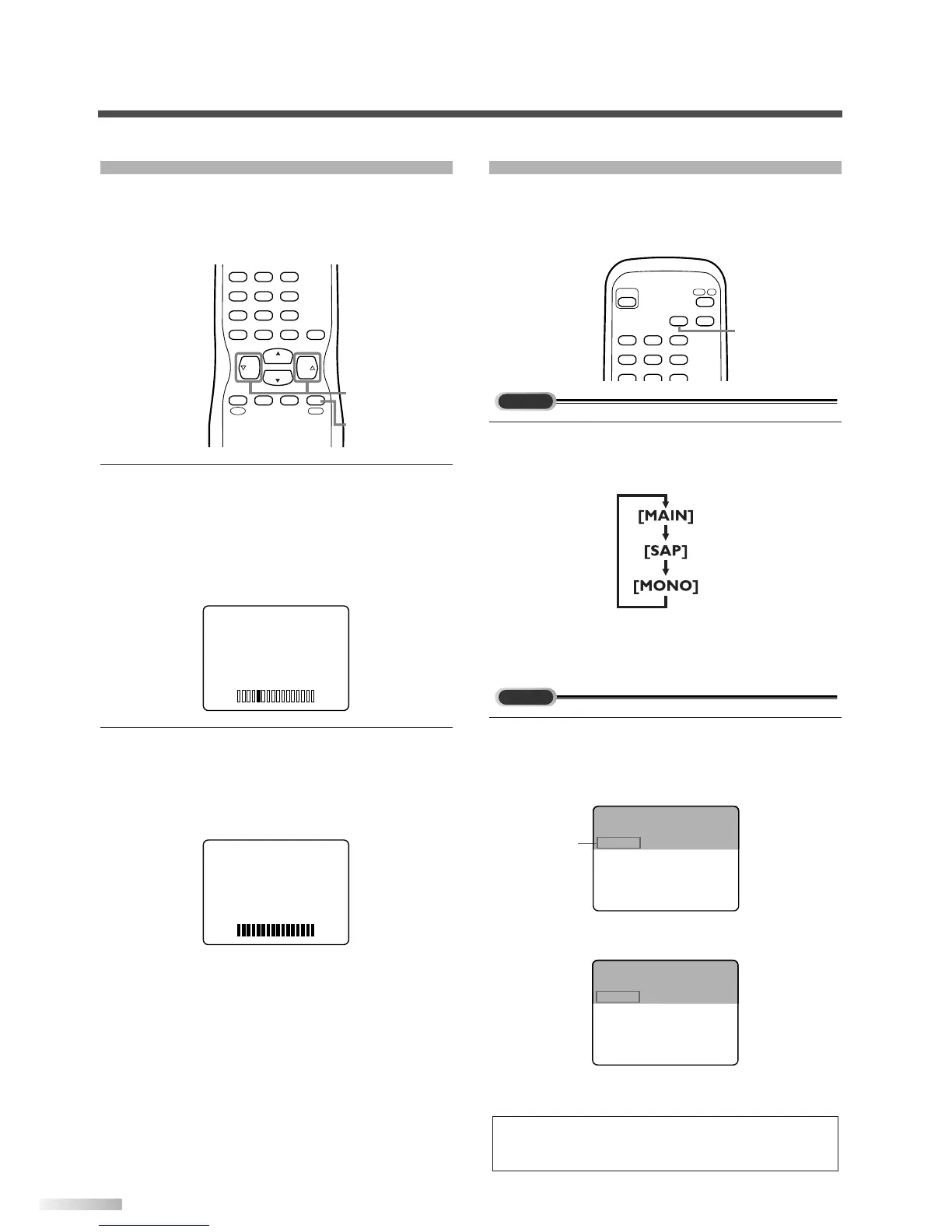
VOLUME ADJUSTMENT
This section describes how to adjust the volume
when viewing TV. The MUTE function, which is use-
ful when you have a visitor or a phone call, will be
also described.
1
Using [VOL
X
/
Y
].
• You can adjust the audio volume with [VOL
X
/
Y
].
• The volume bar is displayed at the bottom of
the screen when adjusting the volume.
• Same operation is available with
[VOLUME
X
/
Y
] on the front panel of the main unit.
2
Using [MUTE].
• Press [MUTE] on the remote control to mute
the sound.
The colored volume bar is displayed on the
screen while muting.
• To release the MUTE status, press
[MUTE]
again or press [VOL
X
/
Y
].
CH
CH
VOL VOL
CHANNEL
RECALL
–
/ENT
INPUT
SELECT
321
654
98
+
100
0
7
MUTE
SLEEP
MENU
MUTE
VOL
X
/
Y
SWITCHING AUDIO
This section describes how to switch the audio in
the analog mode and how to switch the audio lan-
guage in the digital mode.
1
Switch the audio.
• Every time you press
[AUDIO], the audio will
be switched as below.
MAIN : Outputs main-audio
SAP : Outputs second audio channel
MONO : Outputs mono-audio
1 Switch the audio language.
• When you press
[AUDIO], the currently selected
language and the number of received languages
will be displayed on the screen.
• Every time you press [AUDIO], the language
will be switched.
• Languages you can switch differ depending on
the receiving broadcast.
NOTE:
If you press [AUDIO] in external input, the audio will not be
switched.
KABC CH 95-03
Jay Jay the Jet Plane
SPANISH 2/3 11:00AM- 1:00PM
KABC CH 95-03
Jay Jay the Jet Plane
ENGLISH 1/3 11:00AM- 1:00PM
Audio
language
INFO
POWER
AUDIO
321
654
987
DTV
/
TV
AUDIO


 To Next Page