30
EN
CHANNEL ADD/DELETE
The CHANNEL ADD/DELETE function lets you add
the channel that was not added by the AUTO PRE-
SET CH function due to the bad reception status at
the initial setting. You can also delete the unneces-
sary channels.
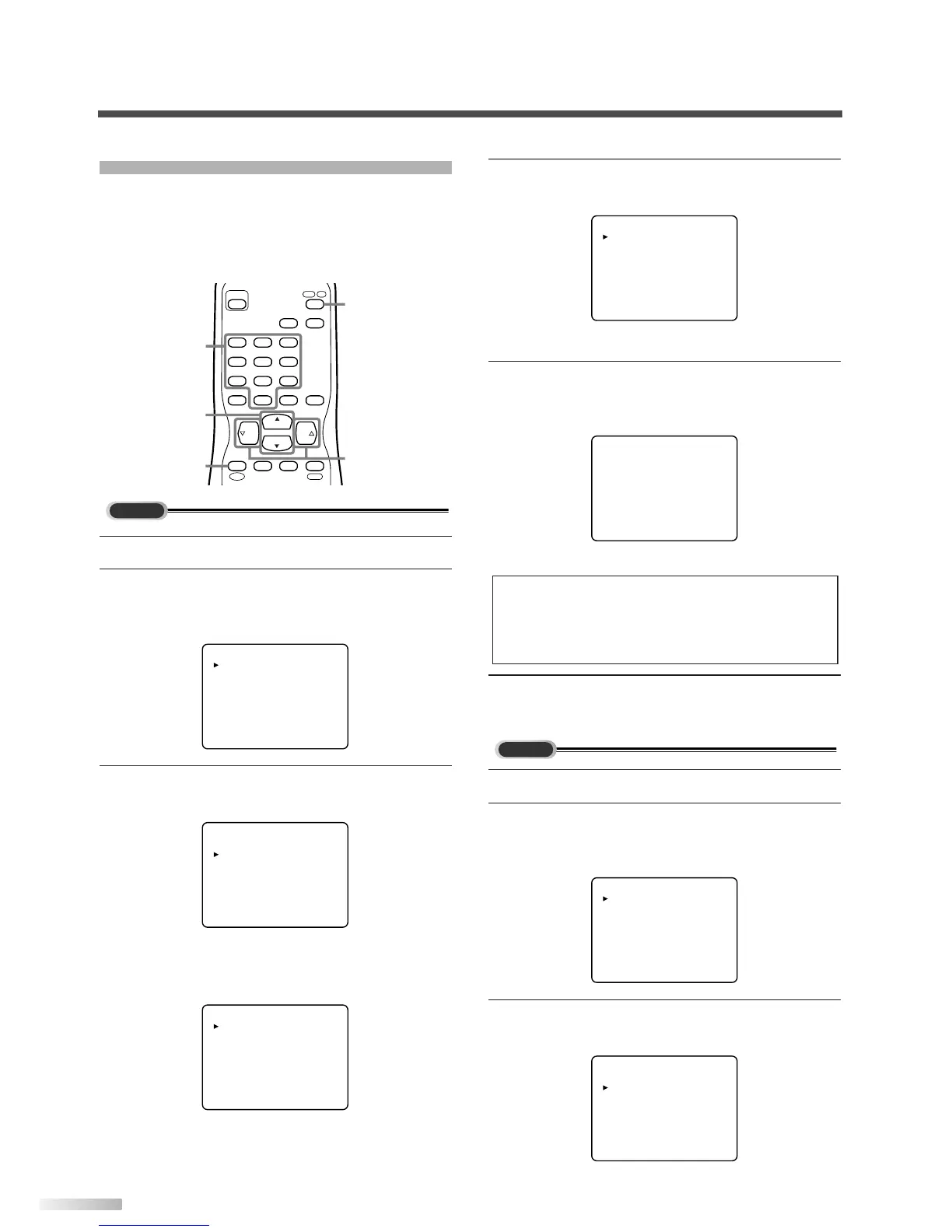
1 Select analog mode by pressing [DTV/TV].
2 Display the menu screen.
• Press
[MENU].
The following menu screen is displayed.
3 Select "CHANNEL SET".
• Using
[CH
K
/
L
], select "CHANNEL SET".
• Press
[VOL
X
].
The following CHANNEL SET screen is dis-
played.
ADD/DELETE
AUTO PRESET CH(TV)
AUTO PRESET CH(CATV)
AUTO PRESET CH(TV/DTV)
AUTO PRESET CH(CATV)
! CATV takes approx. 50min.
PICTURE
CHANNEL SET
[ENG]/ESP/FRA
V-CHIP SET UP
CAPTION [OFF]
PICTURE
CHANNEL SET
[ENG]/ESP/FRA
V-CHIP SET UP
CAPTION [OFF]
INFO
CH
CH
VOL VOL
POWER
CHANNEL
RECALL
AUDIO
—
/ENT
INPUT
SELECT
321
654
98
+
100
0
7
DTV
/
TV
MUTE
SLEEP
MENU
MENU
CH
K
/
L
VOL
X
/
Y
DTV/TV
Number
buttons
4
Select "ADD/DELETE".
• Using
[CH
K
/
L
], select "ADD/DELETE".
• Press
[VOL
X
].
5
Select the channel you want to add or delete.
• Using
[CH
K
/
L
] or [the Number buttons],
select the channel.
• Select "ADD" or "DELETE" with [VOL
X
/
Y
].
6 To exit the menu, press [MENU].
1
Select digital mode by pressing [DTV/TV].
2 Display the menu screen.
• Press
[MENU].
The following menu screen is displayed.
3 Select "CHANNEL SET".
• Using
[CH
K
/
L
], select "CHANNEL SET".
• Press
[VOL
X
].
PICTURE
CHANNEL SET
[ENG]/ESP/FRA
V-CHIP SET UP
CAPTION [OFF]
DTV SET UP
PICTURE
CHANNEL SET
[ENG]/ESP/FRA
V-CHIP SET UP
CAPTION [OFF]
DTV SET UP
ADD/DELETE
AUTO PRESET CH(TV)
AUTO PRESET CH(CATV)
AUTO PRESET CH(TV/DTV)
AUTO PRESET CH(CATV)
! CATV takes approx. 50min.
NOTE:
• Color of channel number displayed at the right top of
the screen;
-Blue/Green: The selected channel will be added.
-Pink/Red: The selected channel will be deleted.


 To Next Page