29
EN
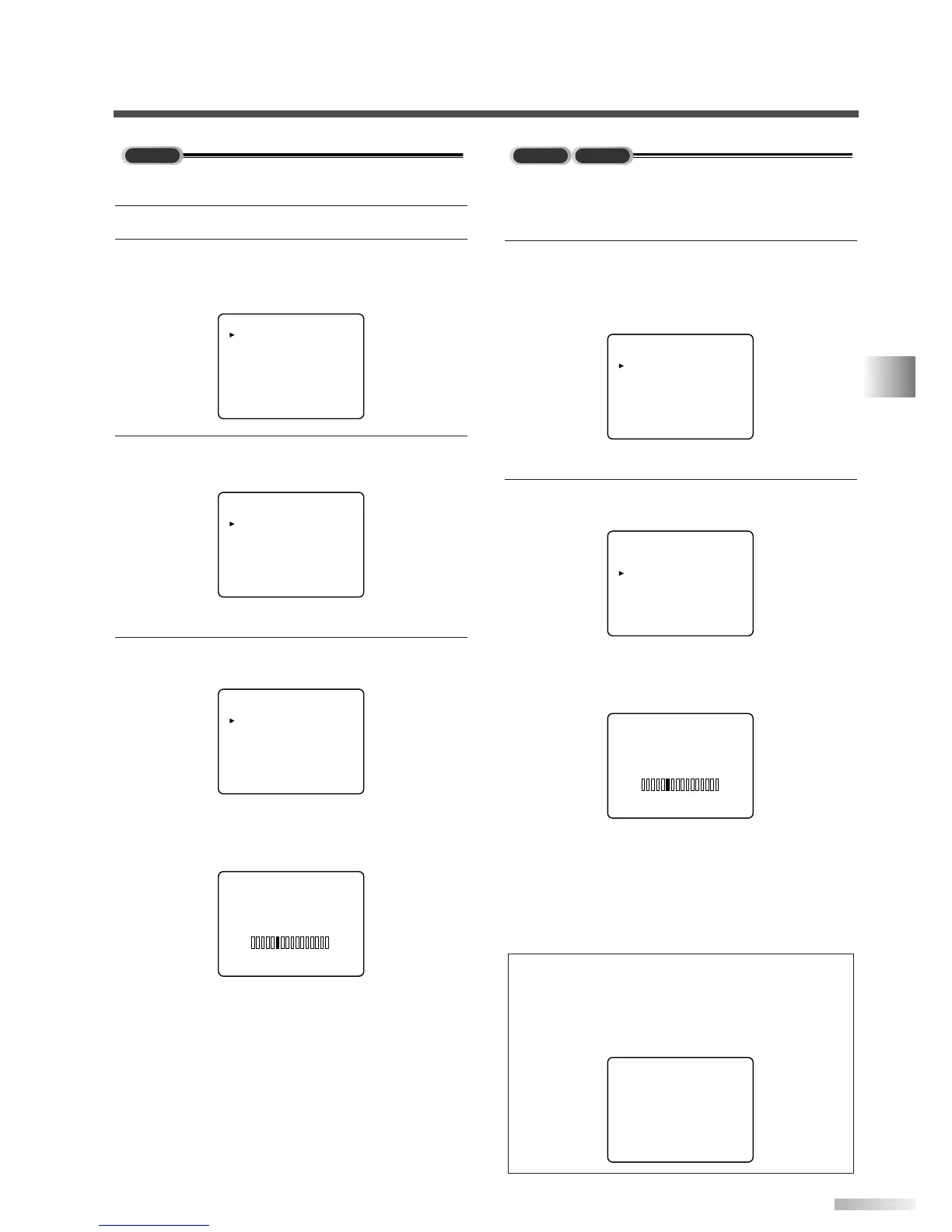
When scanning both TV and DTV at the same time
* You can access this menu from both modes
(analog / digital).
1 Display the menu screen and select
"CHANNEL SET".
• Press [MENU] and select "CHANNEL SET"
using
[CH
K
/
L
].
• Press
[VOL
X
].
2 Using [CH
K
/
L
], select "AUTO PRESET
CH(TV/DTV)".
• Press
[VOL
X
].
Scanning and memorizing the channels auto-
matically starts.
• When the scanning and memorizing are com-
pleted, the memorized smallest channel in the
analog broadcasting will be displayed. If no
analog channel is memorized, the smallest
memorized channel in the digital broadcasting
will be displayed.
NOTES:
• If you press [POWER] or [MENU] while setting AUTO PRE-
SET CH, AUTO PRESET CH setting will be canceled.
• If there is no TV signal input, "NO TV SIGNALS" will appear
on the display after the completion of channel scanning.
When scanning DTV
1
Select digital mode by pressing [DTV/TV].
2 Display the menu screen.
• Press
[MENU].
The following menu screen is displayed.
3 Select "CHANNEL SET".
• Using
[CH
K
/
L
], select "CHANNEL SET".
• Press
[VOL
X
].
4 Using [CH
K
/
L
], select "AUTO PRESET
CH(DTV)".
• Press
[VOL
X
].
Scanning and memorizing the channels auto-
matically starts.
• When the scanning and memorizing are com-
pleted, the smallest memorized channel in the
digital broadcasting will be displayed.


 To Next Page