20
EN
PICTURE ADJUSTMENT
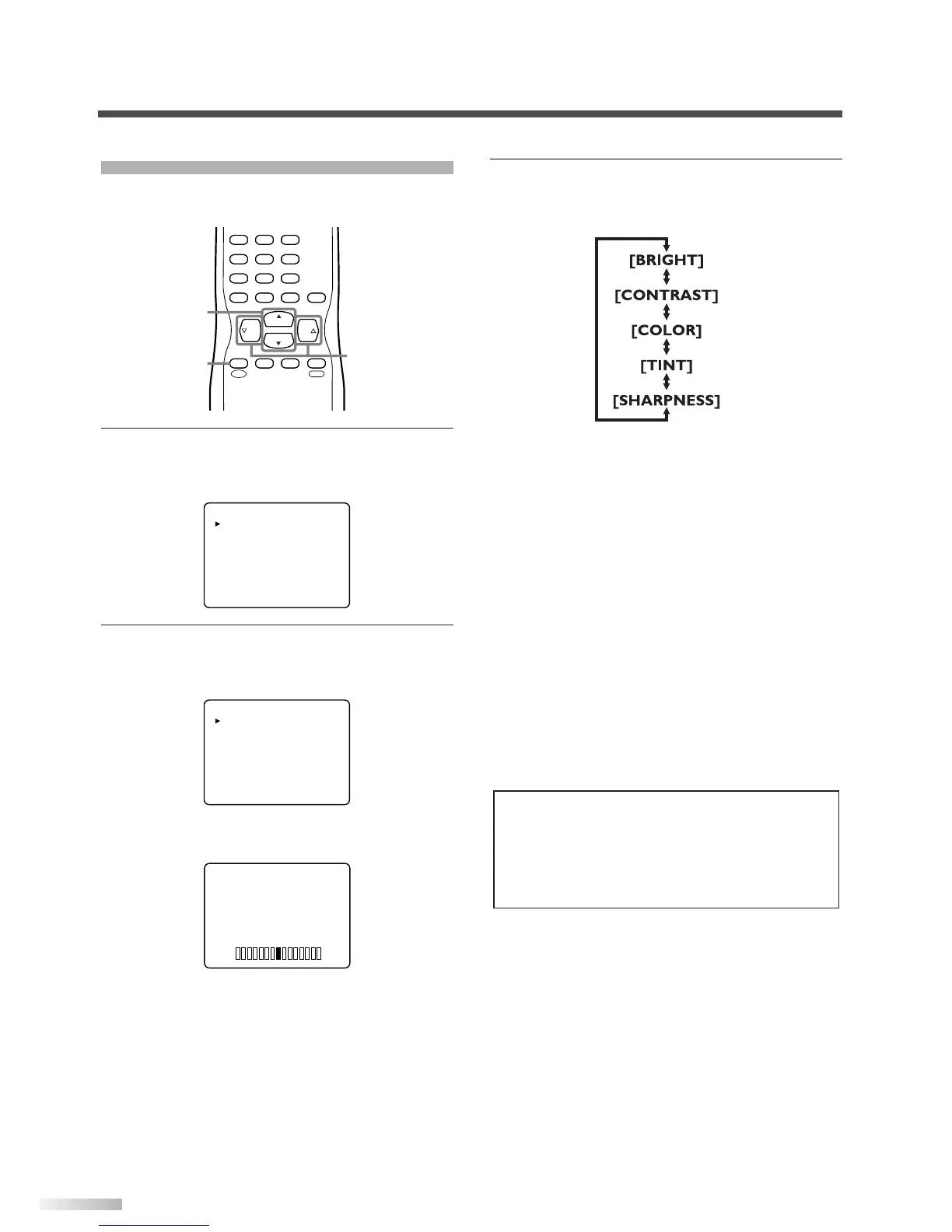
You can adjust the brightness, contrast, color, tint
and sharpness of the picture.
1 Display the menu screen.
• Press
[MENU].
The following menu screen is displayed.
2
Select "PICTURE".
• Using
[CH
K
/
L
], select "PICTURE" and press
[VOL
X
] to confirm.
• The adjustment bar for picture quality item is
displayed in the screen.
3 Adjust the picture quality.
• Using
[CH
K
/
L
], select the picture quality item
you want to adjust.
• Using
[VOL
X
/
Y
], adjust the picture quality.
BRIGHT
X
:To increase brightness
Y
:To decrease brightness
CONTRAST
X
:To increase contrast
Y
:To decrease contrast
COLOR
X
:To brilliant
Y
:To pale
TINT
X
:To green
Y
:To purple
SHARPNESS
X
:To clear
Y
:To soft
NOTES:
• The display will disappear automatically after 10 seconds
unless you press a button.
• Magnetism from nearby appliances and speakers might
affect the color of the TV picture. If this happens, press
[POWER] to turn off the TV and turn it on again after about
30 minutes.


 To Next Page