33
EN
OTHER SETTINGS
3
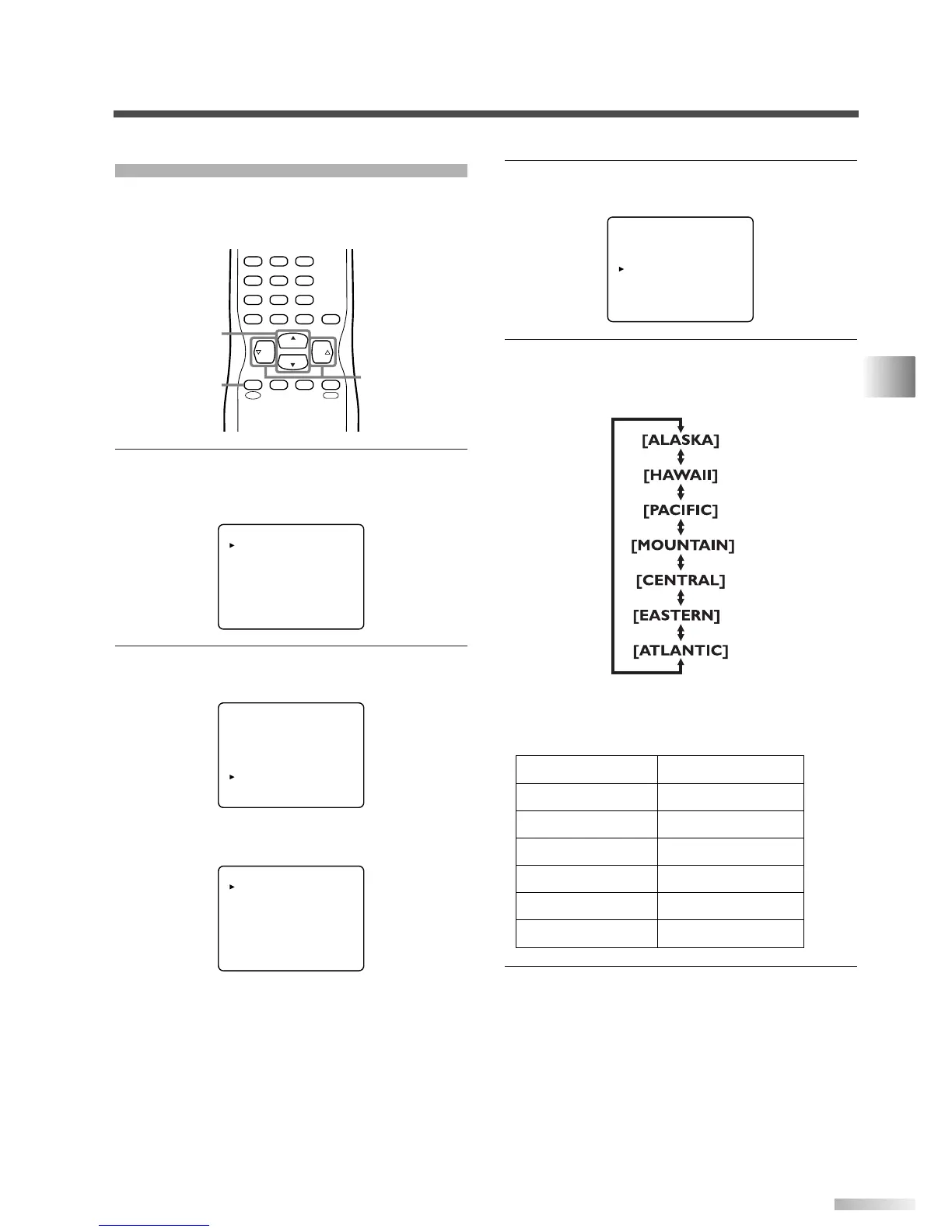
Select "TIME ZONE".
• Using
[CH
K
/
L
], select "TIME ZONE".
4 Select your "TIME ZONE".
• When you use
[VOL
X
/
Y
], the TIME ZONE will
be switched as below.
• Based on the world standard time information
acquired from digital broadcasting, the time dif-
ference will be adjusted as below.
5
To exit the menu, press [MENU].
DTV DISPLAY [LETTERBOX]
DTVCC
D.S.T.(Daylight Saving) [ON]
TIME ZONE [ALASKA]
ALASKA -9 hours
HAWAII -10 hours
PACIFIC -8 hours
MOUNTAIN -7 hours
CENTRAL -6 hours
EASTERN -5 hours
ATLANTIC -4 hours
TIME ZONE
If you move the TV to a different area after the ini-
tial setting you set when you first turned on the
power, you can set the area again.
1
Display the menu screen.
• Press
[MENU].
The following menu screen is displayed.
2 Select "DTV SET UP".
• Using
[CH
K
/
L
], select "DTV SET UP".
• When you press
[VOL
X
], the following menu
screen is displayed.
DTV DISPLAY [LETTERBOX]
DTVCC
D.S.T.(Daylight Saving) [ON]
TIME ZONE [ALASKA]
PICTURE
CHANNEL SET
[ENG]/ESP/FRA
V-CHIP SET UP
CAPTION [OFF]
DTV SET UP
PICTURE
CHANNEL SET
[ENG]/ESP/FRA
V-CHIP SET UP
CAPTION [OFF]
DTV SET UP
CH
CH
VOL VOL
CHANNEL
RECALL
–
/ENT
INPUT
SELECT
321
654
98
+
100
0
7
MUTE
SLEEP
MENU
MENU
CH
K
/
L
VOL
X
/
Y


 To Next Page