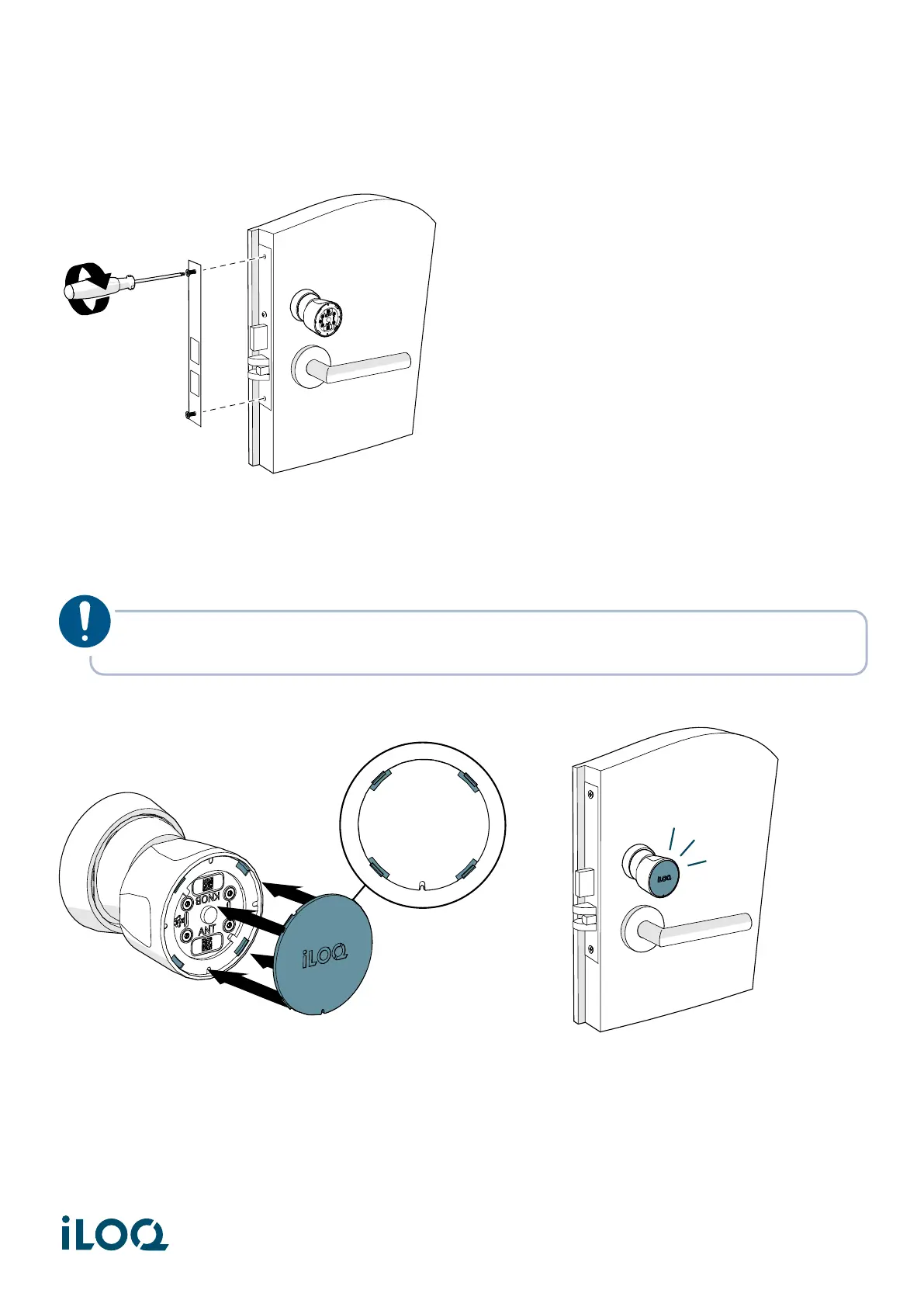
4. Install the faceplate.
5. Insert the iLOQ cap into the front of the knob by aligning the four tabs of the cap with the four
pockets in the knob.
The iLOQ logo on the cap should be horizontal when the cylinder is locked.
NOTE! The front cap can be installed in four different orientations (0º, 90º, 180º and 270º
angles) based on the orientation of the lock.
9
Document ID - 304931
iLOQ S50 (X50S)


 To Next Page