Device Location
Environment
Choose a location that complies with the temperature and humidity
specifications.
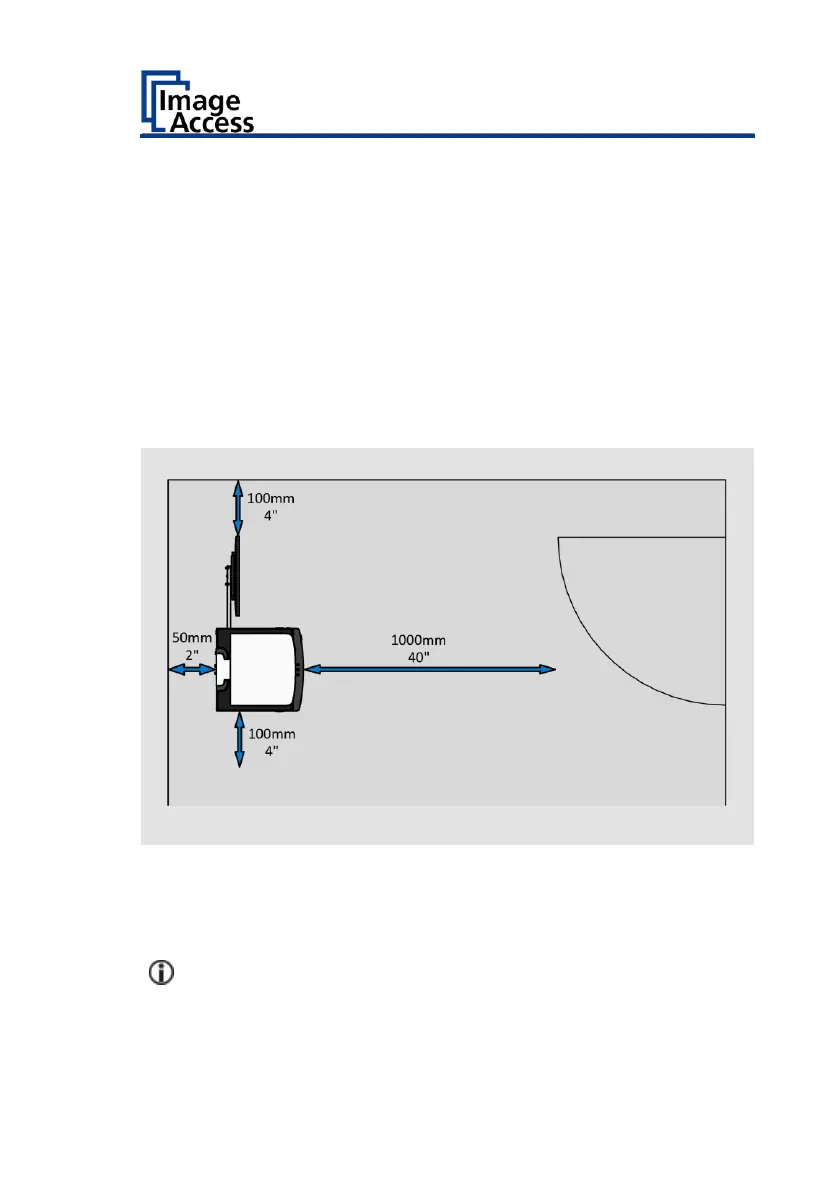
Please allow
• a minimum distance of 100 mm (4 inches) from any side walls,
• a minimum distance of 50 mm (2 inches) from a back wall,
• a minimum distance of one meter (3 feet) from any door or entrance
way.
Place the scanner on a flat and solid base. The load bearing capacity of the
base must correspond to the device weight (max. 50 kg / 110 lbs.). The
dimensions of the base must match the floor space required by the
scanner.
A fast change from cold to warm environmental conditions can build up
condensation inside the housing.



 To Next Page
 Loading...




