Home
Image Access
Scanner
WideTEK 36CL
Page 23
Image Access WideTEK 36CL - Page 23
94 pages
Manual
Save Page as PDF
To Next Page
To Next Page
To Previous Page
To Previous Page
Loading...
Prepare
setup
23
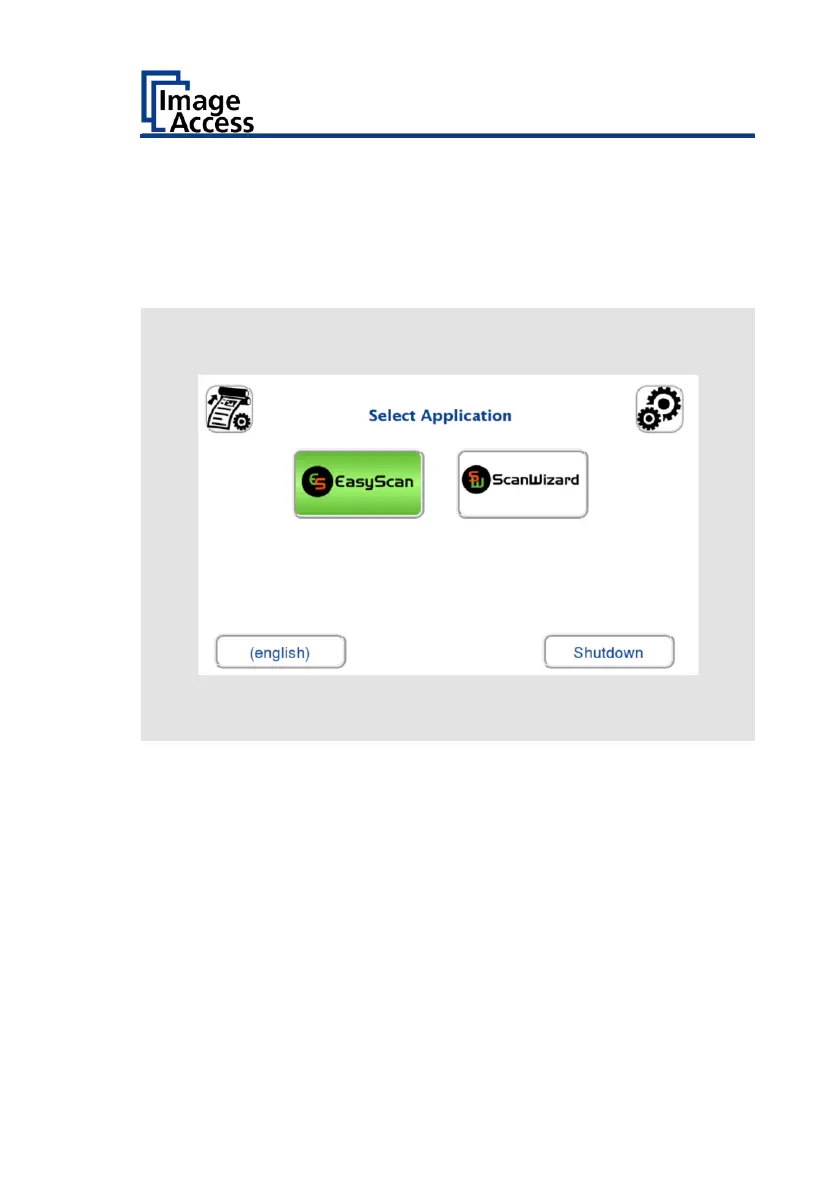
To start the s
canner from stand
-by mode, proceed as follows:
➢
Press the Power bu
tton.
The Power button ligh
ts up blue.
The scanner performs a
system test. After a short waitin
g period, the
"Startup Screen" s
creen will be display
ed in English.
22
24
Table of Contents
Main Page
Default Chapter
2
Table of Contents
2
Revision Overview
4
Notes on the Instructions and the Manufacturer
5
Keep Instructions Available
5
Design Features in the Text
6
Design Features in Illustrations
7
Associated Documents
7
Copyright
8
Contact Details of the Manufacturer in Germany
8
Technical Support
8
Contact Details of the Manufacturer in the USA
8
Device Safety
9
Intended Use
9
Basic Safety Instructions
10
Avoid Material Damage or Malfunctions
10
Responsibility of the Operator
11
Personnel Qualification
11
Design Features of Warnings
12
Design Features of Notices of Damage to Property
12
Description
13
Task and Function
13
Overview Widetek® 36CL/48CL/60CL
13
Overview Back Side
14
Overview Screen Page for the Setup Menu
15
Rating Plate
16
Prepare Setup
18
Connecting the Power Supply
18
Establish Network Connection
19
Place the Scanner on the Optional Base
19
Connecting the Optional Monitor
19
Connect Optional Touch Screen
21
Switch on Scanner
22
Switch off Scanner
24
Perform Setup
26
Change Menu Language
26
Activate Setup Menu
28
Performing White Balance - 36CL/48CL
32
Perform White Balance - 60CL
41
Assign IP Addresses
52
Set User Preferences
61
Set Time and Date
68
Run Test Suite
73
Run Touchscreen Test
76
Height Adjustment - Changing the Height Adjustment (WT60CL)
79
Recovery
81
Technical Data
88
Scanner Specification
88
Environmental Conditions
90
Electrical Specification
91
Document Specification
91
Dimensions and Weight Widetek® 36CL-600
92
Dimensions and Weight Widetek® 48CL-600
92
Dimensions and Weight Widetek® 60CL-600
93
Related product manuals
Image Access WideTEK 36
124 pages
Image Access widetek 44
76 pages
Image Access WideTEK 25
108 pages
Image Access WideTEK 48CL
72 pages
Image Access WideTEK 25-600
125 pages
Image Access WideTEK 48CL-600
94 pages
Image Access Bookeye 5 V2
44 pages
Image Access Bookeye 5 V3
44 pages
Image Access Bookeye 4
122 pages
Image Access bookeye 3
72 pages
Image Access Bookeye 5 V1A
64 pages
Image Access Bookeye 4 V1A
120 pages











 To Next Page