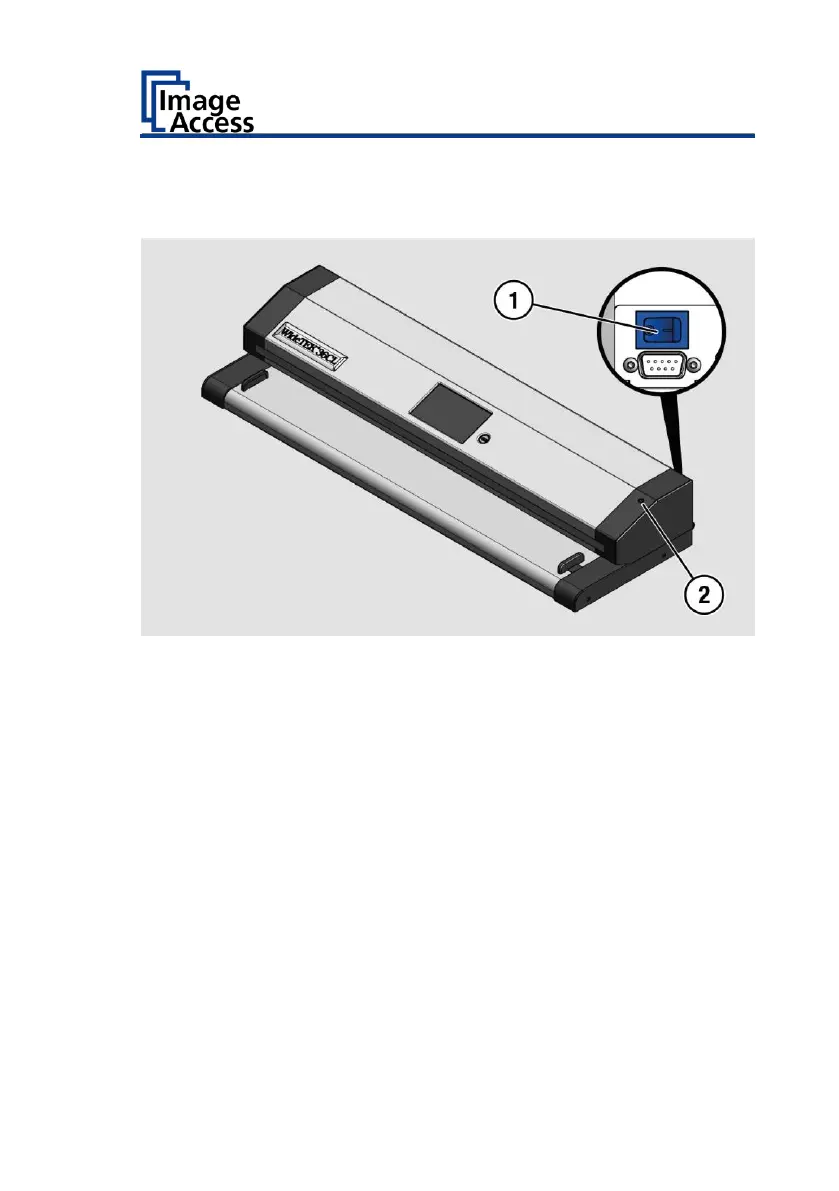
To turn off the scanner for an extended period of time, do the following:
➢ Make sure the scanner is in stand-by mode.
➢ Press the MAIN switch (1) to the "0" position.
To hard power off the scanner, do the following:
➢ Press and hold the power button (2) for more than 4 seconds.
The power to the running scanner will be cut off immediately.
➢ Press the MAIN switch (1) to the "0" position.











 To Next Page