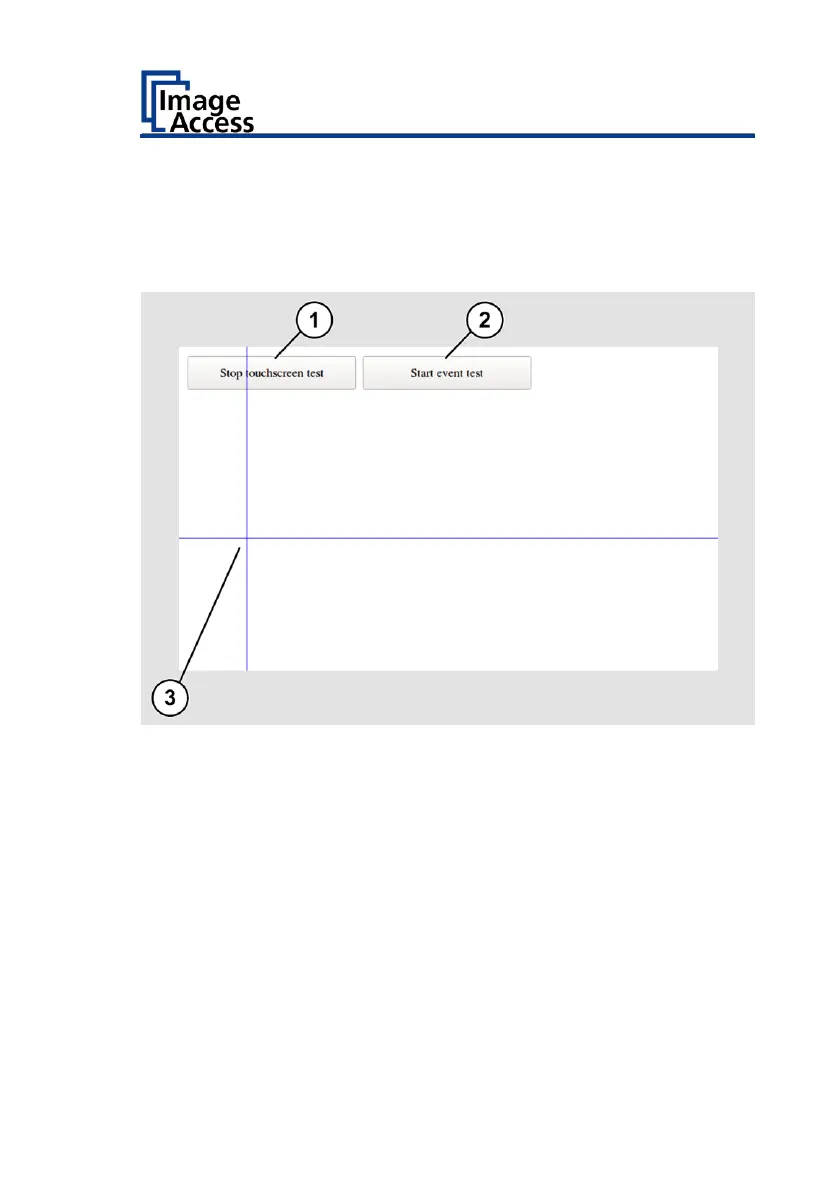
The "Touchscreen test" screen page is displayed.
➢ To perform the touchscreen test, tap your finger on the screen page (3).
The crosshairs must be in the same position as the finger.
➢ To end the "Touchscreen Test", tap on STOP TOUCHSCREEN TEST (1).
➢ Tap the START EVENT TEST button (2).
The "Event Test" screen is displayed.
The X button (2) cancels the test and returns to the "Touchscreen Test"
start screen.











 To Next Page