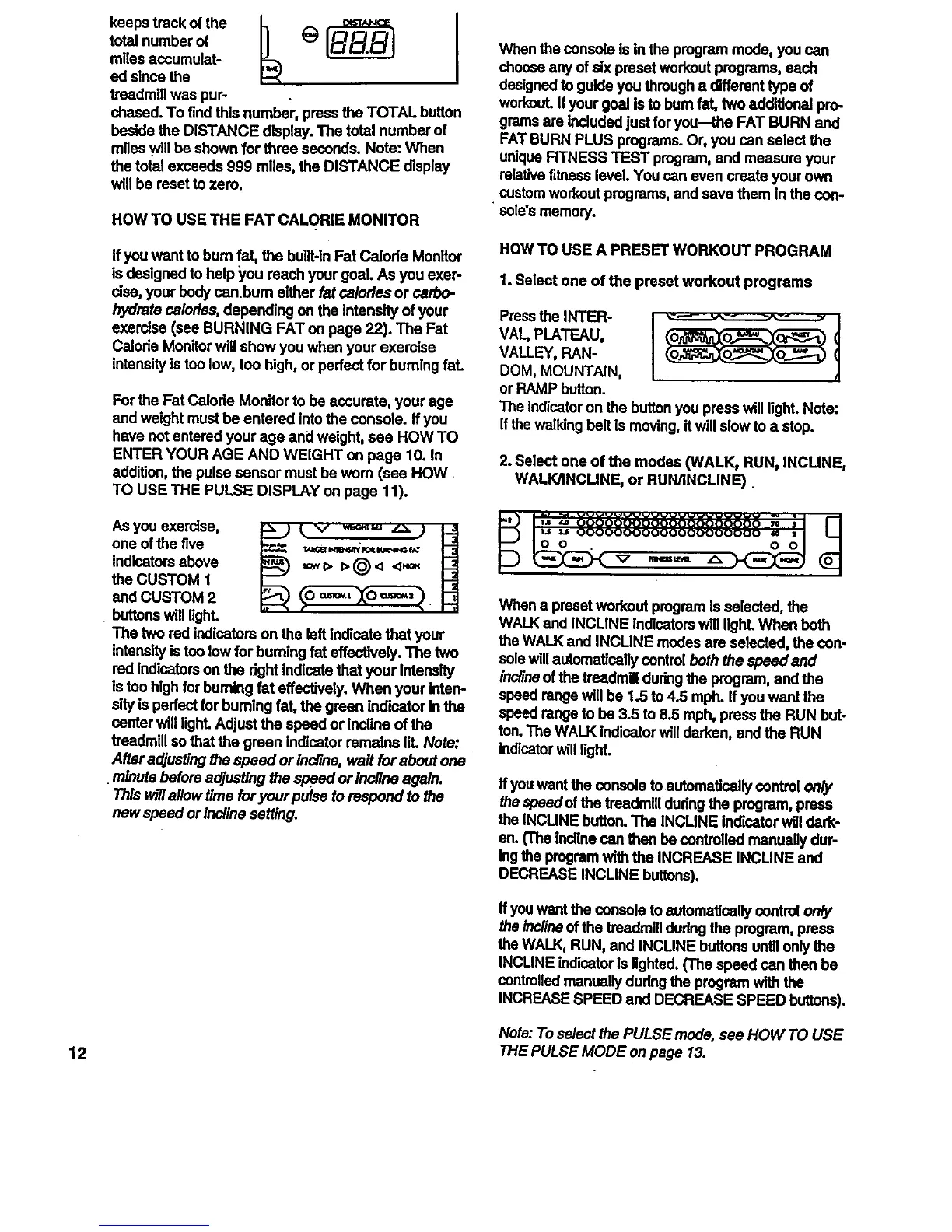
total number of 1_
miles aCcumulat-
ed since the
treadmill was pur-
chased. To find this number, press the TOTAL button
beside the DISTANCE display. The total number of
miles .willbe shown for throe seconds. Note: When
the total exceeds 999 miles, the DISTANCE display
will be reset to zero.
HOW TO USE THE FAT CALORIE MONITOR
When the console is in the program mode, you can
choose any of six preset workout programs, each
designed to guide you through a different type of
workout. Ifyour goal Is to bum fat, two additional pro-
grams are Indudod just for you-the FAT BURN and
FAT BURN PLUS programs. Or, you can select the
unique FITNESS TEST program, and measure your
rolative fitness level. You can even create your own
• custom workout programs, and save them In the con-
soles memory.
ffyou want to bum fat, the bulit-ln Fat Calorie Monitor
is designed to help you reach your goal. As you exer-
rise, your body canbum either fat calories or carbo-
hydrate calo/fes, depending on the intensity of your
exercise (see BURNING FATon page 22). The Fat
Calorie Monitor will show you when your exercise
intensity is too low, too high, or perfect for burning fat.
For the Fat Calorie Monitor to be accurate, your age
and weight must be entered intothe console. If you
have not entered your age and weight, see HOW TO
ENTER YOUR AGE AND WEIGHT on page 10. In
addition, the pulse sensor must be wom (see HOW
TO USE THE PULSE DISPLAY on page 11),
As you exercise,
one of the five _=r,_.x,u_.,_
indicators above
the CUSTOM 1
and CUSTOM 2
buttons will UghL
The two rod indicators on the left Indicate that your
intensity istoo low for buming fat effectively. The two
red Indicatorson the dght Indicate that your Intensity
Is too hlgh for bumlng fat effectively. When your Inten-
slty is perfect for buming fat, the groan Indicator In the
canter will light.Adjust the speed or Incline of the
treadmill sothat the groan Indicator remains lit. Note:
After adjusting the speed or incline, wait for about one
minute before adjusting the s .peedor incline again.
Thls willallow time for your pulse to respond to the
new speed or lncline setting.
HOW TO USE A PRESET WORKOUT PROGRAM
1. Select one of the preset workout programs
Press eOR
VAt., PLATEAU,
VALLEY, RAN-
DOM, MOUNTAIN,
or RAMP button.
The indicatoron the button you press will light. Note:
Ifthe walking belt is moving, itwill slow to a stop.
2. Select one of the modes (WALK, RUN, INCUNE,
WALK/INCUNE, or RUN/INCLINE)
O O . V mN==_ _. O O
When a preset workout program b selected, the
WALK and INCUNE Indicatorswill light. When both
the WALK and INCUNE modes are selected, the con-
sole willautomatically control both the speedand
inclineof the treadmlll dudng the program, and the
speed range will be 1.5 to 4.5 mph. If you want the
speed range to be 3.5 to 8.5 mph, press the RUN but-
ton. The WALK Indicatorwill darken, and the RUN
Indicatorwill light.
ffyou want the console to autornatlcally control on/y
the speed ofthe treadmill dudng the program, press
the INCLINE button.The INCLINE Indicator willdark-
er_ (The bcline can then be controlled manually dur-
Ingthe program with the INCREASE INCLINE and
DECREASE INCLINE buttons).
Ifyou want the console to automatically control on_
the Inclineof the troadmill dudng the program, press
the WALK, RUN, and INCLINE buttons until onlythe
INCLINE indicator Is lighted. (The speed can then be
controlled manually during the program with the
INCREASE SPEED and DECREASE SPEED buttons).
Note: To select the PULSE mode, see HOW TO USE
12 THE PULSE MODE on page 13.



 To Next Page