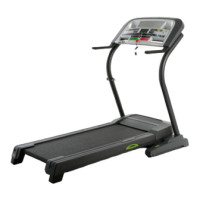
The speed and Incline settings of the program you
have selected will be shown in the columns of Indica-
tom in the center of the console. Red ind'matorsvail
show the speed setting of each segment, and green
Indicators will show the incline settingof each segment.
=..J
|Mr
,,-h
D
4. Adjust the difficulty level of the program
The time remaining in the program will be shown in the
TIME display. (Ifthe SEGMENT TIME button is pressed,
the number ofseconds remaining in the first segment
willbe shown). During the last three seconds of the first
segment, the TIME display willflesh three times. When
the firstsegment Iscompleted, the second column of
in.c_catorswill begin to flash, and the treadmill willauto-
maticallyadjust to the speed and Incline settings ofthe
second segment. The program willcontinue Inthis man-
ner untilthe twentieth column is flashing and no time
mrceins. The walldng belt willthan slow to a stop.
Note: During the program, the difficulty level of the pro-
gram can be adjusted with the FITNESS LEVEL but-
tons. The length of time that the program will lest can
be changed with the TIME SET buttons. The program
can be stopped at any time with the STOP button.The
console will then be in the same state as ifthe pro-
gram had been completed.
If desired, the difficulty level of the program can be
adjusted with the FITNESS LEVEL buttons (see the
drawing above). Each time the FITNESS LEVEL
increase button is pressed, the speed and incline set-
tings of all segments will increase. Each time the FIT-
NESS LEVEL decrease button is pressed, the speed
and incline settings of all segments will decrease.
Note: The difficulty level of the program can be
increased only until the highest indicator In one of the
columns is lit,and decreased only until the lowest indi-
cator in one of the columns is lit.
5. Adjust the program time
Note: Although the difficultylevel of the program can be
adjusted, only the odgina[ speed and incline settings
willbe saved in memory. If you desire to change the
originalspeed and incline settings, see HOW TO CRE-
ATE CUSTOM WORKOUT PROGRAMS on page 16.
HOW TO TURN OFF THE POWER
To turn off the power, remove the key from the con-
sole. Store the key in a secure location.
In addition, move the on/off switch tothe "off"position.
(See the drawing near the bottom of page 10.)
18
The length of time
the program will
•last can be adjust-
ed, ifdesired, with
the TIME SET but-
tons. Each time
one of the buttons
Is pressed, the length of time will change by 20 sec-
onds. If one of the buttons Is held down, the length of.
time will change in increments of I minute. The pro- •
gram can be set to last for a minimum of 5 minutes, up
to a maximum of 80 minutes. (if the SEGMENT TIME
button is pressed, the TIME display will show how
many seconds each of the twenty segments will lest.)
"IINUE
IBB:B'BI
6. Start the program
Stand on the foot rails . _._ . ,
ofthe treadmill and
press the PROGRAM
START button. The first
: column of Indicators will
begin to flash, and the treadmill will automatically adjust
to the speed and Incline settings of the first segment.
HOW TO SELECT THE INFORMATION MODE
The console features an information mode that keeps
track of trip time and distance, as well as the total time
and distance accumulated.
To select the information mode, hold down the STOP
button while Inserting the key Into the console. The
indicator on the SEGMENT TIME button will light, and
the triptime and distance will be shown in the TIME
and DISTANCE-displays. (Note: If the distance
exceeds 999 ml!es, the thousands digits will be shown
inthe SPEED display.) If desired, the trip time and dis-
tance can be reset to zero by pressing the TIME SET
decrease button.
To view the total time and distance, press the TIME "
button,The total time and distance will then be shown.
The total time and distance cannot be reset.
Note: The PULSE display will
show the letter =1,"indicating
that the console is set for an
infrared (cordless) pulse sensor.



 To Next Page