7
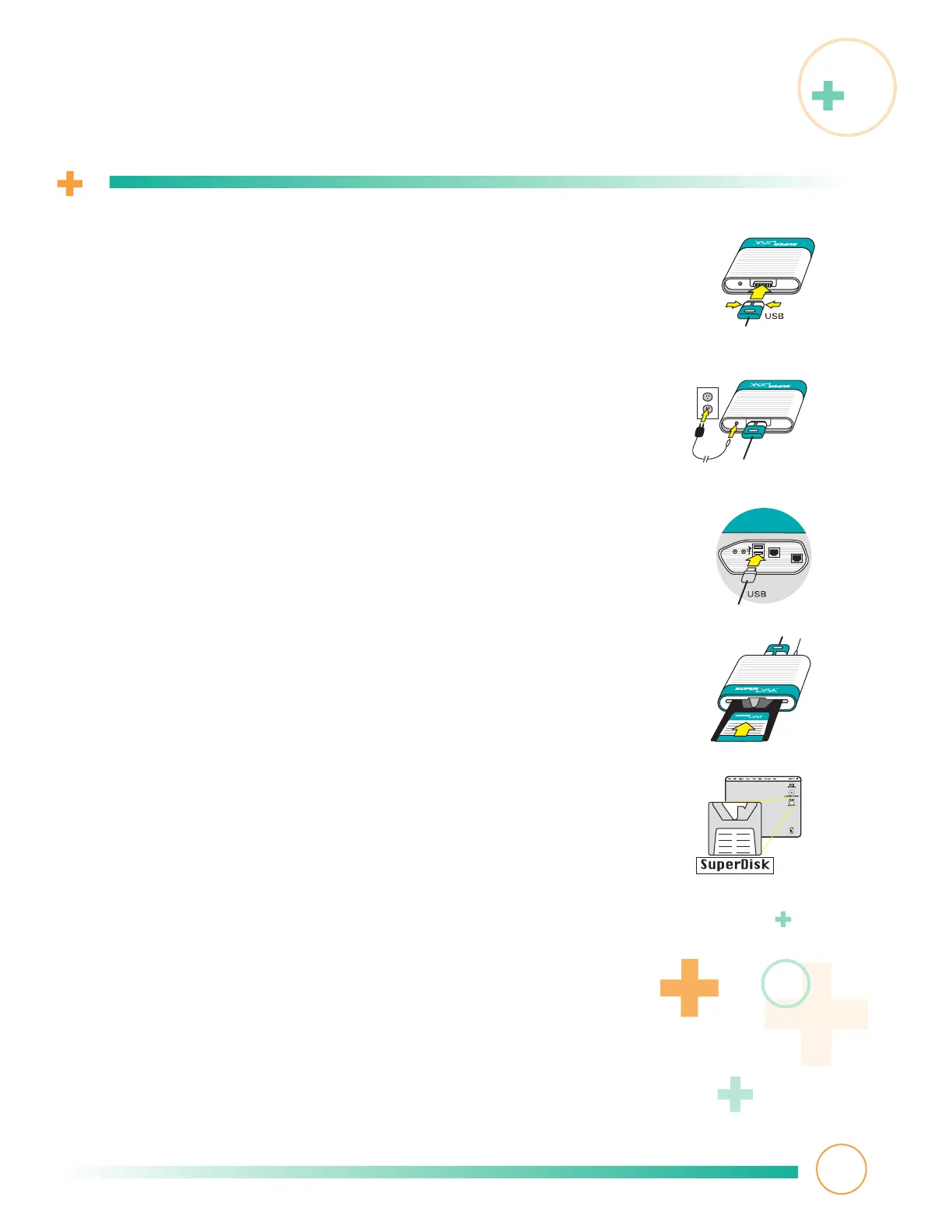
Connecting your SuperDisk drive
1
Connect the USB cable to the rear of your SuperDisk
drive. Do this by squeezing the cable end together
to separate its prongs.Then push the cable firmly
onto your drive’s connector. Release the sides to lock
the cable in place.
2
Plug the power cord (round end) into the rear of your
SuperDisk drive and plug the other end of the power
cord into a power outlet.
3
Plug the other end of the USB cable into an available
USB port on your computer, keyboard, or hub.
4
Insert a diskette into your SuperDisk drive.
5
After a few seconds, the diskette icon displays on
your desktop. Its appearance varies according to
your operating system version and diskette type.
Your SuperDisk drive installation is complete!
You’re now ready to use your drive.



 To Next Page