Note: To bind a Spektrum Rx using the rear button, the vortex must be placed in
SPEKTRUM 1024/2048 mode, and not AUTO mode, using the Vortex Configurator on a
PC or Mac.
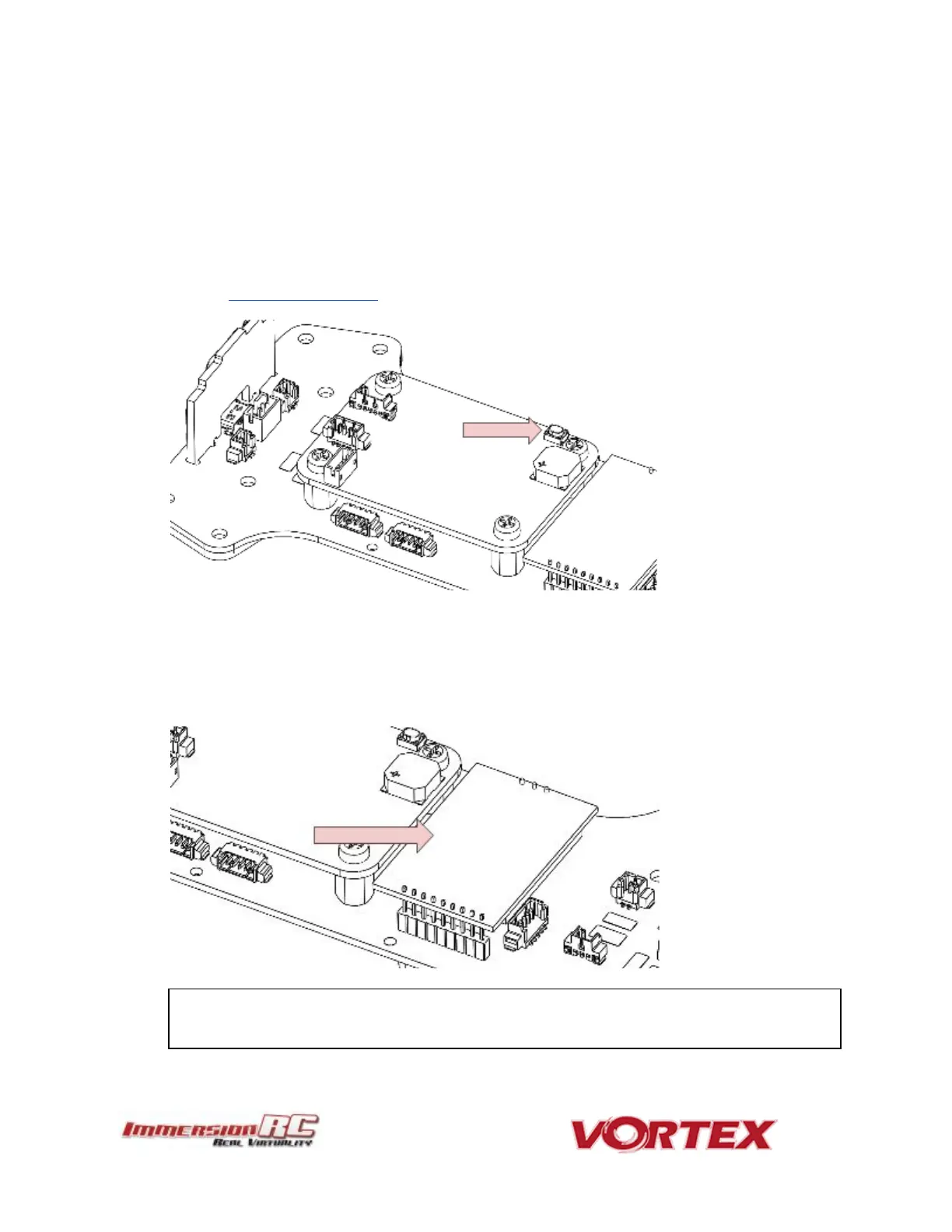
3) Fusion FC/OSD button, used to enter firmware update mode in the case of a ‘bricked’
OSD. Note that this button is not required in normal use with the bootloader and
firmware shipped with the 250 Pro. .
See the
Firmware Upgrades
chapter for more details.
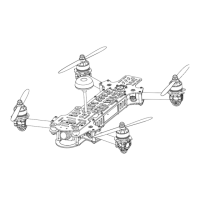
4) Socketed Video Tx Module
Either a 350mW, or 25mW 5.8GHz Custom NexWaveRF module, depending upon the
target market. Note that 25mW is the maximum power level allowed for license-free
use in the EU.
Note that the module is restrained using a stainless-steel spring. Take care when
removing the two mounting screws on the top plate, since the spring may be



 To Next Page