The Anatomy of a Vortex
Connectors and Switches
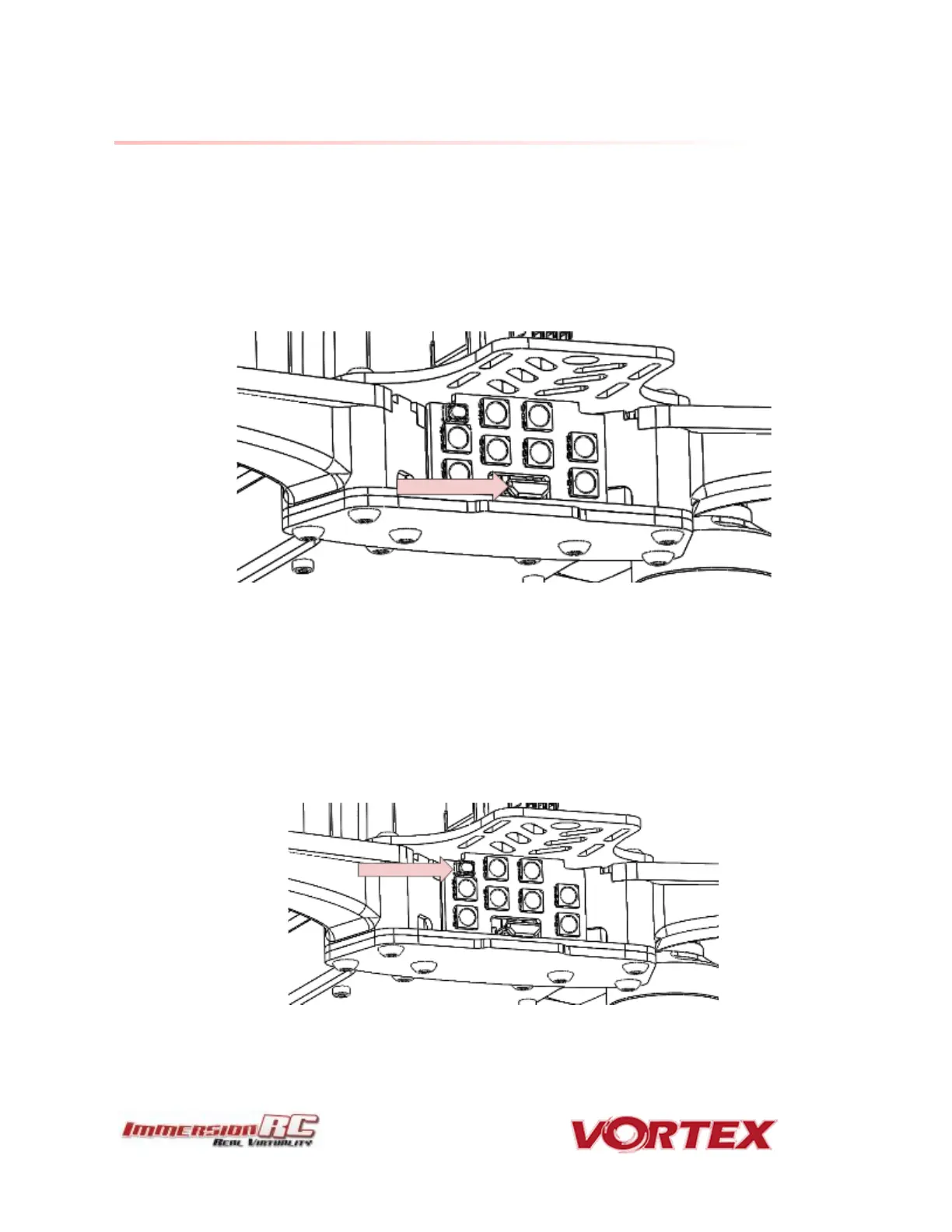
1) USB connector, used to configure the flight controller and upgrade the Vortex
firmware.
Note that to use the USB connector, a battery must be connected also. The Vortex
cannot be powered through the USB connector.
Please be careful not to put too much strain on this connector. It is a lightweight
surface-mount part, and if the quad is dragged around by the USB cord it may not
survive.
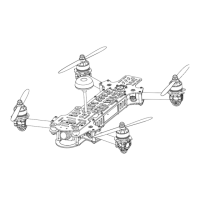
2) LED board button, used to change Video Tx band, to restart the wizard and also to put
a spektrum receiver in bind mode.
Press and release after 1st beep to change video band, release after 2nd beep to
restart the wizard, release after 3rd beep to put a spektrum rx in bind mode, finally
release after 4th beep to cancel operation.



 To Next Page