3-7
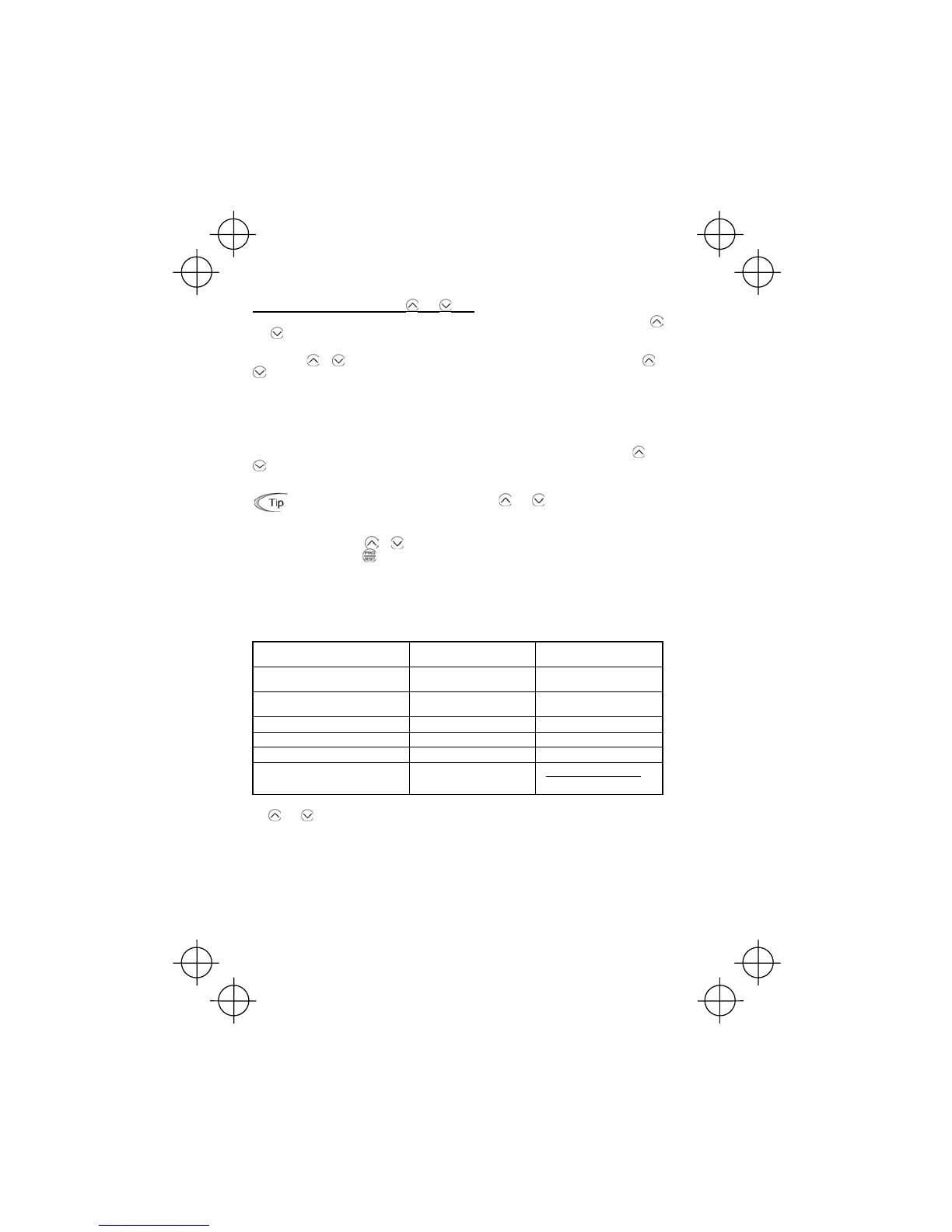
Setting the set frequency with the and keys
If you set function code F01 to "0: Keypad operation" and select frequency command 1, then the
and keys become enabled to set the set frequency in Running mode. In any other operation
modes, those keys remain disabled.
Pressing the
or key calls up the set frequency with the lowest digit blinking. Pressing the or
key again makes it possible to change the set frequency. The new setting will be saved internally.
Even if the inverter is switched to any other frequency entry and then returned to keypad entry, the
setting will be retained.
Further, even turning off the inverter will automatically save the setting into the non-volatile memory.
The next time the inverter is turned on, the setting will become the default frequency.
If you set function code F01 to "0: Keypad operation" but do not select frequency command 1 (e.g.,
you select frequency command 2, communication control, or multistep frequency), then the
and
keys cannot be used for setting the set frequency. Pressing those keys will just display the
currently selected set frequency.
• When setting the frequency and others with the and keys, the lowest digit on the
display will blink. Change the setting, starting with the lowest digit and the blinking digit
(cursor) will move to the next upper digit.
• If you press the
or key once for changing the set frequency or other data and then
hold down the
key for 1 second or longer after the lowest digit starts blinking, the
blinking digit will move to the next upper digit so that you may easily access and change
higher data values. (Cursor movement)
To set up the set frequency from any other displayed items, it is dependent on function code E48
data (= 4, 5, or 6) "LED monitor details (Select speed monitor)" as listed in the following table.
E48 data "LED monitor details
(Select speed monitor)"
Set frequency display Conversion of displayed value
0: Output frequency
(before slip compensation)
Frequency setting
1: Output frequency
(after slip compensation)
Frequency setting
2: Set frequency Frequency setting
4: Load shaft speed Load shaft speed setting
E50×settingFrequency
5: Line speed Line speed setting
E50×settingFrequency
6: Constant rate of feeding time Constant rate of feeding time
setting
E39settingFrequency
E50
u
If you set function code C30 data to "0: Keypad operation" and select frequency command 2, then
the
and keys become also enabled to set up the set frequency.



 To Next Page