3-15
3.5 Checking Changed Function Codes--"Data checking"
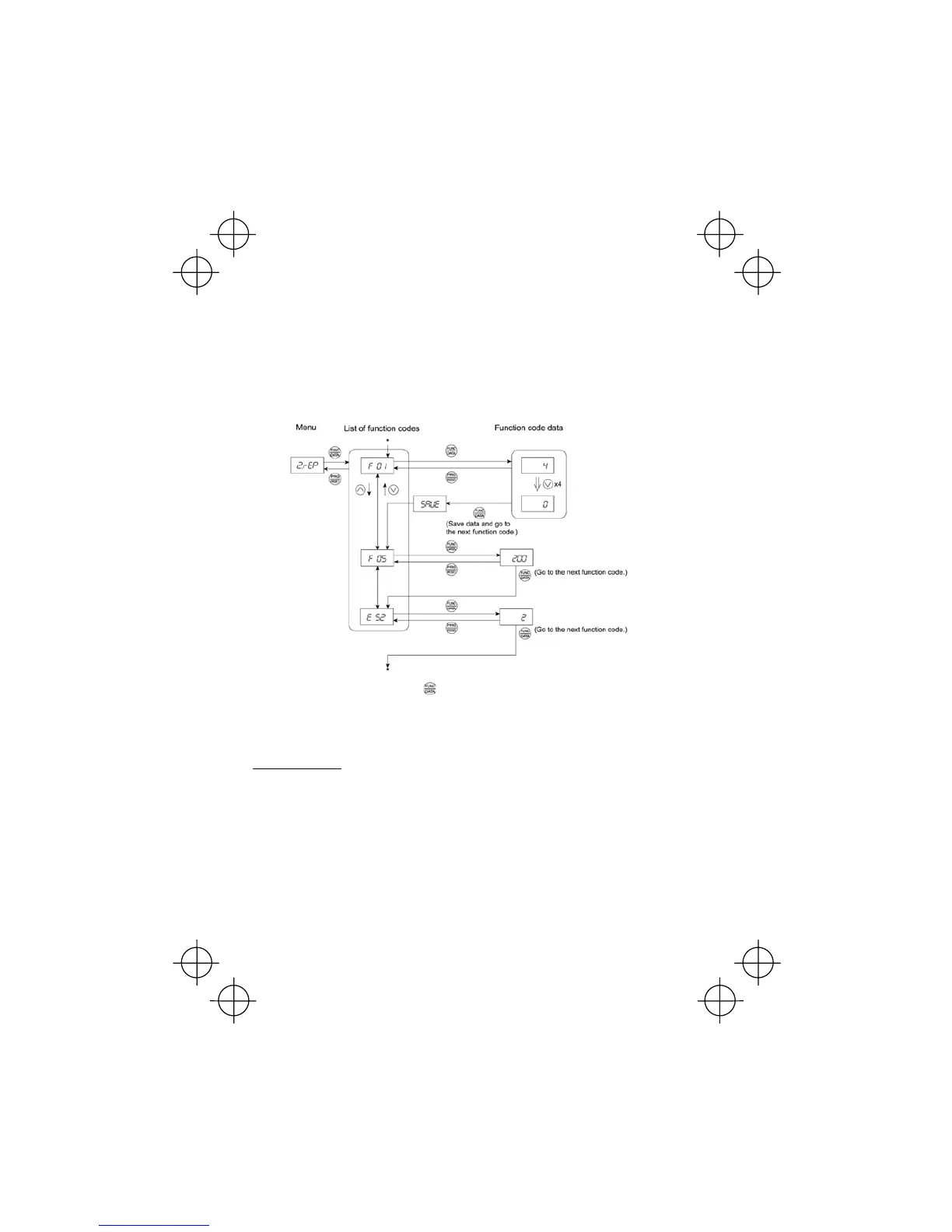
Menu #2 "Data checking" in Programming mode allows you to check function codes that have been
changed. Only data that has been changed from the factory defaults are displayed on the LED
monitor. You may refer to the function code data and change again if necessary. Figure 3.6 shows
the status transition diagram for "Data checking."
To check function codes in Menu #2 "Data checking," it is necessary to set function code E52 data to
1 (Function code data check mode) or 2 (Full-menu mode).
* Pressing the key when the E 52 data is displayed will return to F 01.
Figure 3.6 "Data Checking" Status Transition (Changes made only to F01, F05, E52)
Basic key operation
The basic key operation is the same as for Menu #2 "Data setting."



 To Next Page