3-14
Basic key operation
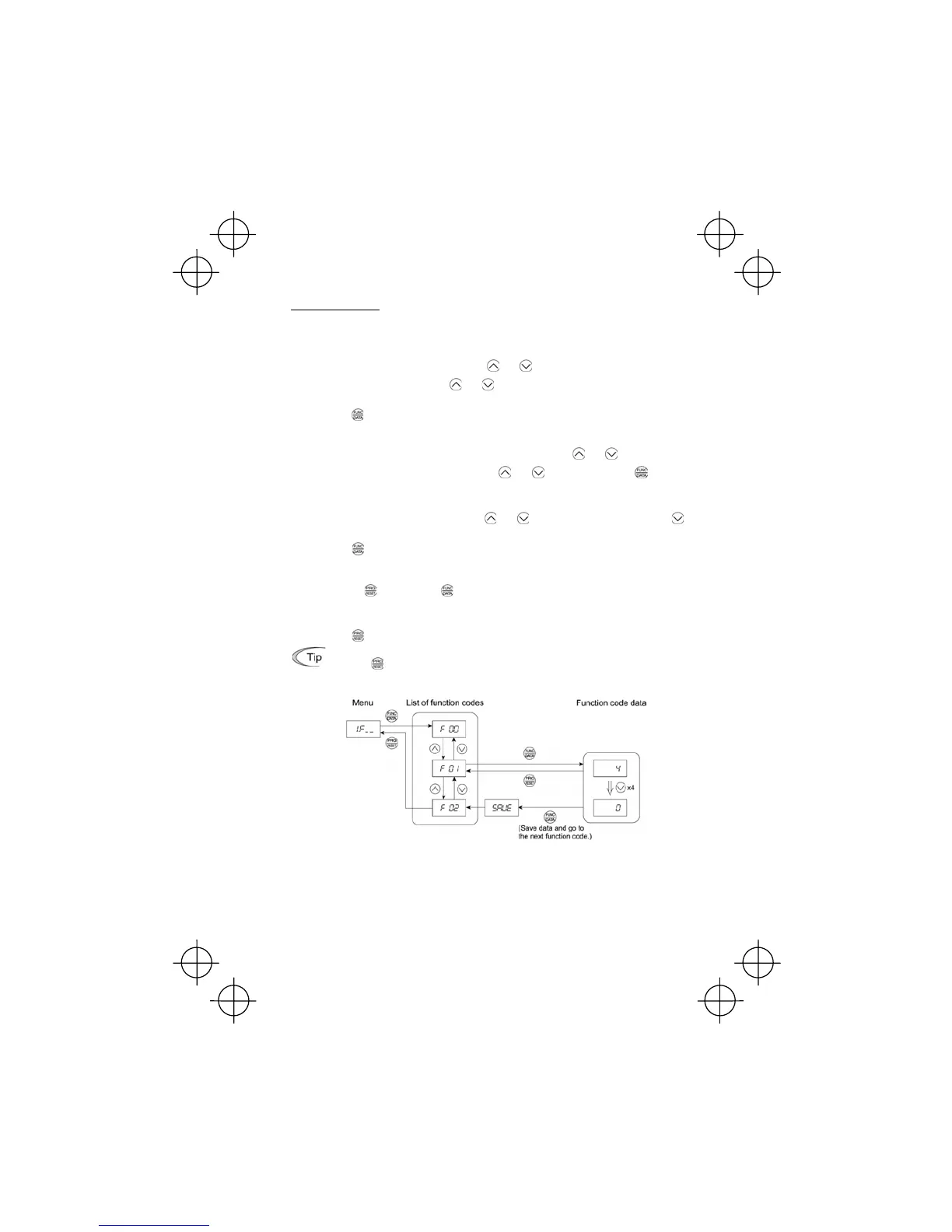
This section will give a description of the basic key operation, following the example of the function
code data changing procedure shown in Figure 3.5.
This example shows you how to change function code F01 data from the factory default "Enable the
built-in potentiometer (F01 = 4)" to "Enable the
and keys on the built-in keypad (F01 = 0)."
(1) With the menu displayed, use the
and keys to select the desired function code group. (In
this example, select
1.F_ _).
(2) Press the
key to display the function codes in the function code group selected in (1). (In this
example, function code
F 00
will appear.)
Even if the function code list for a particular function code group is displayed, it is possible to
transfer the display to a different function code group using the
and keys.
(3) Select the desired function code using the
and keys and press the key. (In this
example, select function code
F 01.)
The data of this function code will appear. (In this example, data 4
of F 01 will appear.)
(4) Change the function code data using the
and keys. (In this example, press the key
four times to change data
4 to 0.)
(5) Press the
key to establish the function code data.
The SAUE will appear and the data will be saved in the non-volatile memory. The display will
return to the function code list, then move to the next function code. (In this example,
F 02.)
Pressing the
key before the key cancels the change made to the data. The data reverts
to the previous value, the display returns to the function code list, and the original function code
reappears.
(6) Press the
key to return to the menu from the function code list.
Cursor movement: You may move the cursor when changing function code data by holding
down the
key for 1 second or longer in the same way as with the frequency settings.
Refer to Section 3.3 (2) "Set up the Set Frequency and Others."
Figure 3.5 Example of Function Code Data Changing Procedure



 To Next Page