Using Keyrah V3
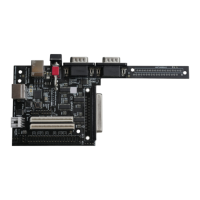
3.1.4 DB25 Connector
(8) The DB25 connector can be used for these keyboards:
• C128D
• SX64 (requires a simple 1:1 Adapter/Cable)
• PET (requires a passive Adapter)
• CBM2 (requires an active Adapter)
3.1.5 Locking Keys
In a modern PC Keyboard layout there are three keys that will toggle a state on and off permanently
rather than just producing an down/up event – „CAPS lock“, „NUM lock“ and „Scroll lock“. Their
current state is usually indicated by an LED. However, on some of the keyboards that can be used
with Keyrah V3, the equivalent keys are either actual mechanically locking keys (eg the CBM
keyboards have a mechanical shift-lock key) or the keyboard manages the state of the LEDs on its
own and there is no way to modify that state (like with PC/XT keyboards). For those keyboards
specific code was added that makes sure the state of those keys is always in sync with a second
keyboard connected to the same host. If the state of the keyboard can not be modified, the host
keyboard status follows Keyrah.
• CBM Keyboards have a mechanically locking shift-lock key. Keyrah will do two things:
◦ when it is pressed, remove the left shift key from the matrix, so only „CAPS lock“ is
being reported as pressed.
◦ when the remote caps lock status does not match the state of the shift-lock key, Keyrah
will generate extra „CAPS lock“ keypresses to make sure the remote status changes
accordingly.
• PC/XT Keyboards have the usual three LEDs, however there is no way to modify their
status. So when the remote status does not match the state of the “CAPS lock”, “NUM lock”
or “Scroll lock” LEDs, Keyrah will generate extra keypresses to make sure the remote status
changes accordingly.
• Amiga 500 Keyboards (with serial interface) have a “CAPS lock” LED, but manage its state
by itself and there is no way to modify its status. When the remote caps lock status does not
match the state of the caps-lock LED, Keyrah will generate extra „CAPS lock“ keypresses
to make sure the remote status changes accordingly.
5


 To Next Page