12
11
10
987654321
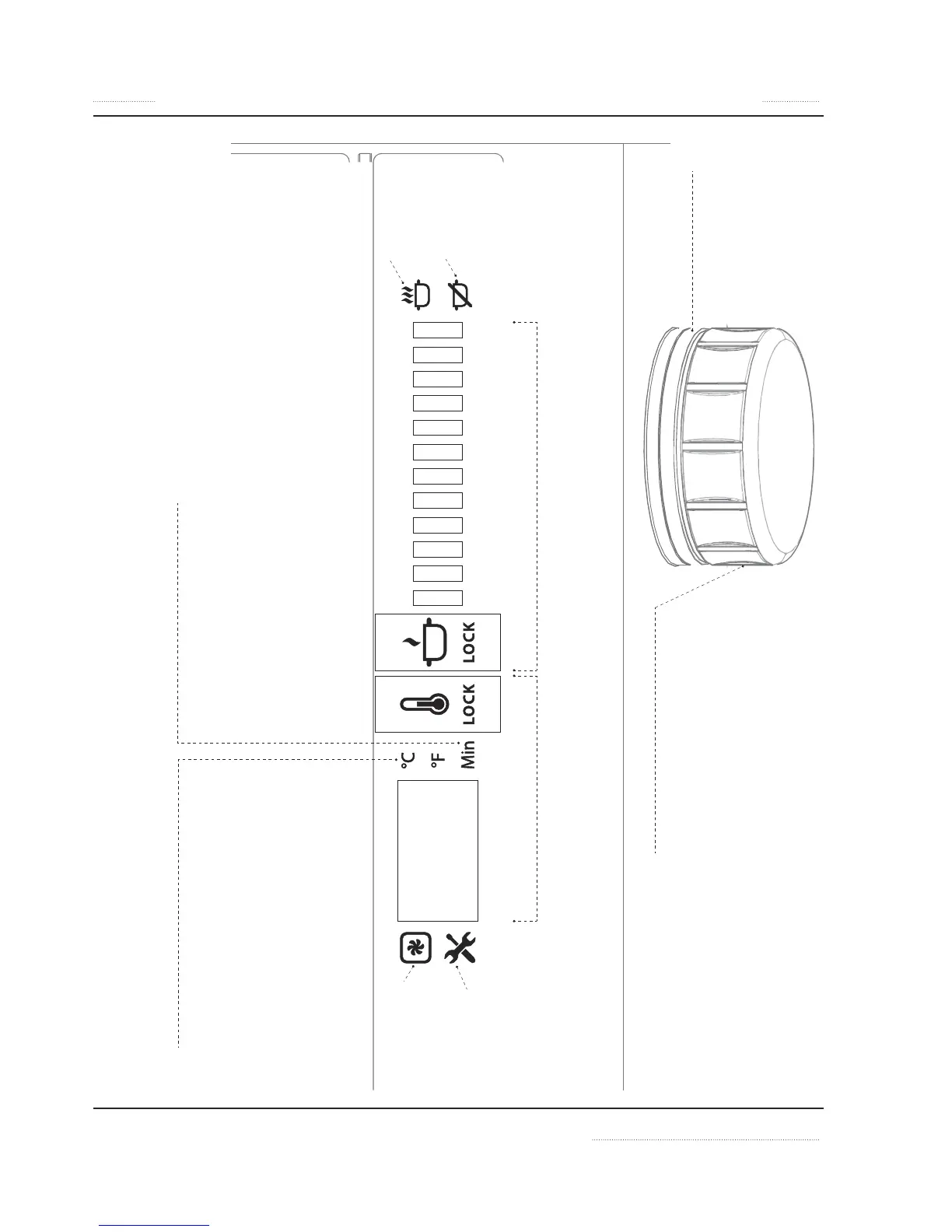
Temperature, °C or °F
• To set °C or °F, press down knob while connecting
unit to power outlet.
• Turn knob to select P2 option on display.
• Click knob 1 time (1x) to confirm.
• Turn knob to select °C or °F and click knob 1x to
confirm.
• To return to cook/hold mode, click and hold knob
until other icons are shown on display.
Timer, Minutes
• After selecting temperature or power
level, double click knob to switch to
Timer Mode.
• Turn knob to select time in minutes.
• Click knob 1 time (1x) to confirm and
start count-down.
Error:
Overheated Unit!
Error:
Call for Service.
Error Code on
Display
Error:
Overheated Pan!
Error:
No Pan Detected!
Hold Mode, Set Temperature
• Turn knob to select temperature.
• To lock / unlock at selected temperature,
click and hold down knob for 2 seconds.
Cook Mode, Power Level from 1 to 12
• Turn knob to select power level.
• To lock / unlock at selected power level,
click and hold knob for 2 seconds.
Turn Unit ON
• Click knob 1 time
Turn Unit OFF
• Turn knob to the lowest power or
lowest temperature. When LED
ring is flashing, turn knob slightly
to turn unit off.
Control Knob
TURN
• Turn knob to select temperature / power /
option.
CLICK
• 1 time (1x) to switch from Cook to Hold
mode or to confirm selection.
• double (2x) to switch to Timer function
• and hold for 2 seconds to lock or unlock
unit.
LED ring
• Lights up during power
output.
• Flashes when waiting for
operator input.


 To Next Page