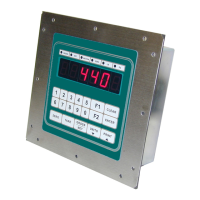
IDS 410/422 User's Manual
22
Scale Parameters
I/O PORT Parameters
No Parameter Name Default Maximu
m
Pass
Field Setting
23 Serial port 1 mode 4(8N1) 6 2
24 Serial port 1 baud rate 1(9600) 7 2
25 Serial port 2 mode 4(8N1) 6 2
26 Serial port 2 baud rate 1(9600) 7 2
27 TX2 control / Station Id 255 255 1
28 TX2 Data Format 2 (condec)
4 2
30 Autoprint LF after CR 1 (yes) 1 2
31 End Of Print character 13 return 255 2
32 Print label 1 16 char 2
33 Print label 2 16 char 2
34 Print label 3 16 char 2
35 Print code 1 3 codes 2
36 Print code 2 3 codes 2
37 Print code 3 3 codes 2
38 Print code 4 3 codes 2
39 TTL remote control 0 (NO) 1 2
No.
Parameter Name Default Max
Value
Pass Field Setting
1 Loadcell mv/v 3 3 3
2 Digital filter 9 18 3
3 Display Update Rate 1 200 3
4 Motion delay time 6 250 3
5 Motion band 6 250 3
6 Motion blanks display 0 (no) 1 3
7 Zero tracking delay 0 250 3
8 Zero tracking band 12 250 3
9 Push button zero percent 100 100 3
10 Primary units type 1 (lb) 6(oz) 3
11 Decimal point position 0 4 3
12 Count-by 1 100 3
13 Alternate units type 2 (kg) 6(oz) 3
14 Alt decimal point 1 4 3
15 Alternate count-by 5 100 3
16 Alt conversion factor 45,360 3
17 Full Scale display digits 10,000 120,000 3
18 Over Weight dd 10,200 120,200 3
19 Deadload offset 3
20 Disable Power-On Zero 1 1 3



 To Next Page