Introduction
The Center Display and Touchscreen contains your Grenadier’s
computerized, electronic controls and many of your Grenadier’s
displays. It automatically turns on when the ignition switch is
turned to Accessory (ACC) or On.
When the transmission is shifted to R (Reverse), an image from the
rear backup
camera is displayed on the Center Display and
Touchscreen.
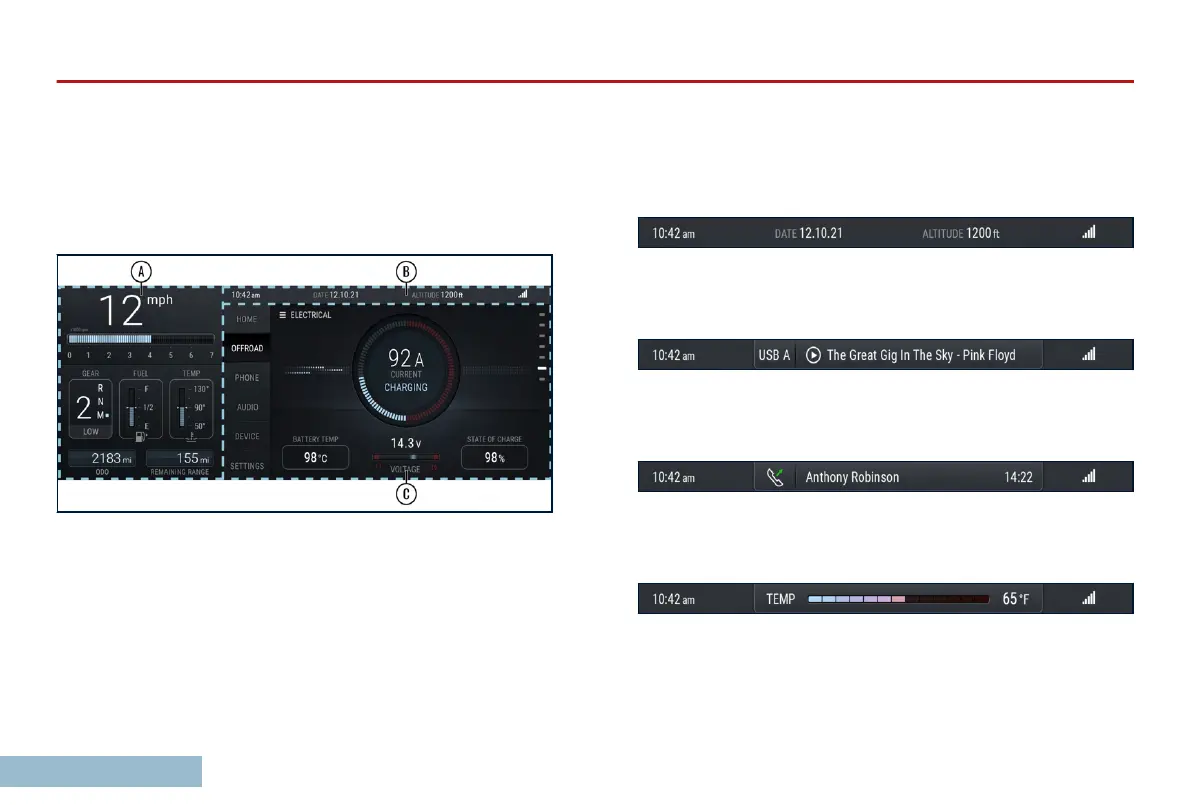
The Center Display and Touchscreen is broadly divided into three
regions.
The Instrument Panel (A): displays the standard information
required for operating your Grenadier that would traditionally be
shown in a physical gauge cluster, including vehicle speed, engine
speed, gearshift position, transfer case range, fuel level, engine
coolant temperature, an odometer, and a fuel range estimate.
The Info Bar (B): is at the top of the screen. It displays context-
specic information:
The Info Bar displays the current time, date, altitude, and phone
signal strength for a connected phone.
The audio overlay will appear if audio is playing and the AUDIO tab
is not selected.
Active phone call overlay will appear while you are on a call and
the PHONE tab is not selected.
OVERVIEW
24



 To Next Page