FEATURES-BARCODE SCANNING
!
Using the 2D barcode scanner:
The Infinea TAB M 2D model uses a scan engine that supports two-
dimensional (2D) and one dimensional (1D) barcode symbols. The effective
reading distance of the barcode reader varies depending on the barcode size.
Scanning Barcodes:
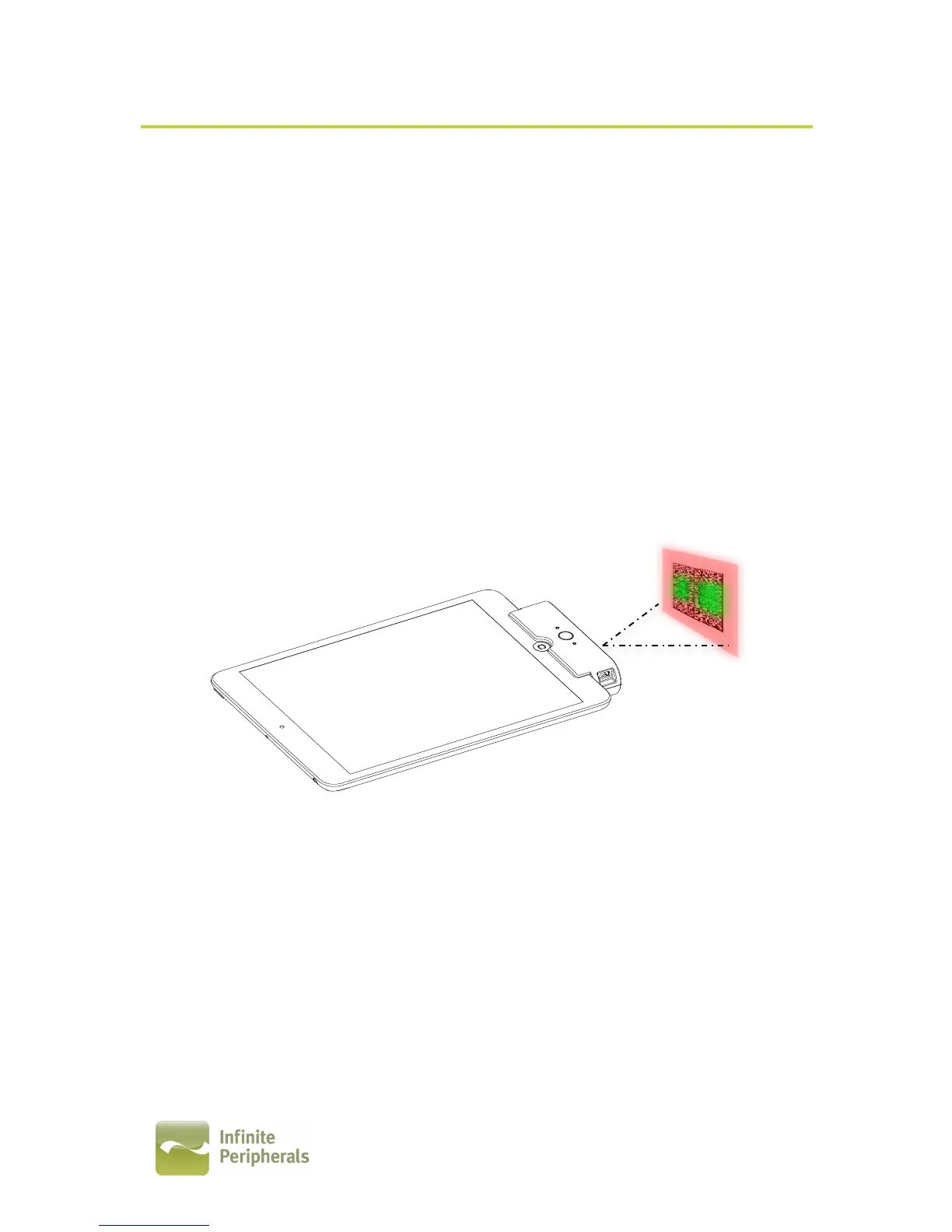
To scan a barcode first activate the scanner by pressing the scan button. Then
position the scan head near the center of the barcode. The illumination box
should extend outside the edges of the barcode as shown in the figure below.
Slowly pull back the unit increasing the distance between the barcode and
scan head until the scanner has read the barcode.
Tips:
Depending on the size of the barcode being scanned, you may need to slowly
pull back the unit increasing the distance between the barcode and scan head
until the barcode is within the imager’s illumination box as shown in the figure
above.!


 To Next Page