EasyManua.ls Logo

Infinite Peripherals INFINEA TAB M - Getting Started; Quick Start Guide

Infinite Peripherals INFINEA TAB M
23 pages
Print Icon
To Next Page IconTo Next Page
To Previous Page IconTo Previous Page
Loading...
!
USER MANUAL |
!
6!
GETTING STARTED
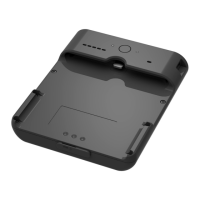
The Infinea TAB M allows you to scan barcode and capture Magnetic Strip
information onto your iPad Mini. Before using your Infinea TAB M the battery
should be properly charged. The following Quick Start guide will help to get
your Infinea TAB M ready for use.
Quick Start Guide
!
!
!
!
!
!
Step
What to do
Where to find more
Information
1
Fully charge your
Infinea TAB M as
recommended
The battery pack should
be fully charged before
use to ensure long battery
life
Charging Battery, Page 9
2
Install Software
All device features
require software to be
installed onto your iPad
Mini
Software is not provided
with Infinea TAB M. Please
contact your reseller or
Infinite Peripherals for Third-
Party software solutions
options.
Developers should refer to
the section in this manual on
“Developing Applications”
Page 16
3
Attach device to
iPad Mini
Connecting your Infinea
TAB m and iPad Mini
Page 8

Other manuals for Infinite Peripherals INFINEA TAB M