inniton.es6
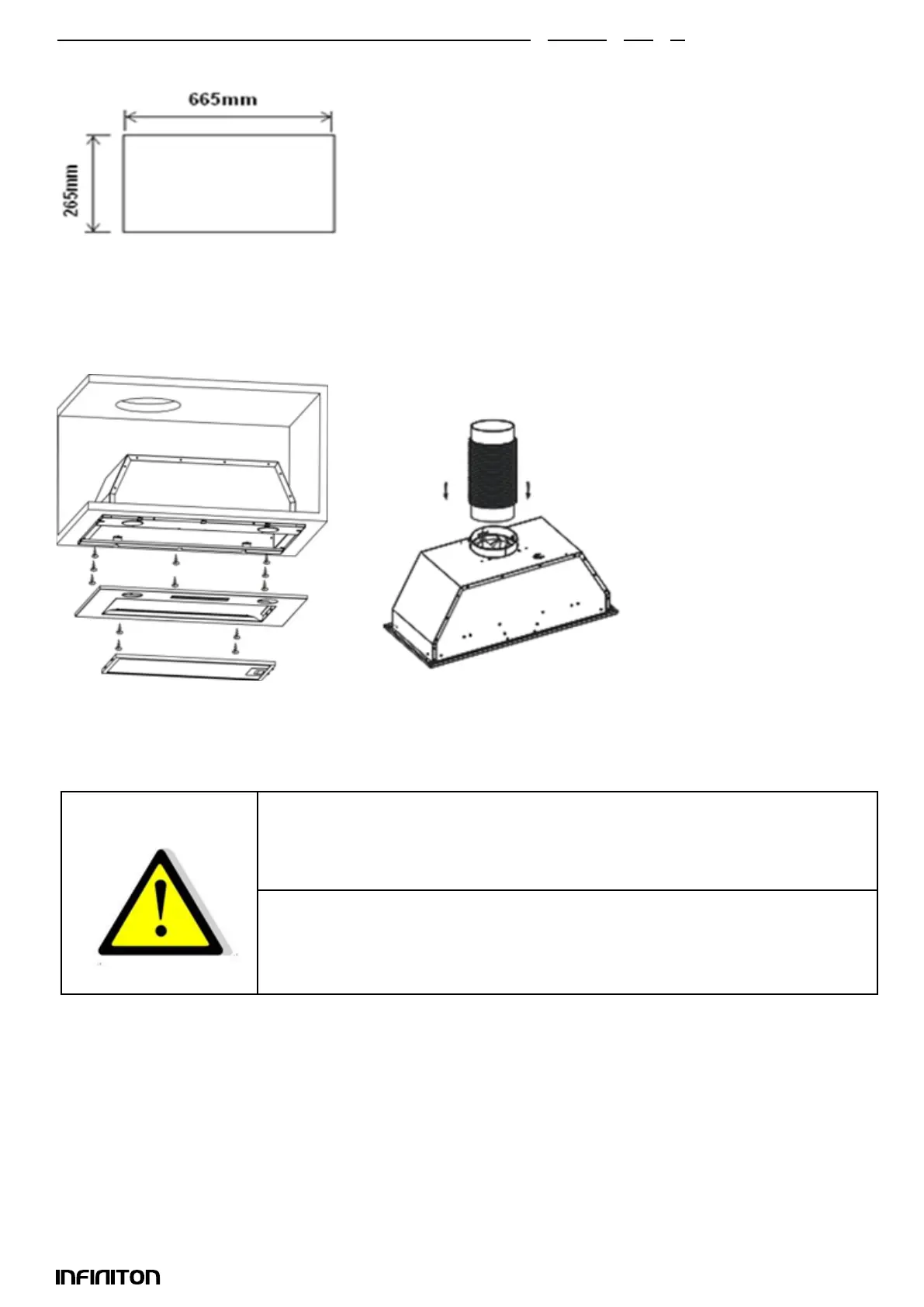
3. Drill a hole in the cupboard according to the size in pic below.Make sure the distance between the
edge of the hole and the edge of the cupboard edge is at least 35mm.
4. Remove the aluminum lter and remove the two front panel screws.
5. Use a screwdriver to secure the 8pcs ST4*18 screws and x the hood body to the cupboard.
6. Replace the front panel with the two screws and replace the lter.
7. Install the v-aps to the outlet and x the expansion pipe to the outlet with a cable tie.
Note: The expansion pipe is not included in the product.
For safety reason, please use only the same size of xing or mounting screws
which are recommended in this instruction manual.
Failure to install the screws or xing device in accordance with these
instructions may result in electrical hazards.
English
Installation
WARNING!
Size of the cavity: 665x265mm



 To Next Page