11
Remote Control Operation
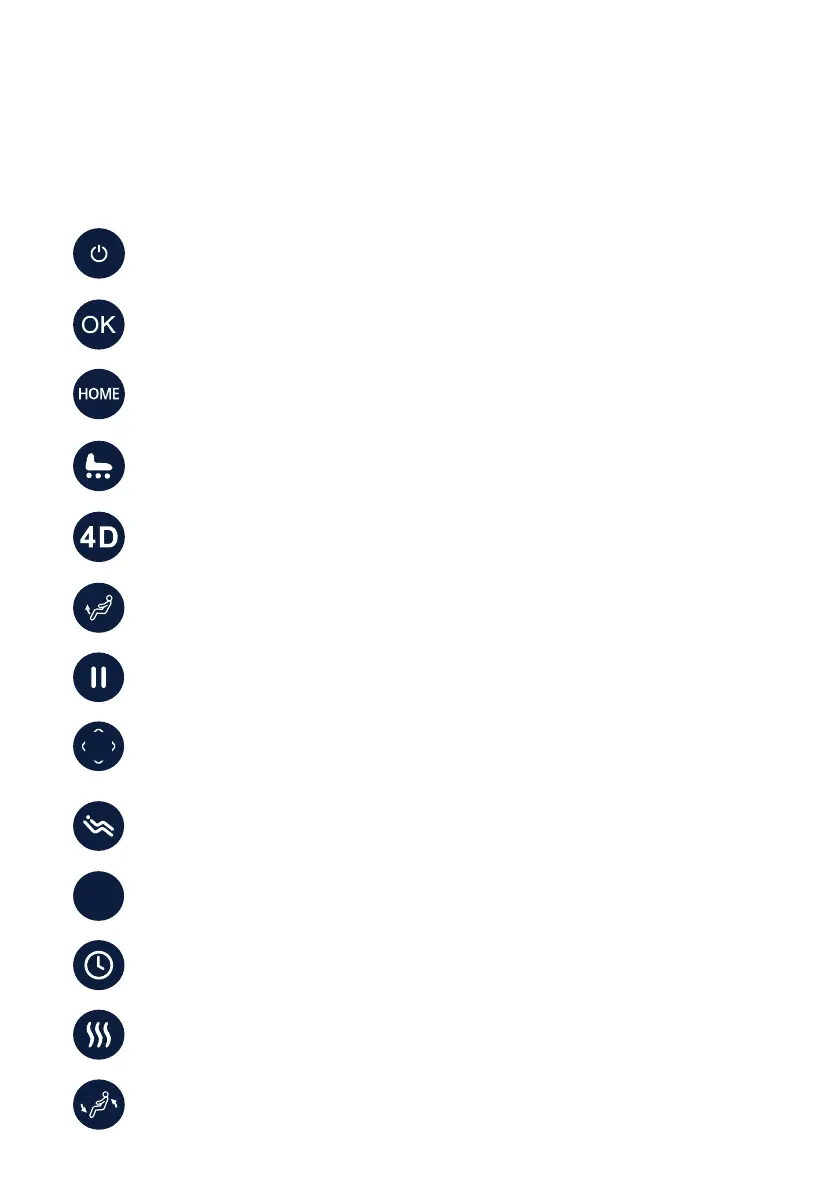
OK – After navigating to the command desired on the display, push OK to select.
On/Off – Press to power on the remote or power off the remote and return the
chair to the exit position.
4D – Press this button to toggle the maximum 4D intensity level of the back
mechanism.
Pause – Press pause to immediately stop all massage chair activity, press again
to resume.
Timer – Press button to manually adjust massage program timer. Maximum is
30 minutes.
Heat – Press button to turn on heat. Press again to turn off heat.
Backrest Angle Adjust – Press and hold to raise or lower the Footrest.
Footrest Angle Adjust – Press and hold to raise or lower the Footrest.
Directional Button – Four directional buttons navigate through menu options.
While the In-Use screen is showing, left and right buttons can be used to adjust
airbag intensity, and the up and down buttons to adjust massage speed.
HOME – Shortcut to the home page of all menu screens.
Foot Rollers – Press this button to toggle Dual Reflexology Foot Rollers and Calf
Kneading on or off.
Zero Gravity – Press once to enter ZG position 1. Press again to enter ZG
position 2. Press once more to return chair to upright position.
AUTO
AUTO - Press this button to cycle through auto programs.











 To Next Page