15
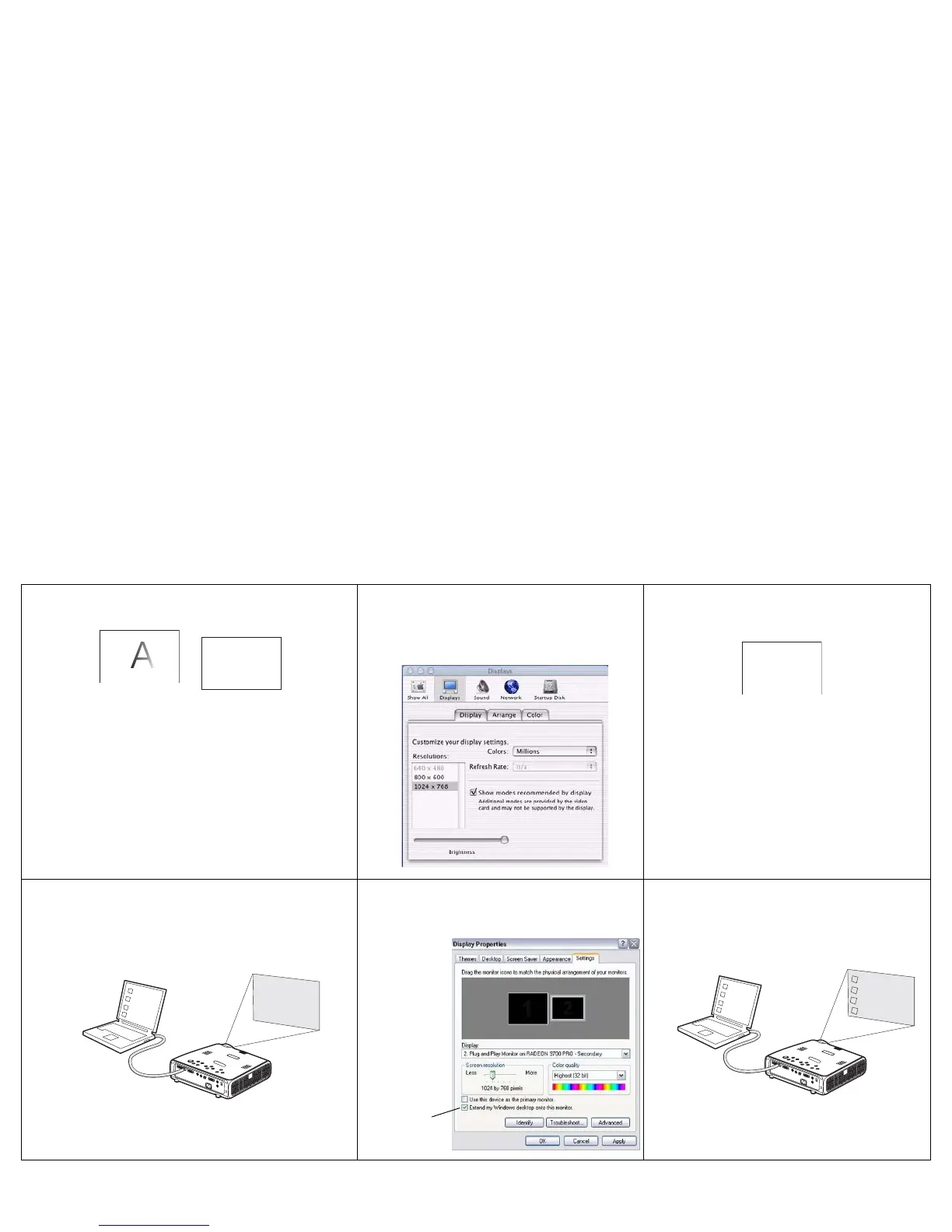
For Macintosh: Image fuzzy or cropped
Set your computer’s display resolution to
the native resolution of the projector
(Apple menu>System
Preferences>Displays, choose 1024x768)
Image clear and not cropped
Only my laptop’s background appears, not the
Desktop icons
Disable “Extend my Windows Desktop” in
Control Panel>Display>Settings>Display 2
(location varies by operating system)
Background and Desktop projected
A
A
A
A
A
Uncheck this
option, then
click Apply
A
A



 To Next Page