9
Adjusting the image
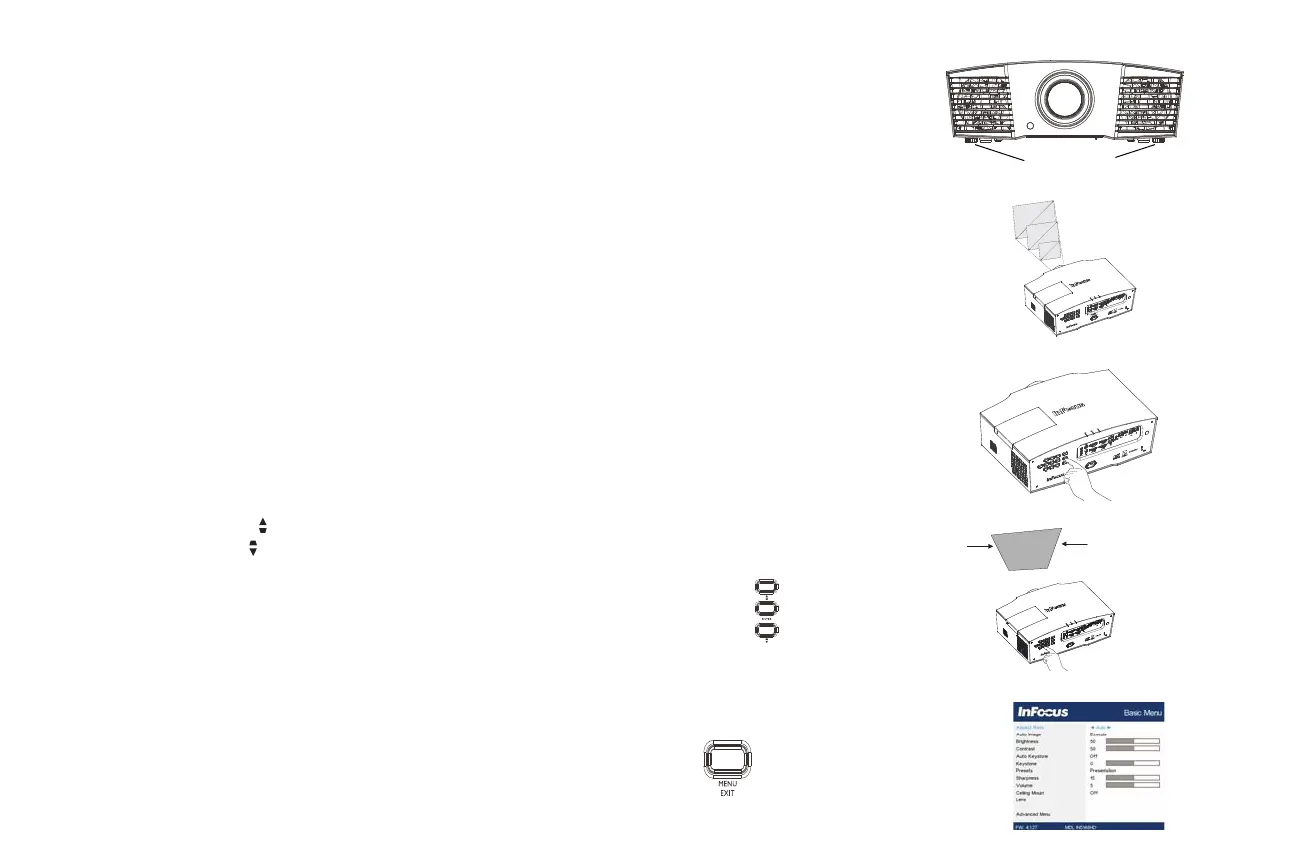
If needed, the projector can be levelled. Rotate each foot to extend the foot as
needed.
Avoid placing your hands near the hot exhaust vent at the front of the projector.
Position the projector the desired distance from the screen at a 90 degree angle to
the screen.
See page 6 for a table listing screen sizes and distances.
Adjust the zoom or focus.
If the image is not square, first make sure that the projector is perpendicular to the
screen. If the image is larger or smaller on the top or bottom edge of the screen,
press the top Keystone button
to reduce the upper part of the image, and press
the bottom Keystone button to reduce the lower part.
If the left or right side of the screen is larger or smaller the other, you can turn the
projector to the left or to the right a few degrees to square the image.
Adjust the Contrast or Brightness in the Basic Menu. See page 27 for help with
these menu adjustments.
adjust height
leveling feet



 To Next Page