EasyManua.ls Logo

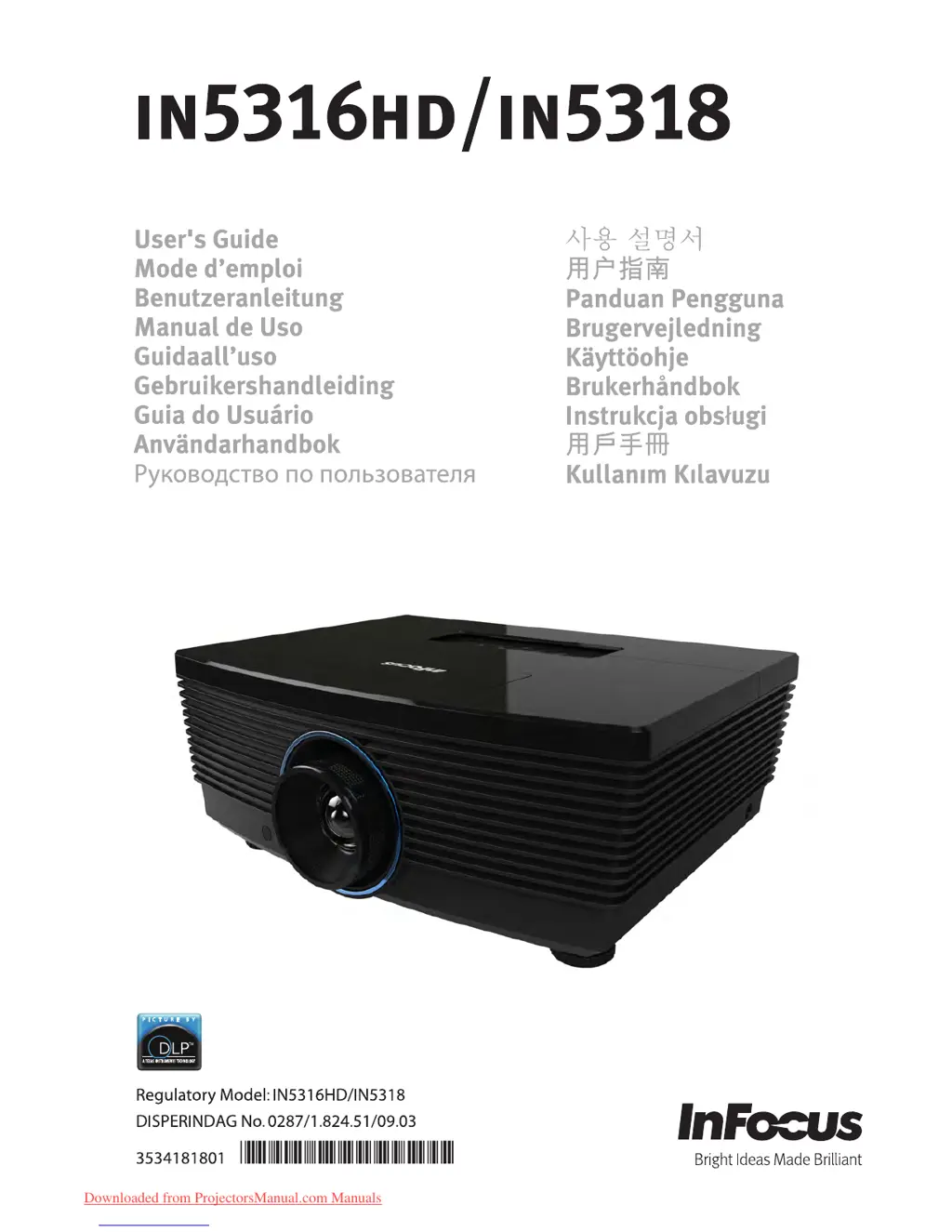
InFocus in5316HD - User Manual

InFocus in5316HD
61 pages
Print Icon
To Next Page IconTo Next Page
Loading...
Downloaded from ProjectorsManual.com Manuals

Table of Contents

Other manuals for InFocus in5316HD

Questions and Answers

  • W
    William DodsonAug 17, 2025
    What to do if my InFocus in5316HD has no image on the screen?
    • T
      Tammy DunnAug 17, 2025
      If no image appears on the screen of your InFocus Projector, verify the settings on your notebook or desktop PC. Turn off all equipment and power it up again in the correct order. Many laptops do not automatically turn on their external video port when a projector is connected. Usually a key combination like **FN + F8** or CRT/LCD key turns the external display on and off. Locate a function key labeled CRT/LCD or a function key with a monitor symbol. Press FN and the labeled function key simultaneously.
  • M
    Melissa RiddleAug 20, 2025
    Why does the lamp go off on my InFocus in5316HD?
    • K
      Kaitlyn RodriguezAug 20, 2025
      Power surges can cause the lamp to turn off. Unplug and re-plug the power cord and press the Power button. If the lamp still does not ignite, unplug the projector and allow it to cool for 60 minutes. Replace the lamp. If a new lamp does not resolve the issue, put the old lamp back into the projector and arrange to have the projector repaired.
  • D
    Douglas DelgadoAug 22, 2025
    What to do if the image from InFocus in5316HD Projector is wider at the top or bottom?
    • C
      Christian SimmonsAug 23, 2025
      If the image from your InFocus Projector is wider at the top or bottom (trapezoid effect), position the projector so it is as perpendicular to the screen as possible. Use the Keystone buttons on the remote control or projector to correct the problem.
  • T
    taylorcindyAug 26, 2025
    How to fix a streaked image on my InFocus in5316HD Projector?
    • A
      Amber MeadowsAug 26, 2025
      If the image on your InFocus Projector is streaked, adjust the Frequency and Phase settings in the Display >> PC Detail Adjustment menu. To ensure the problem is not caused by a connected PC’s video card, connect to another computer.
  • A
    Alexander BrownAug 28, 2025
    How to correct reversed image on InFocus in5316HD Projector?
    • V
      Victoria MirandaAug 28, 2025
      To correct a reversed image on your InFocus Projector, check the Projection setting on the Image menu of the OSD.
  • T
    tuckermatthewAug 31, 2025
    How to adjust contrast on InFocus in5316HD?
    • B
      Brittany NguyenAug 31, 2025
      To adjust the contrast on your InFocus Projector, modify the Contrast setting in the PICTURE >> Basic menu of the OSD.
  • C
    Charles JohnsonSep 3, 2025
    How to adjust color on InFocus Projector?
    • W
      Wendy BallSep 3, 2025
      To adjust the color of the projected image on your InFocus Projector, modify the Color Temperature and Gamma settings on the PICTURE >> Advanced menu of the OSD.
  • S
    Scott JonesSep 5, 2025
    Why is there no light from my InFocus in5316HD?
    • D
      Deanna BassSep 5, 2025
      If your InFocus Projector has no light, check that the power cable is securely connected and ensure the power source is working by testing it with another electrical device. Restart the projector and check that the PWR LED is solid Green. If you have recently replaced the lamp, try resetting the lamp connections. If the issue persists, replace the lamp module. If none of these steps work, consider putting the old lamp back in the projector and having the projector serviced.
  • B
    Beth MasonSep 8, 2025
    What to do if my InFocus Projector does not respond to the remote control?
    • T
      Tina PhillipsSep 8, 2025
      If your InFocus Projector isn't responding to the remote, make sure you're pointing the remote control towards the remote sensor on the projector and that there are no obstructions between the remote and the sensor. Try turning off any fluorescent lights or other infrared-enabled devices in the room. Check the battery polarity and replace the batteries. If problems persist, replace the remote control.
  • C
    Casey JuarezSep 12, 2025
    Why is there no sound from my InFocus in5316HD Projector?
    • A
      amanda35Sep 12, 2025
      If there is no sound from your InFocus Projector, adjust the volume on the remote control and the volume of the audio source. Check the audio cable connection and disconnect any audio out cables. Test the source audio output with other speakers. If the problem persists, have the projector serviced.

Summary

Getting Started

Packing Checklist

Verifies all included items after unpacking the projector.

Remote Control Parts

Setup and Operation

Starting and Shutting down the Projector

Procedures for powering the projector on and off correctly.

Adjusting Projected Image Position Using Shift

Guides on using lens shift to adjust image position vertically and horizontally.

Adjusting Zoom, Focus and Keystone

Steps for adjusting image size, sharpness, and correcting trapezoid distortion.

On-Screen Display (OSD) Menu Settings

PICTURE Menu Settings

Details image settings for brightness, contrast, color, and tint.

Maintenance and Security

Replacing the Projection Lamp

Step-by-step guide for safely replacing the projector lamp module.

Troubleshooting

Common Problems and Solutions

General tips for resolving common projector issues and ensuring proper setup.

LED Error Messages

Explains the meaning of different LED indicator states and error codes.

Image Problems

Solutions for issues like no image, blurred image, or trapezoid effect.

Lamp Problems

Addresses issues related to the projector lamp not lighting or turning off.

InFocus in5316HD Specifications

General IconGeneral
Display TechnologyDLP
Max Resolution1920x1080
Projection Size30 - 300 inches
Resolution1920 x 1080
Contrast Ratio2000:1
Video Modes720p, 1080i, 1080p, 480p
Keystone CorrectionVertical: ±30°
Noise Level32 dB (Eco mode)
InputsHDMI, VGA, USB, Composite Video

Related product manuals